







Question: Lab 7 Implementing Classes Learning Outcomes Write Java Implementation classes . Write Java Tester classes . Write Java methods Instantiate objects Declare instance and local
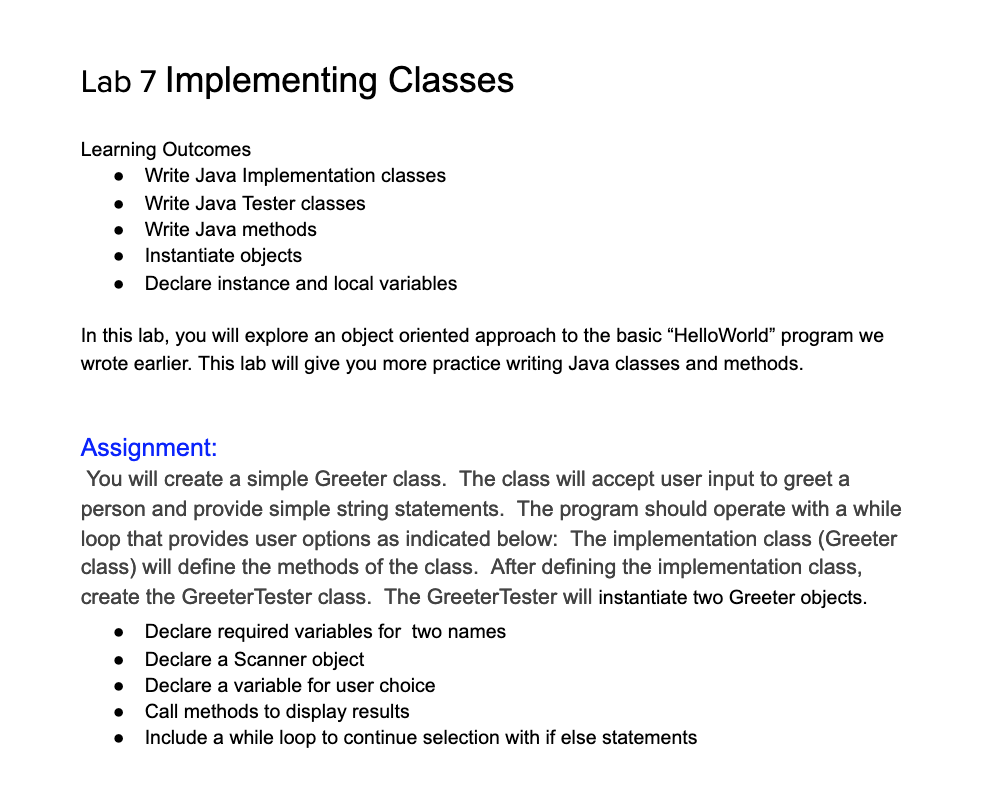
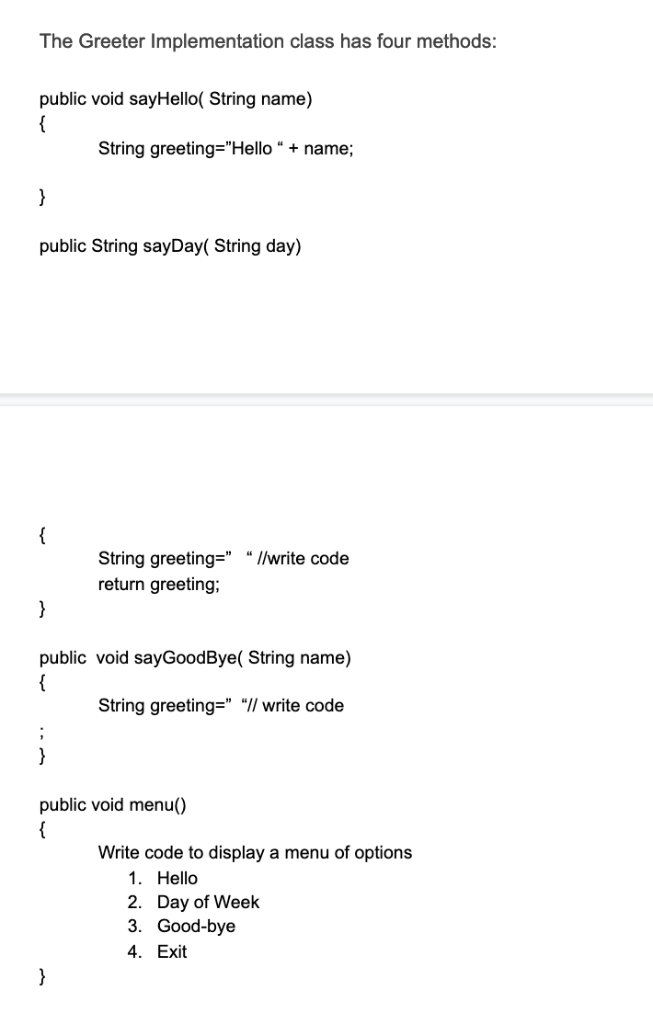
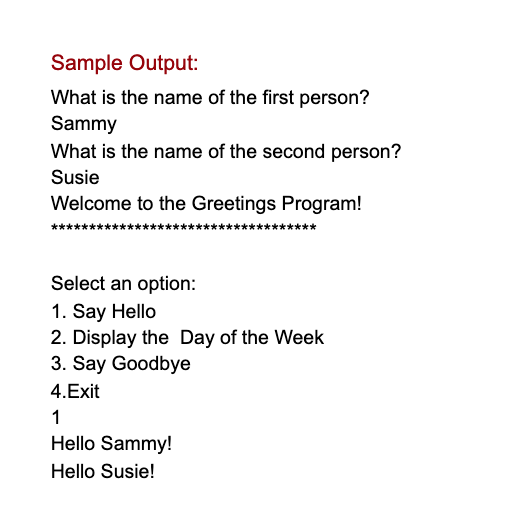
Lab 7 Implementing Classes Learning Outcomes Write Java Implementation classes . Write Java Tester classes . Write Java methods Instantiate objects Declare instance and local variables In this lab, you will explore an object oriented approach to the basic "HelloWorld" program we wrote earlier. This lab will give you more practice writing Java classes and methods. Assignment: You will create a simple Greeter class. The class will accept user input to greet a person and provide simple string statements. The program should operate with a while loop that provides user options as indicated below: The implementation class (Greeter class) will define the methods of the class. After defining the implementation class, create the GreeterTester class. The GreeterTester will instantiate two Greeter objects. Declare required variables for two names Declare a Scanner object Declare a variable for user choice Call methods to display results Include a while loop to continue selection with if else statements . The Greeter Implementation class has four methods: public void sayHello( String name) String greeting="Hello + name; public String sayDay( String day) String greeting-" "l/write code return greeting; public void sayGoodBye( String name) String greeting-" "I/ write code public void menu) Write code to display a menu of options 1. Hello 2. Day of Week 3. Good-bye 4. Exit Sample Output: What is the name of the first person? Sammy What is the name of the second person? Susie Welcome to the Greetings Program! Select an option: 1. Say Hello 2. Display the Day of the Week 3. Say Goodbye 4.Exit 1 Hello Sammy! Hello Susie
Step by Step Solution
There are 3 Steps involved in it

Get step-by-step solutions from verified subject matter experts
 Study Help