







Question: LAB ACTIVITY 2 . 2 5 . 1 : LAB: Warm up: Variables, input, and casting 0 5 main.c Load default template... 1 #include stdio
LAB
ACTIVITY
: LAB: Warm up: Variables, input, and casting
main.c
Load default template...
#include stdioh
int mainvoid
int userInt;
double userDouble;
FIXME: Define char and string variables similarly
printfEnter integer:
;
scanfd &userInt;
FIXME : Finish reading other items into variables, then output the four values on a single line separated by
FIXME : Output the four values in reverse
FIXME : Cast the double to an integer, and output that integer
return ;
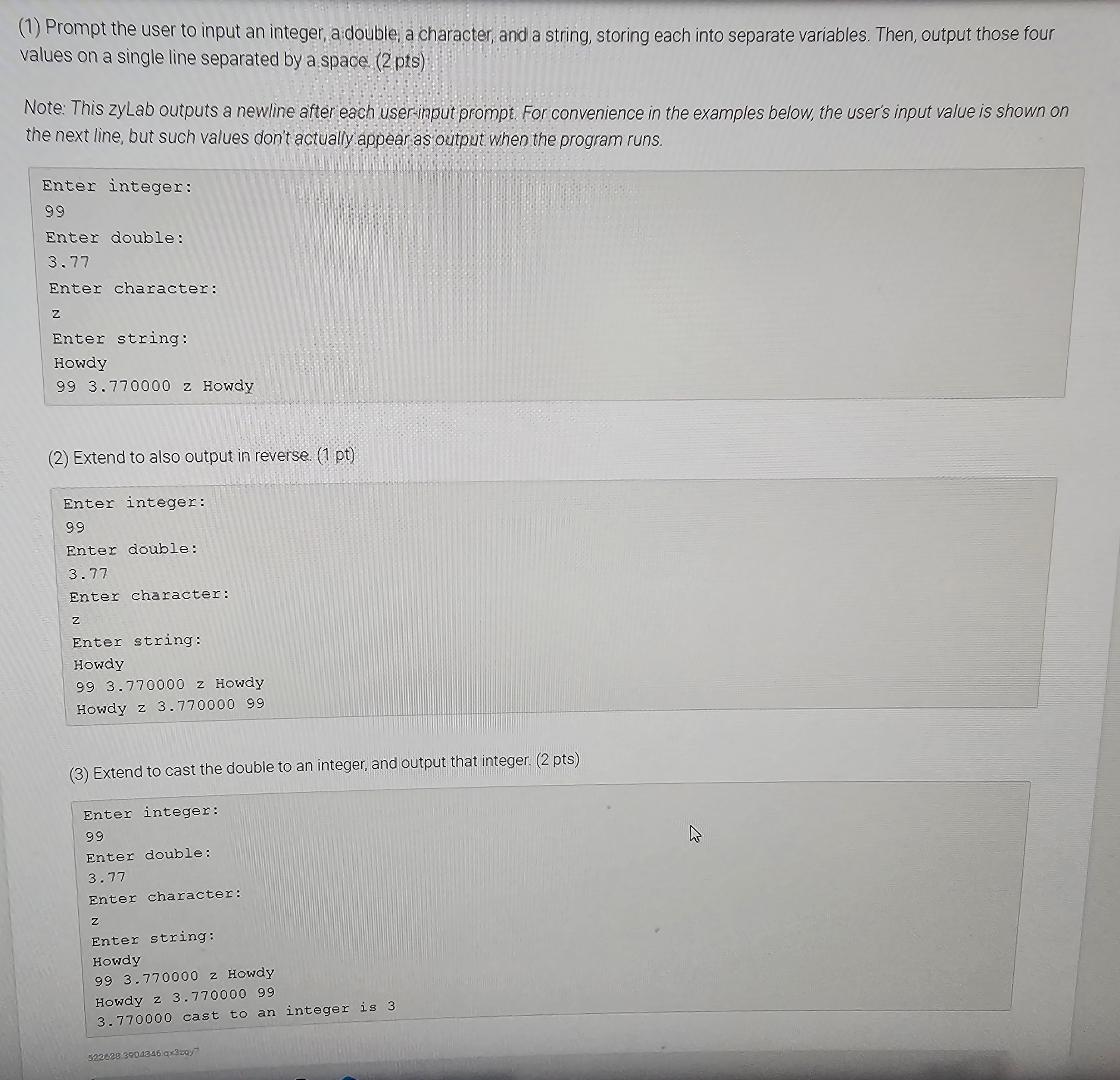
Prompt the user to input an integer, a double, a character, and a string, storing each into separate variables. Then, output those four values on a single line separated by a space pts
Note: This zyLab outputs a newline after each usermput prompt. For convenience in the examples below, the user's input value is shown on the next line, but such values don't actually appear as output when the program runs.
Enter integer:
Enter double:
Enter character:
z
Enter string:
Howdy
z Howdy
Extend to also output in reverse
Enter integer:
Enter double:
Enter character:
Enter string:
Howdy
z Howdy
Howdy z
Extend to cast the double to an integer, and output that integer. pts
Enter integer:
Enter double:
Enter character:
Enter string:
Howdy
z Howdy
Howdy
cast to an integer is
Step by Step Solution
There are 3 Steps involved in it
1 Expert Approved Answer
Step: 1 Unlock

Question Has Been Solved by an Expert!
Get step-by-step solutions from verified subject matter experts
Step: 2 Unlock
Step: 3 Unlock
 Study Help