







Question: Lab Goal : This lab was designed to teach you more object oriented programming and how to write a very simple game. You will show
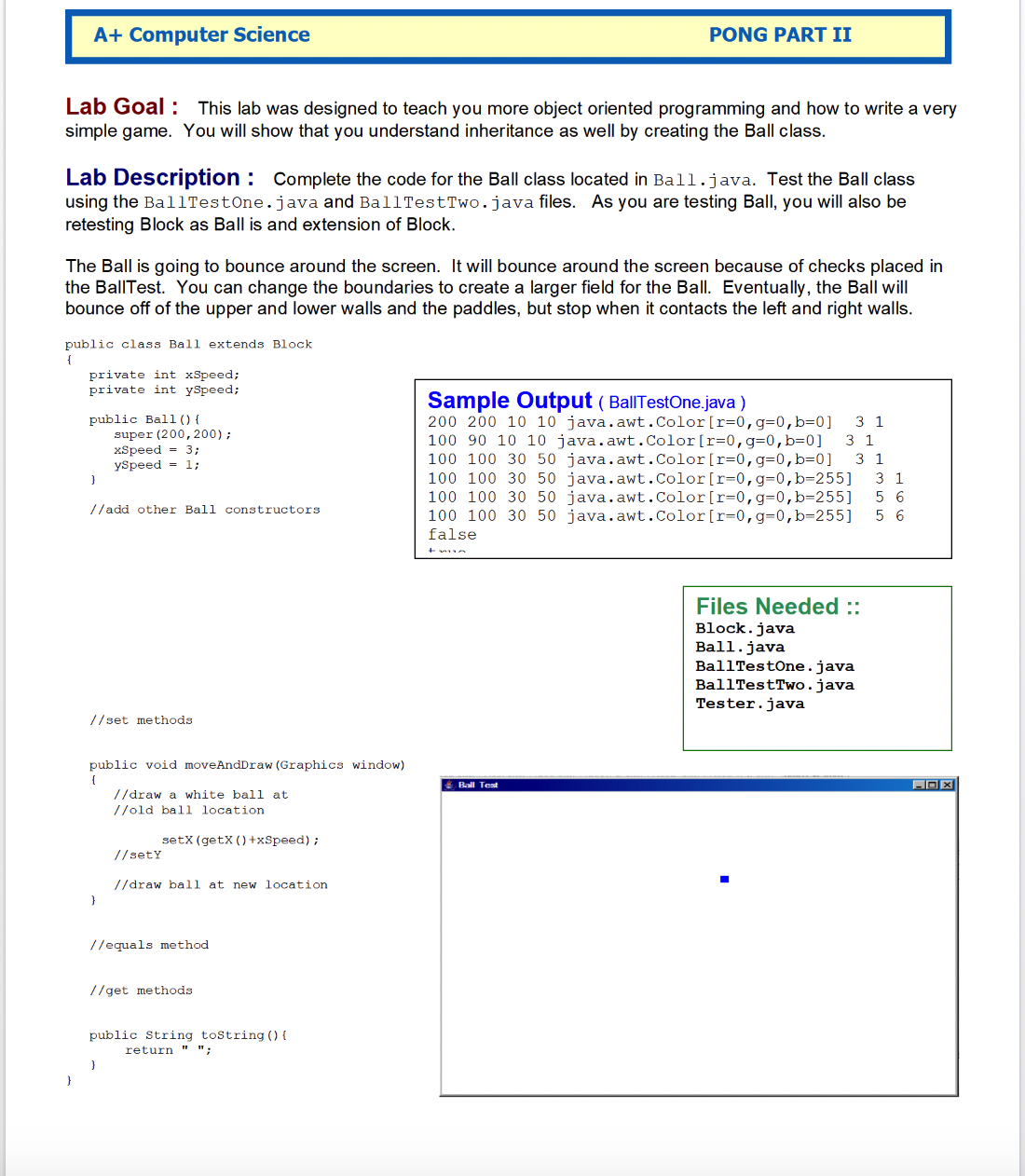
Lab Goal : This lab was designed to teach you more object oriented programming and how to write a very
simple game. You will show that you understand inheritance as well by creating the Ball class.
Lab Description : Complete the code for the Ball class located in Ball.java. Test the Ball class
using the BallTestone.java and BallTestTwo.java files. As you are testing Ball, you will also be
retesting Block as Ball is and extension of Block.
The Ball is going to bounce around the screen. It will bounce around the screen because of checks placed in
the BallTest. You can change the boundaries to create a larger field for the Ball. Eventually, the Ball will
bounce off of the upper and lower walls and the paddles, but stop when it contacts the left and right walls.
public class Ball extends Block
private int xSpeed;
private int yspeed;
public Ball
super ;
xspeed ;
yspeed ;
add other Ball constructors
set methods
public void moveAndDraw Graphics window
draw a white ball at
old ball location
Speed;
sety
draw ball at new location
equals method
get methods
public string tostring
return ;
Sample Output BallTestOne.java
java.awt.Color
java.awt.Color
java.awt.Color
java.awt.Color
java.awt.Color
java.awt.Color
false
Files Needed ::
Block. java
Ball. java
BallTestone. java
BallTestTwo. java
Tester.java
Step by Step Solution
There are 3 Steps involved in it
1 Expert Approved Answer
Step: 1 Unlock

Question Has Been Solved by an Expert!
Get step-by-step solutions from verified subject matter experts
Step: 2 Unlock
Step: 3 Unlock
 Study Help