Question: Lab Tasks: Editing, Compiling, and Running a Java Hello World Program In this part, we will practice using Scanner class to read input from the
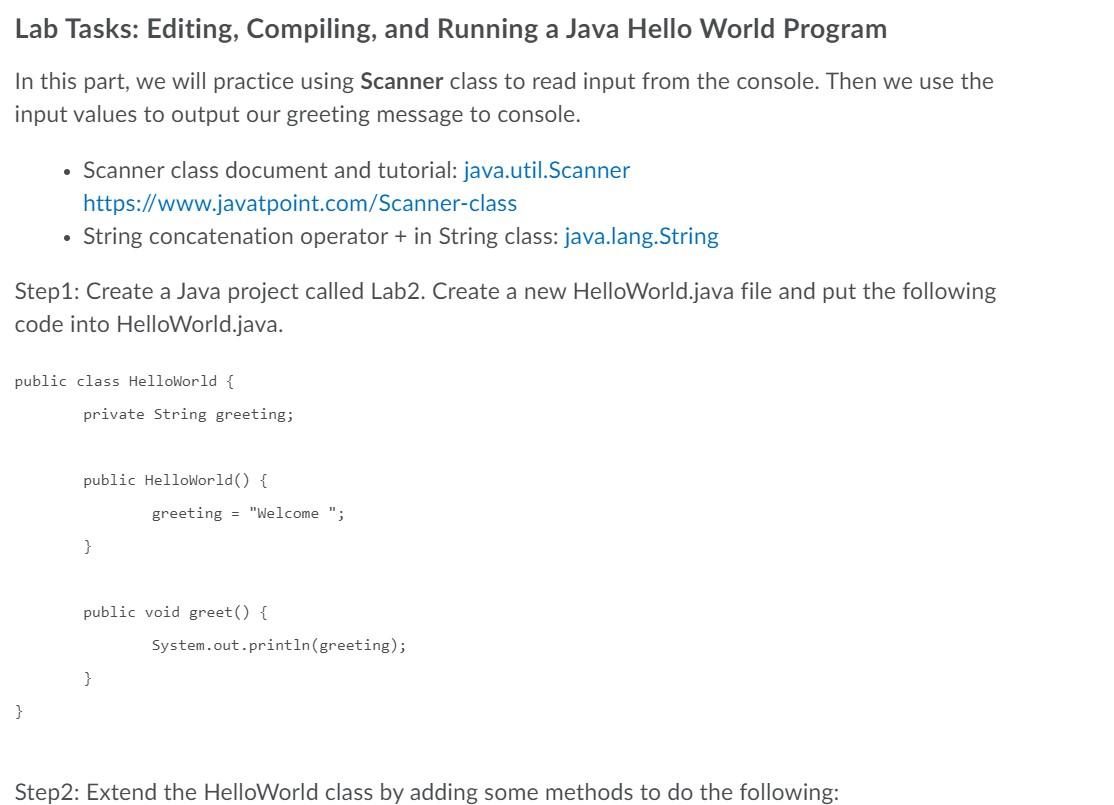
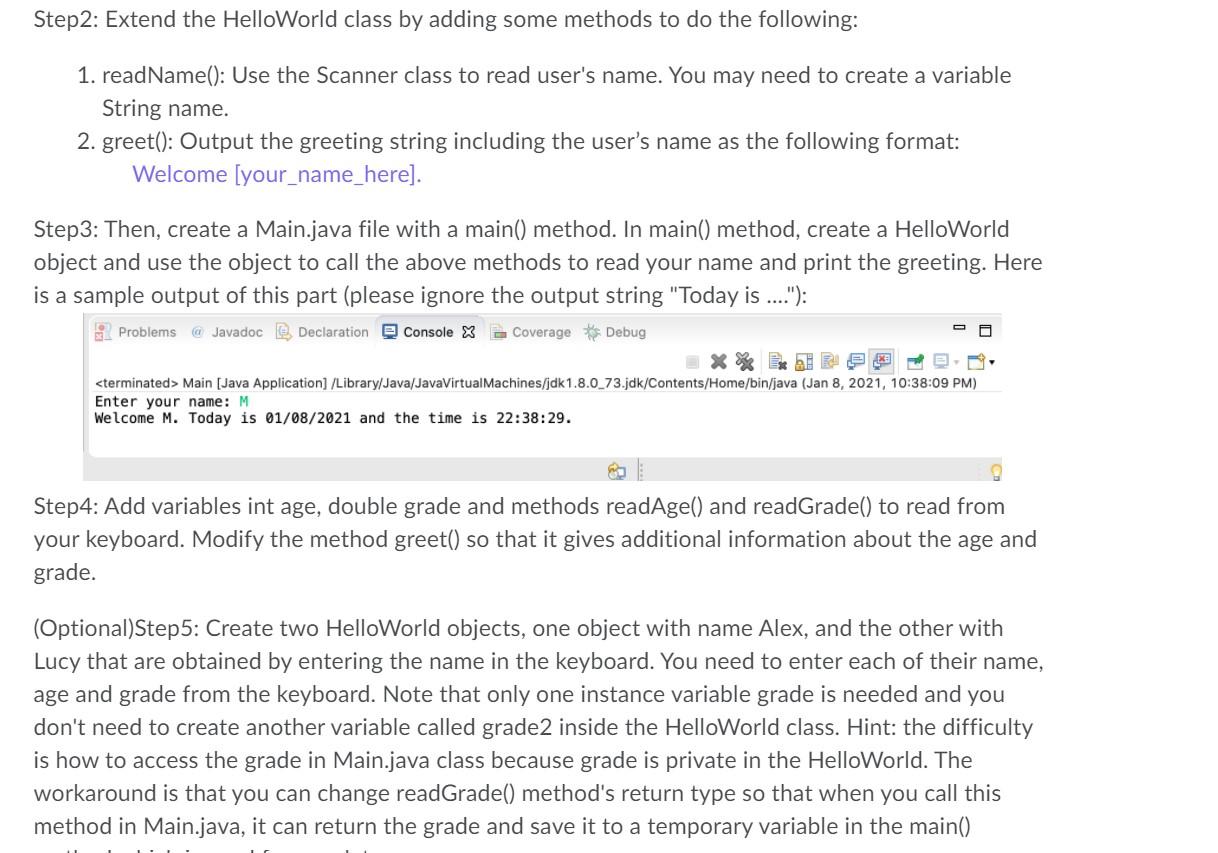
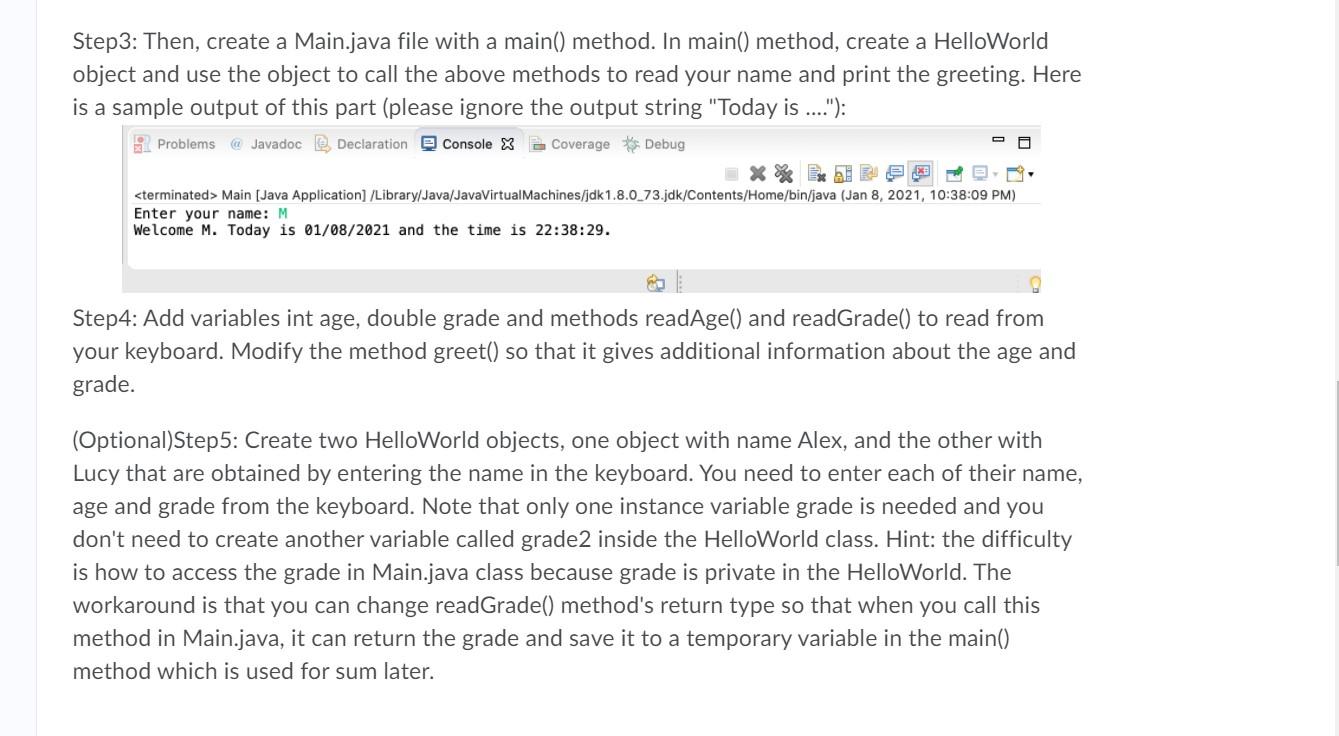
Lab Tasks: Editing, Compiling, and Running a Java Hello World Program In this part, we will practice using Scanner class to read input from the console. Then we use the input values to output our greeting message to console. Scanner class document and tutorial: java.util.Scanner https://www.javatpoint.com/Scanner-class String concatenation operator + in String class: java.lang.String Step1: Create a Java project called Lab2. Create a new HelloWorld.java file and put the following code into HelloWorld.java. public class HelloWorld { private String greeting; public HelloWorld() { greeting = "Welcome "; } public void greet() { System.out.println(greeting); } } Step2: Extend the HelloWorld class by adding some methods to do the following: Step2: Extend the HelloWorld class by adding some methods to do the following: 1. readName(): Use the Scanner class to read user's name. You may need to create a variable String name. 2. greet(): Output the greeting string including the user's name as the following format: Welcome [your_name_here]. Step3: Then, create a Main.java file with a main() method. In main() method, create a HelloWorld object and use the object to call the above methods to read your name and print the greeting. Here is a sample output of this part (please ignore the output string "Today is ..."): Problems @ Javadoc Declaration Console X Coverage Debug X Main [Java Application] /Library/Java/JavaVirtual Machines/jdk1.8.0_73.jdk/Contents/Home/bin/java (Jan 8, 2021, 10:38:09 PM) Enter your name: M Welcome M. Today is 01/08/2021 and the time is 22:38:29. Step4: Add variables int age, double grade and methods readAgel) and readGrade() to read from your keyboard. Modify the method greet() so that it gives additional information about the age and grade. (Optional)Step5: Create two HelloWorld objects, one object with name Alex, and the other with Lucy that are obtained by entering the name in the keyboard. You need to enter each of their name, age and grade from the keyboard. Note that only one instance variable grade is needed and you don't need to create another variable called grade2 inside the HelloWorld class. Hint: the difficulty is how to access the grade in Main.java class because grade is private in the HelloWorld. The workaround is that you can change readGrade() method's return type so that when you call this method in Main.java, it can return the grade and save it to a temporary variable in the main() Step3: Then, create a Main.java file with a main() method. In main() method, create a HelloWorld object and use the object to call the above methods to read your name and print the greeting. Here is a sample output of this part (please ignore the output string "Today is ...."): 2 Problems @ Javadoc Declaration Console x B Coverage Debug Main [Java Application] /Library/Java/JavaVirtual Machines/jdk1.8.0_73.jdk/Contents/Home/bin/java (Jan 8, 2021, 10:38:09 PM) Enter your name: M Welcome M. Today is 01/08/2021 and the time is 22:38:29. Step 4: Add variables int age, double grade and methods readAge() and readGrade() to read from your keyboard. Modify the method greet() so that it gives additional information about the age and grade. (Optional)Step 5: Create two HelloWorld objects, one object with name Alex, and the other with Lucy that are obtained by entering the name in the keyboard. You need to enter each of their name, age and grade from the keyboard. Note that only one instance variable grade is needed and you don't need to create another variable called grade2 inside the HelloWorld class. Hint: the difficulty is how to access the grade in Main.java class because grade is private in the HelloWorld. The workaround is that you can change readGrade() method's return type so that when you call this method in Main.java, it can return the grade and save it to a temporary variable in the main() method which is used for sum later









 Study Help