







Question: Lab View Objective: To practice LabView's concepts associated with the manipulation of clusters and arrays. Also concepts of state machines, timing and shift registers are
 Lab View
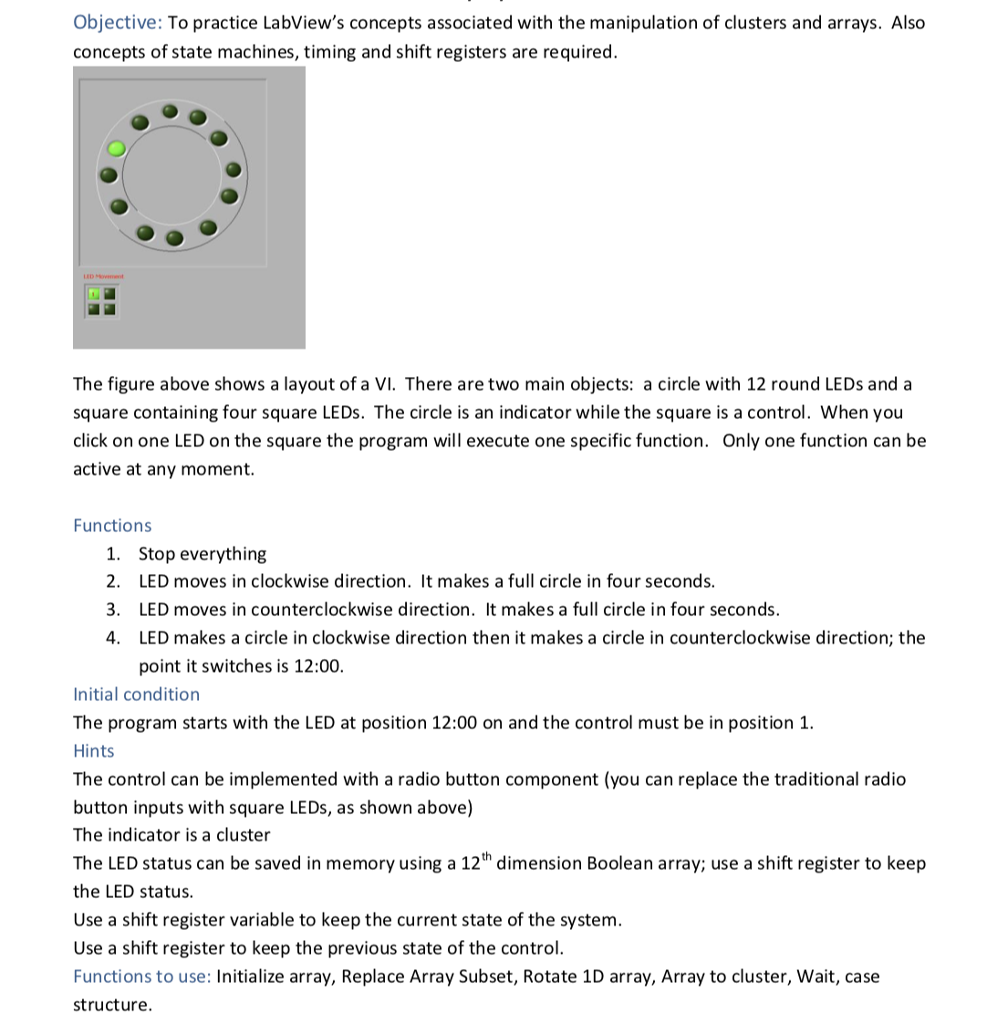
Objective: To practice LabView's concepts associated with the manipulation of clusters and arrays. Also concepts of state machines, timing and shift registers are required The figure above shows a layout of a VI. There are two main objects: a circle with 12 round LEDs and a square containing four square LEDs. The circle is an indicator while the square is a control. When you click on one LED on the square the program will execute one specific function. Only one function can be active at any moment Functions 1. Stop everything 2. LED moves in clockwise direction. It makes a full circle in four seconds 3. LED moves in counterclockwise direction. It makes a full circle in four seconds 4. LED makes a circle in clockwise direction then it makes a circle in counterclockwise direction; the point it switches is 12:00. Initial condition The program starts with the LED at position 12:00 on and the control must be in position 1. Hints The control can be implemented with a radio button component (you can replace the traditional radio button inputs with square LEDs, as shown above) The indicator is a cluster The LED status can be saved in memory using a 12h dimension Boolean array; use a shift register to keep the LED status Use a shift register variable to keep the current state of the system Use a shift register to keep the previous state of the control. Functions to use: Initialize array, Replace Array Subset, Rotate 1D array, Array to cluster, Wait, case structure Objective: To practice LabView's concepts associated with the manipulation of clusters and arrays. Also concepts of state machines, timing and shift registers are required The figure above shows a layout of a VI. There are two main objects: a circle with 12 round LEDs and a square containing four square LEDs. The circle is an indicator while the square is a control. When you click on one LED on the square the program will execute one specific function. Only one function can be active at any moment Functions 1. Stop everything 2. LED moves in clockwise direction. It makes a full circle in four seconds 3. LED moves in counterclockwise direction. It makes a full circle in four seconds 4. LED makes a circle in clockwise direction then it makes a circle in counterclockwise direction; the point it switches is 12:00. Initial condition The program starts with the LED at position 12:00 on and the control must be in position 1. Hints The control can be implemented with a radio button component (you can replace the traditional radio button inputs with square LEDs, as shown above) The indicator is a cluster The LED status can be saved in memory using a 12h dimension Boolean array; use a shift register to keep the LED status Use a shift register variable to keep the current state of the system Use a shift register to keep the previous state of the control. Functions to use: Initialize array, Replace Array Subset, Rotate 1D array, Array to cluster, Wait, case structure
Step by Step Solution
There are 3 Steps involved in it

Get step-by-step solutions from verified subject matter experts
 Study Help