







Question: lab2.html Lab 2_2 Lab 2_2 with JavaScript Please follow the steps and answer questions 4-5 in a text file, and question 6 in the JavaScript

lab2.html
Lab 2_2 with JavaScript
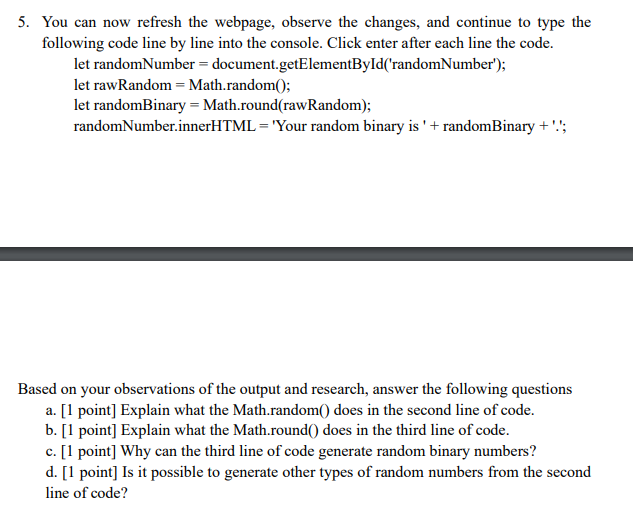
Please follow the steps and answer questions 4-5 in a text file, and question 6 in the JavaScript file. 1. Download and extract the lab2_2.html file 2. Open the file in Chrome, right click on the page and select Inspect 3. Select the Console tab. It is OK to see file not found error message for now. 5. You can now refresh the webpage, observe the changes, and continue to type the following code line by line into the console. Click enter after each line the code. let randomNumber = document.getElementById('randomNumber"); let rawRandom = Math.random(); let randomBinary = Math.round(raw Random); randomNumber.innerHTML = 'Your random binary is ' + randomBinary +''; Based on your observations of the output and research, answer the following questions a. [1 point] Explain what the Math.random() does in the second line of code. b. [1 point] Explain what the Math.round() does in the third line of code. c. [1 point] Why can the third line of code generate random binary numbers? d. [1 point] Is it possible to generate other types of random numbers from the second line of code
Step by Step Solution
There are 3 Steps involved in it

Get step-by-step solutions from verified subject matter experts
 Study Help