







Question: Labview Getting started modules www.learnni.com LabVIEW Getting Started Modules (http://www.learnni.com (Fill in the blanks) Module 0: NI stands for NI LabVIEW has been around since.
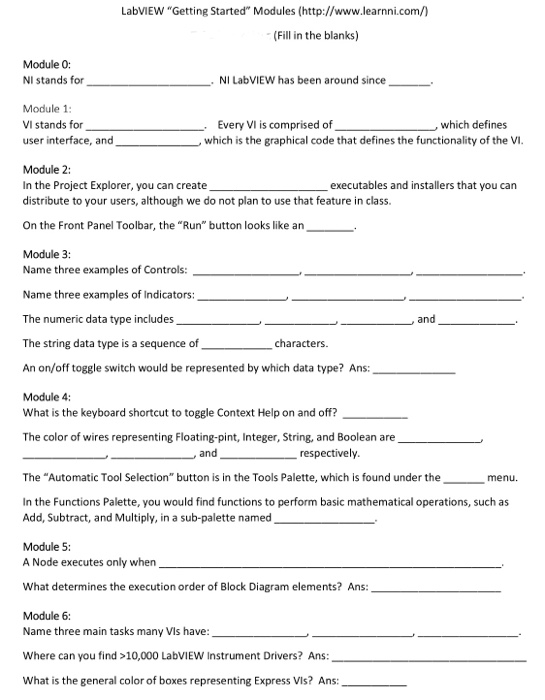
LabVIEW "Getting Started" Modules (http://www.learnni.com (Fill in the blanks) Module 0: NI stands for NI LabVIEW has been around since. Module 1 VI stands for user interface, and Every Vl is comprised of ,which defines which is the graphical code that defines the functionality of the Vi Module 2: In the Project Explorer, you can create distribute to your users, although we do not plan to use that feature in class. executables and installers that you can On the Front Panel Toolbar, the Run button looks like an Module 3: Name three examples of Controls: Name three examples of Indicators: The numeric data type includes The string data type is a sequence of An on/off toggle switch would be represented by which data type? Ans: characters. Module 4: What is the keyboard shortcut to toggle Context Help on and off? The color of wires representing Floating-pint, Integer, String, and Boolean are , and respectively The "Automatic Tool Selection" button is in the Tools Palette, which is found under the In the Functions Palette, you would find functions to perform basic mathematical operations, such as Add, Subtract, and Multiply, in a sub-palette named- Module 5: A Node executes only when What determines the execution order of Block Diagram elements? Ans: Module 6: Name three main tasks many Vis have Where can you find 10,000 LabVIEW Instrument Drivers? Ans: What is the general color of boxes representing Express VIs? Ans: menu
Step by Step Solution
There are 3 Steps involved in it

Get step-by-step solutions from verified subject matter experts
 Study Help