



Question: Language: Java Goals The goal of this lab is the creation of a basic but usable graphical user interface. In this case, you will create
Language: Java
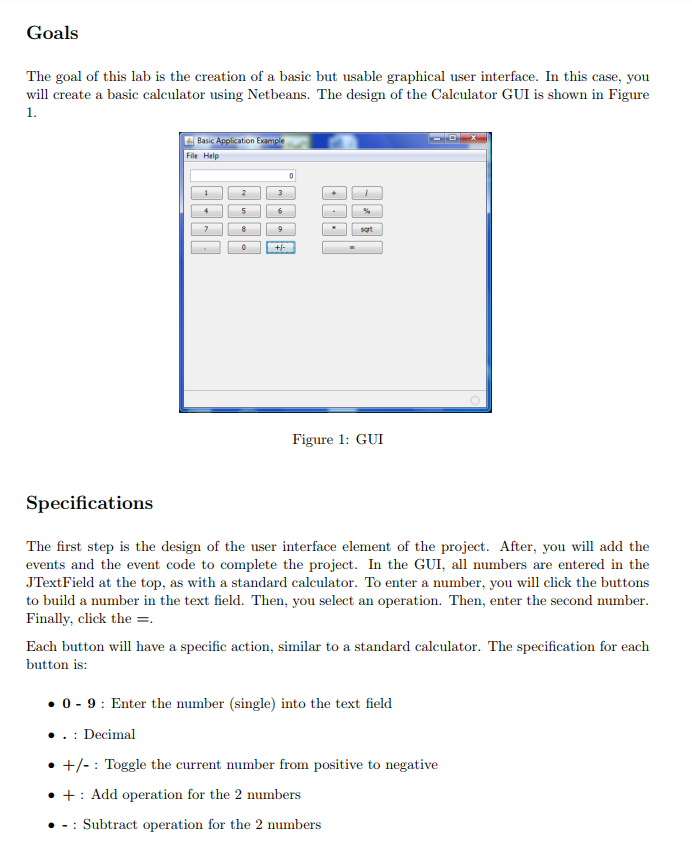
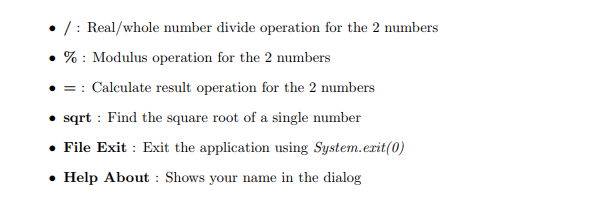
Goals The goal of this lab is the creation of a basic but usable graphical user interface. In this case, you will create a basic calculator using Netbeans. The design of the Calculator GUI is shown in Figure 1. Basic File Help sort Figure 1: GUI Specifications The first step is the design of the user interface element of the project. After, you will add the events and the event code to complete the project. In the GUI, all numbers are entered in the JTextField at the top, as with a standard calculator. To enter a number, you will click the buttons to build a number in the text field. Then, you select an operation. Then, enter the second number Finally, click the- Each button will have a specific action, similar to a standard calculator. The specification for each button is: 0-9: Enter the number (single) into the text field . . Decimal +/-: Toggle the current number from positive to negative +Add operation for the 2 numbers -Subtract operation for the 2 numbers . /: Real/whole number divide operation for the 2 numbers % : Modulus operation for the 2 numbers Calculate result operation for the 2 numbers sqrt Find the square root of a single number File Exit Exit the application using System.erit(0) Help About: Shows your name in the dialog
Step by Step Solution
There are 3 Steps involved in it

Get step-by-step solutions from verified subject matter experts