







Question: Last week's constructor method code: public MyApp() { //Create and set up the window. this.setTitle(Threads and Animation); setDefaultCloseOperation(JFrame.EXIT_ON_CLOSE); //Display the window, centred on the screen
Last week's constructor method code:
public MyApp() {
//Create and set up the window. this.setTitle("Threads and Animation");
setDefaultCloseOperation(JFrame.EXIT_ON_CLOSE);
//Display the window, centred on the screen
Dimension screensize = java.awt.Toolkit.getDefaultToolkit().getScreenSize();
int x = screensize.width/2 - WindowSize.width/2;
int y = screensize.height/2 - WindowSize.height/2;
setBounds(x, y, WindowSize.width, WindowSize.height);
setVisible(true);
}
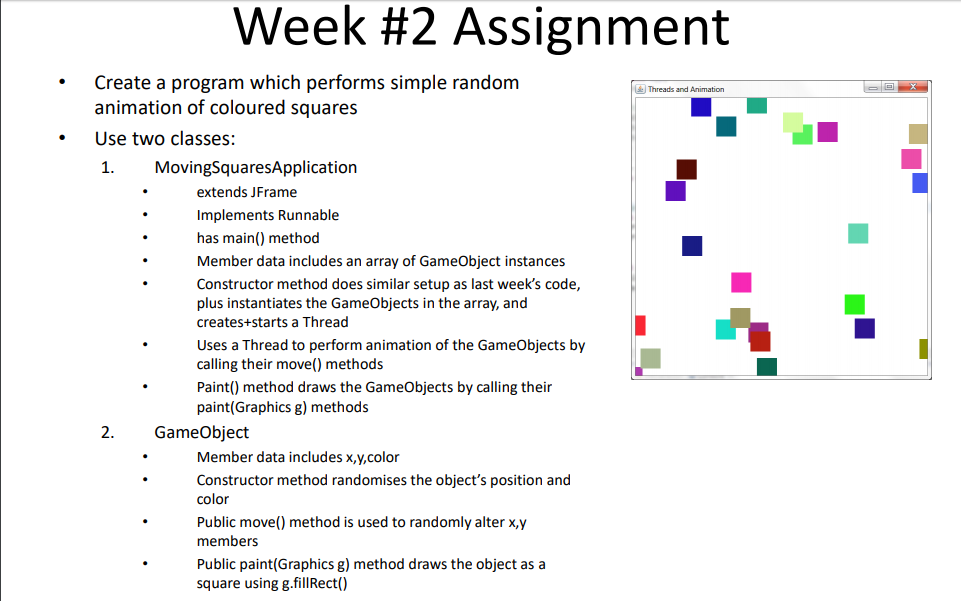
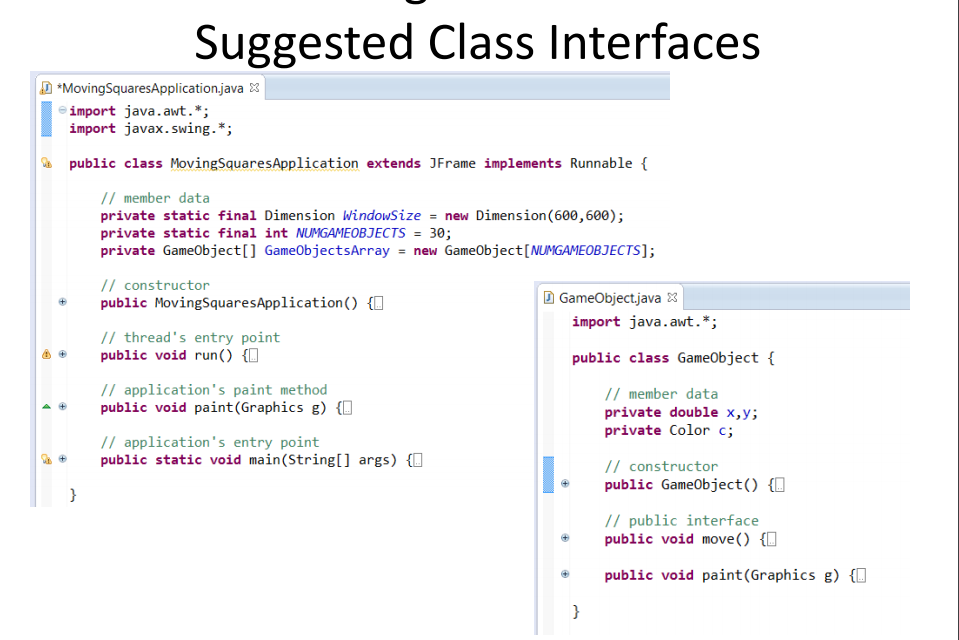
Week #2 Assignment Create a program which performs simple random animation of coloured squares Use two classes: Threads and Animation MovingSquaresApplication extends JFrame Implements Runnable has main) method Member data includes an array of GameObject instances Constructor method does similar setup as last week's code, plus instantiates the GameObjects in the array, and creates+starts a Thread Uses a Thread to perform animation of the GameObjects by calling their move() methods Paint) method draws the GameObjects by calling their paint(Graphics g) methods GameObject Member data includes x,y,color Constructor method randomises the object's position and color Public move() method is used to randomly alter x,y members Public paint(Graphics g) method draws the object as a square using g.fillRect()
Step by Step Solution
There are 3 Steps involved in it

Get step-by-step solutions from verified subject matter experts
 Study Help