







Question: Learning Objective This activity exposes the student to behaviour modelling by leveraging sequence and state diagrams. Exercises For the Caldera user story (replicated at the
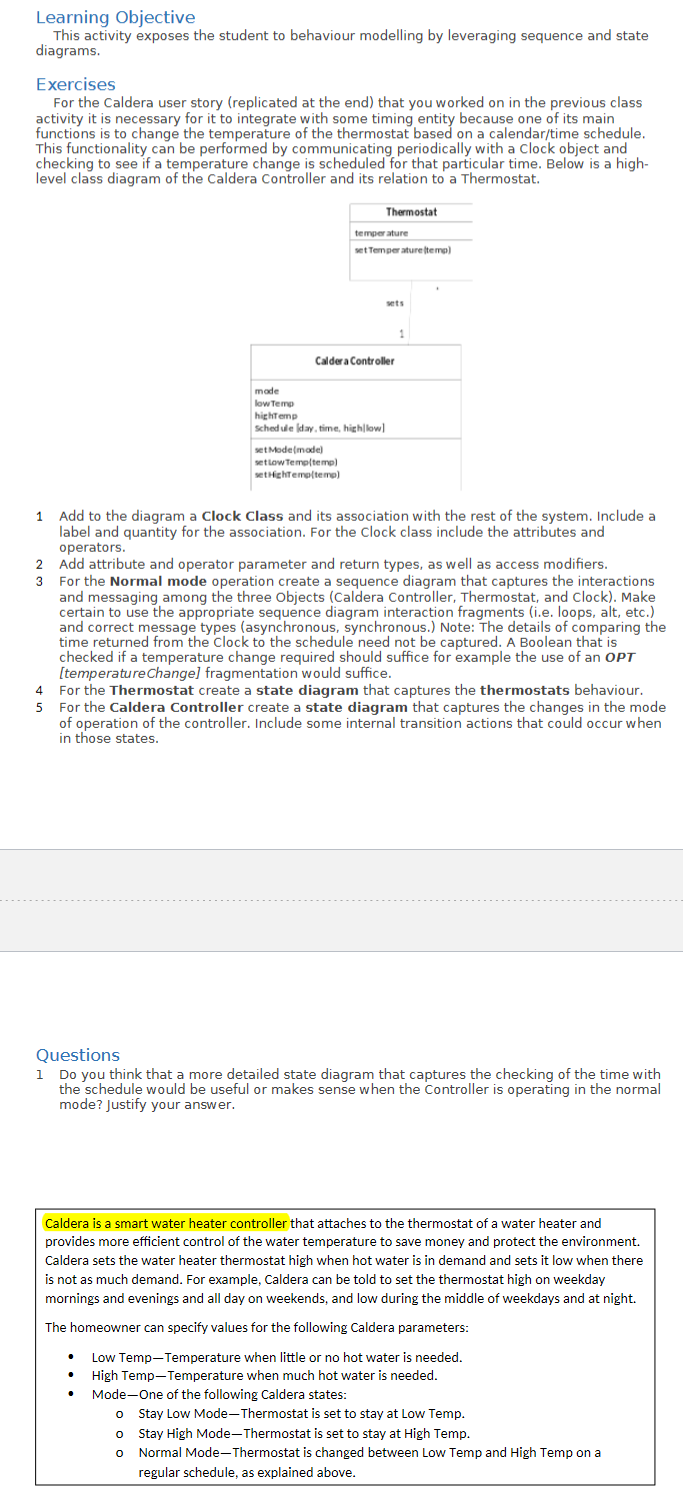
Learning Objective This activity exposes the student to behaviour modelling by leveraging sequence and state diagrams. Exercises For the Caldera user story (replicated at the end) that you worked on in the previous class activity it is necessary for it to integrate with some timing entity because one of its main functions is to change the temperature of the thermostat based on a calendar/time schedule. This functionality can be performed by communicating periodically with a clock object and checking to see if a temperature change is scheduled for that particular time. Below is a highlevel class diagram of the Caldera Controller and its relation to a Thermostat. 1 Add to the diagram a Clock Class and its association with the rest of the system. Include a label and quantity for the association. For the Clock class include the attributes and operators. 2 Add attribute and operator parameter and return types, as well as access modifiers. 3 For the Normal mode operation create a sequence diagram that captures the interactions and messaging among the three Objects (Caldera Controller, Thermostat, and Clock). Make certain to use the appropriate sequence diagram interaction fragments (i.e. loops, alt, etc.) and correct message types (asynchronous, synchronous.) Note: The details of comparing the time returned from the Clock to the schedule need not be captured. A Boolean that is checked if a temperature change required should suffice for example the use of an OPT [temperaturechange] fragmentation would suffice. 4 For the Thermostat create a state diagram that captures the thermostats behaviour. 5 For the Caldera Controller create a state diagram that captures the changes in the mode of operation of the controller. Include some internal transition actions that could occur when in those states. Questions 1 Do you think that a more detailed state diagram that captures the checking of the time with the schedule would be useful or makes sense when the Controller is operating in the normal mode? Justify your answer. Caldera is a smart water heater controller that attaches to the thermostat of a water heater and provides more efficient control of the water temperature to save money and protect the environment. Caldera sets the water heater thermostat high when hot water is in demand and sets it low when there is not as much demand. For example, Caldera can be told to set the thermostat high on weekday mornings and evenings and all day on weekends, and low during the middle of weekdays and at night. The homeowner can specify values for the following Caldera parameters: - Low Temp-Temperature when little or no hot water is needed. - High Temp-Temperature when much hot water is needed. - Mode-One of the following Caldera states: - Stay Low Mode-Thermostat is set to stay at Low Temp. - Stay High Mode-Thermostat is set to stay at High Temp. - Normal Mode-Thermostat is changed between Low Temp and High Temp on a regular schedule, as explained above
Step by Step Solution
There are 3 Steps involved in it

Get step-by-step solutions from verified subject matter experts
 Study Help