







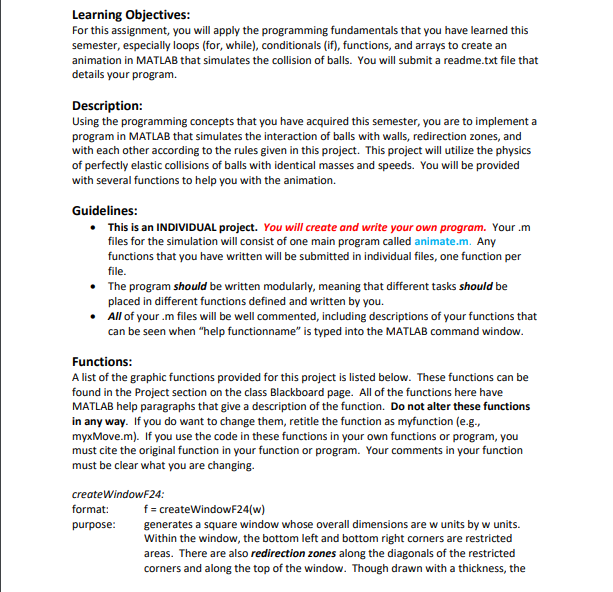
Question: Learning Objectives: For this assignment, you will apply the programming fundamentals that you have learned this semester, especially loops ( for , while ) ,
Learning Objectives:
For this assignment, you will apply the programming fundamentals that you have learned this semester, especially loops for while conditionals if functions, and arrays to create an animation in MATLAB that simulates the collision of balls. You will submit a readme.txt file that details your program.
Description:
Using the programming concepts that you have acquired this semester, you are to implement a program in MATLAB that simulates the interaction of balls with walls, redirection zones, and with each other according to the rules given in this project. This project will utilize the physics of perfectly elastic collisions of balls with identical masses and speeds. You will be provided with several functions to help you with the animation.
Guidelines:
This is an INDIVIDUAL project. You will create and write your own program. Your m files for the simulation will consist of one main program called animate.m Any functions that you have written will be submitted in individual files, one function per file.
The program should be written modularly, meaning that different tasks should be placed in different functions defined and written by you.
All of your m files will be well commented, including descriptions of your functions that can be seen when "help functionname" is typed into the MATLAB command window.
Functions:
A list of the graphic functions provided for this project is listed below. These functions can be found in the Project section on the class Blackboard page. All of the functions here have MATLAB help paragraphs that give a description of the function. Do not alter these functions in any way. If you do want to change them, retitle the function as myfunction eg myxMove.m If you use the code in these functions in your own functions or program, you must cite the original function in your function or program. Your comments in your function must be clear what you are changing.
createWindowF:
format: quad mathrmf createWindowFw
purpose: quad generates a square window whose overall dimensions are w units by w units. Within the window, the bottom left and bottom right comers are restricted areas. There are also redirection zones along the diagonals of the restricted corners and along the top of the window. Though drawn with a thickness, the redirection zones have zero thickness. The redirection zones along the diagonals are onethird the length of the diagonal and centered in the diagonal. The redirection zone along the top of the window is onefourth of the width and centered in the top boundary. The function returns a handle f that identifies the window that was created.
drawBall:
format: quad mathrmh drawBallxc yc r c
purpose: draws a ball filled circle whose center is at x c y c units, whose radius is r units, and color c The function returns a handle h that identifies the ball being created. The handle can then be used by the following functions below.
x Move:
format: quad x operatornameMovehmathrmxd
purpose: moves the object whose handle is h by xd units horizontally. xd can be either positive or negative.
yMove:
format: quad y operatornameMoveh y d
purpose: moves the object whose handle is h by yd units vertically. yd can be either positive or negative.
getcenter:
format: quadmathrmxmathrmy getCenter h
purpose: returns the coordinates in units of the center of the object whose handle is h redruw:
format: redraw
purpose: redraws all objects to reflect their new positions and flushes the buffer.
Input Methods:
The program will be able to take user inputs or read from a file as described below. Both types of input must be incorporated correctly in one program for full credit. Your program will work for any legitimate input values eg window width, number of balls, ball radius, and initial direction of motion You do not have to handle incorrect input values.
Required Inputs for User Input Method
The size width of the window
The radius of all of the balls this is a single value
The number of balls to simulate their initial positions will be determined randomly by your program
Two values for the initial direction of all of the balls in degrees. The first value is from the set of measured positive clockwise from North being at degrees. The second values is the set of
Given this input method, the program will randomly generate balls in the playing field. Half of the balls will have the initial direction of the first value and half of the balls will have the initial direction of the second value.
Excessive input will be avoided even as a feature
Input File Format for File Read Method:
An alternative to user inputs, the program will be able to read a file that contains the size of the window, the radius of the balls, the starting coordinates of each ball, and the initial direction for each ball. The structure of the file to be read will be the following:
Line : Width of the window in units
Line : Radius of the balls in units all balls have the same radius
Li Rules for the Animation:
Motion of the
Step by Step Solution
There are 3 Steps involved in it
1 Expert Approved Answer
Step: 1 Unlock

Question Has Been Solved by an Expert!
Get step-by-step solutions from verified subject matter experts
Step: 2 Unlock
Step: 3 Unlock
 Study Help