







Question: Linux has a sort command. If you wanted to use the linux sort command to sort all the items in a file called numbers.dat, you
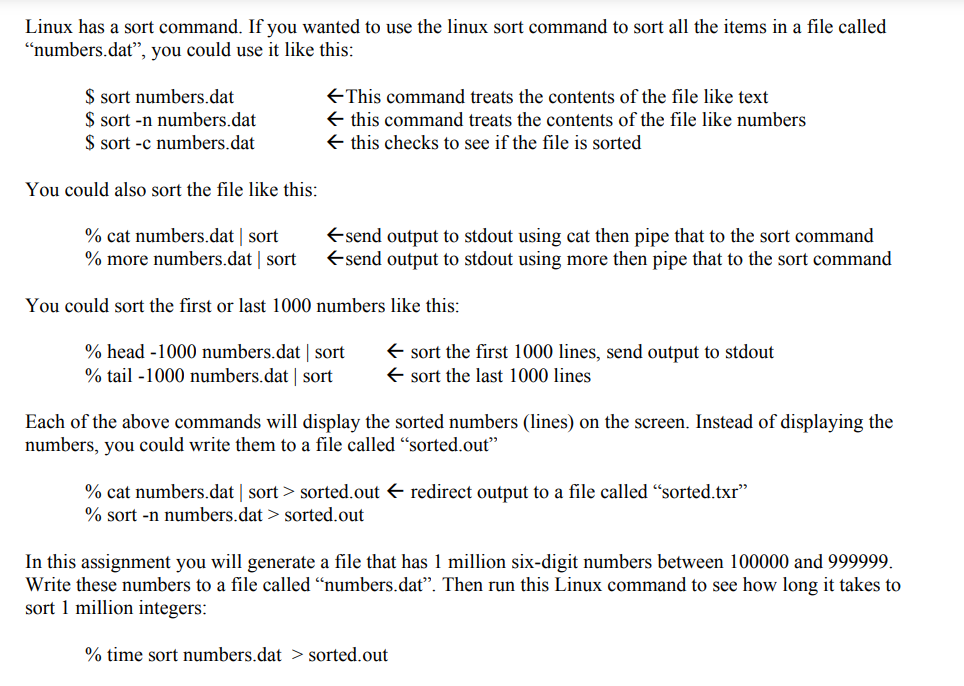
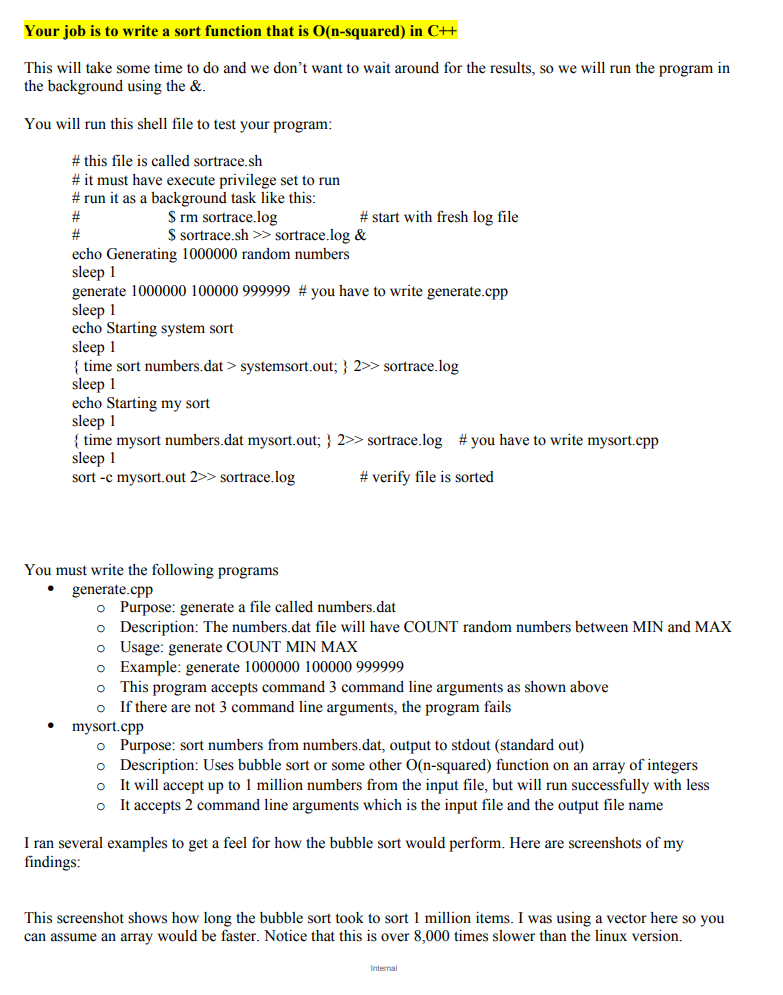
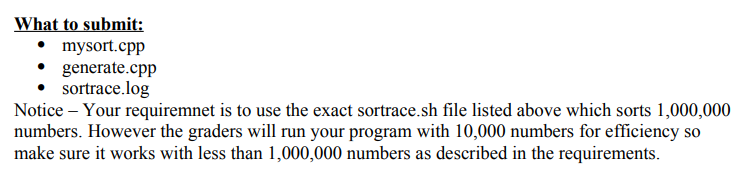
Linux has a sort command. If you wanted to use the linux sort command to sort all the items in a file called "numbers.dat", you could use it like this: $sortnumbers.dat$sort-nnumbers.dat$sort-cnumbers.datThiscommandtreatsthecontentsofthefileliketextthiscommandtreatsthecontentsofthefilelikenumbersthischeckstoseeifthefileissorted You could also sort the file like this: % cat numbers.dat | sort send output to stdout using cat then pipe that to the sort command % more numbers.dat sort send output to stdout using more then pipe that to the sort command You could sort the first or last 1000 numbers like this: % head 1000 numbers.dat sort sort the first 1000 lines, send output to stdout % tail -1000 numbers.dat sort sort the last 1000 lines Each of the above commands will display the sorted numbers (lines) on the screen. Instead of displaying the numbers, you could write them to a file called "sorted.out" % cat numbers.dat sort > sorted.out redirect output to a file called "sorted.txr" % sort n numbers. dat > sorted.out In this assignment you will generate a file that has 1 million six-digit numbers between 100000 and 999999. Write these numbers to a file called "numbers.dat". Then run this Linux command to see how long it takes to sort 1 million integers: % time sort numbers.dat > sorted.out \# this file is called sortrace.sh \# it must have execute privilege set to run \# run it as a background task like this: # \$rm sortrace.log \# start with fresh log file \# \$ sortrace.sh sortrace. log& echo Generating 1000000 random numbers sleep 1 generate 1000000100000999999 \# you have to write generate.cpp sleep 1 echo Starting system sort sleep 1 \{ time sort numbers.dat > systemsort.out; }2 sortrace.log sleep 1 echo Starting my sort sleep 1 \{ time mysort numbers.dat mysort.out; }2 sortrace.log \# you have to write mysort.cpp sleep 1 sort -c mysort.out 2 sortrace.log \# verify file is sorted You must write the following programs - generate.cpp Purpose: generate a file called numbers.dat Description: The numbers.dat file will have COUNT random numbers between MIN and MAX Usage: generate COUNT MIN MAX Example: generate 1000000100000999999 This program accepts command 3 command line arguments as shown above - If there are not 3 command line arguments, the program fails - mysort.cpp Purpose: sort numbers from numbers.dat, output to stdout (standard out) Description: Uses bubble sort or some other O (n-squared) function on an array of integers It will accept up to 1 million numbers from the input file, but will run successfully with less It accepts 2 command line arguments which is the input file and the output file name I ran several examples to get a feel for how the bubble sort would perform. Here are screenshots of my findings: This screenshot shows how long the bubble sort took to sort 1 million items. I was using a vector here so you can assume an array would be faster. Notice that this is over 8,000 times slower than the linux version. What to submit: - mysort.cpp - generate.cpp - sortrace.log Notice - Your requiremnet is to use the exact sortrace.sh file listed above which sorts 1,000,000 numbers. However the graders will run your program with 10,000 numbers for efficiency so make sure it works with less than 1,000,000 numbers as described in the requirements
Step by Step Solution
There are 3 Steps involved in it

Get step-by-step solutions from verified subject matter experts
 Study Help