



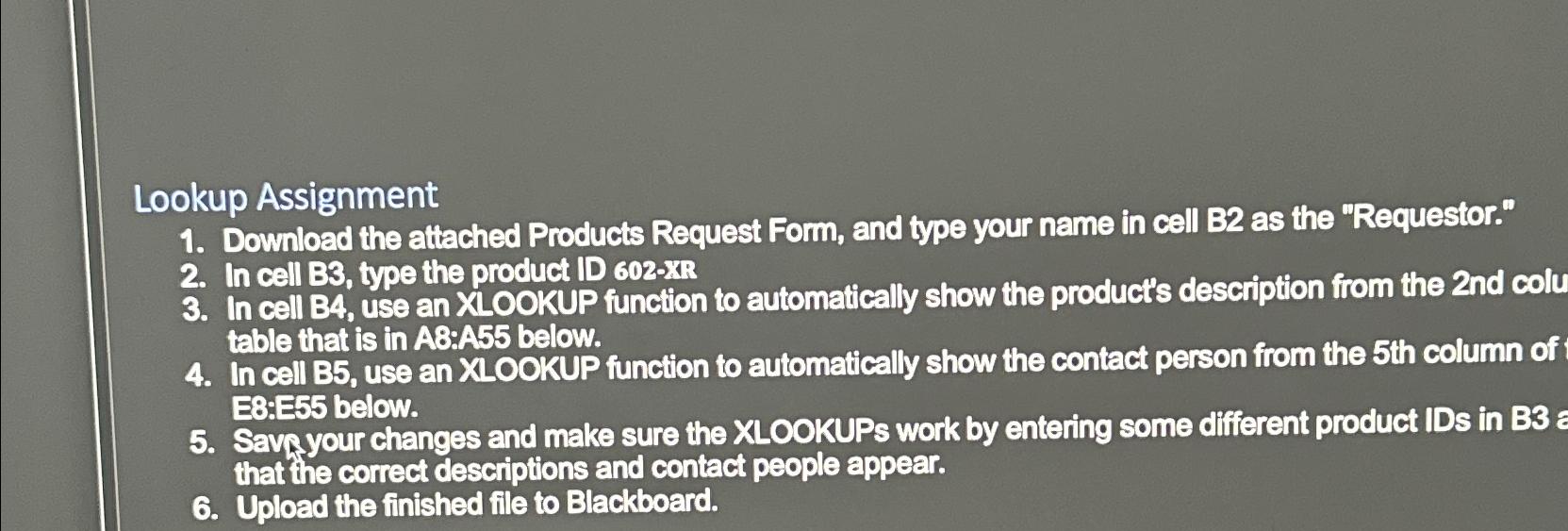
Question: Lookup Assignment Download the attached Products Request Form, and type your name in cell B 2 as the Requestor. In cell B 3 , type
Lookup Assignment
Download the attached Products Request Form, and type your name in cell B as the "Requestor."
In cell B type the product ID XB
In cell B use an XLOOKUP function to automatically show the product's description from the nd colu table that is in A:A below.
In cell B use an XLOOKUP function to automatically show the contact person from the th column of E:E below.
Savayour changes and make sure the XLOOKUPs work by entering some different product IDs in B that the correct descriptions and contact people appear.
Upload the finished file to Blackboard.
Step by Step Solution
There are 3 Steps involved in it
1 Expert Approved Answer
Step: 1 Unlock

Question Has Been Solved by an Expert!
Get step-by-step solutions from verified subject matter experts
Step: 2 Unlock
Step: 3 Unlock