







Question: main.cpp #include #include browserhistory.h inline void _test(const char* expression, const char* file, int line) { cerr #define test(EXPRESSION) ((EXPRESSION) ? (void)0 : _test(#EXPRESSION, __FILE__, __LINE__))
main.cpp
#include
inline void _test(const char* expression, const char* file, int line) { cerr
#define test(EXPRESSION) ((EXPRESSION) ? (void)0 : _test(#EXPRESSION, __FILE__, __LINE__))
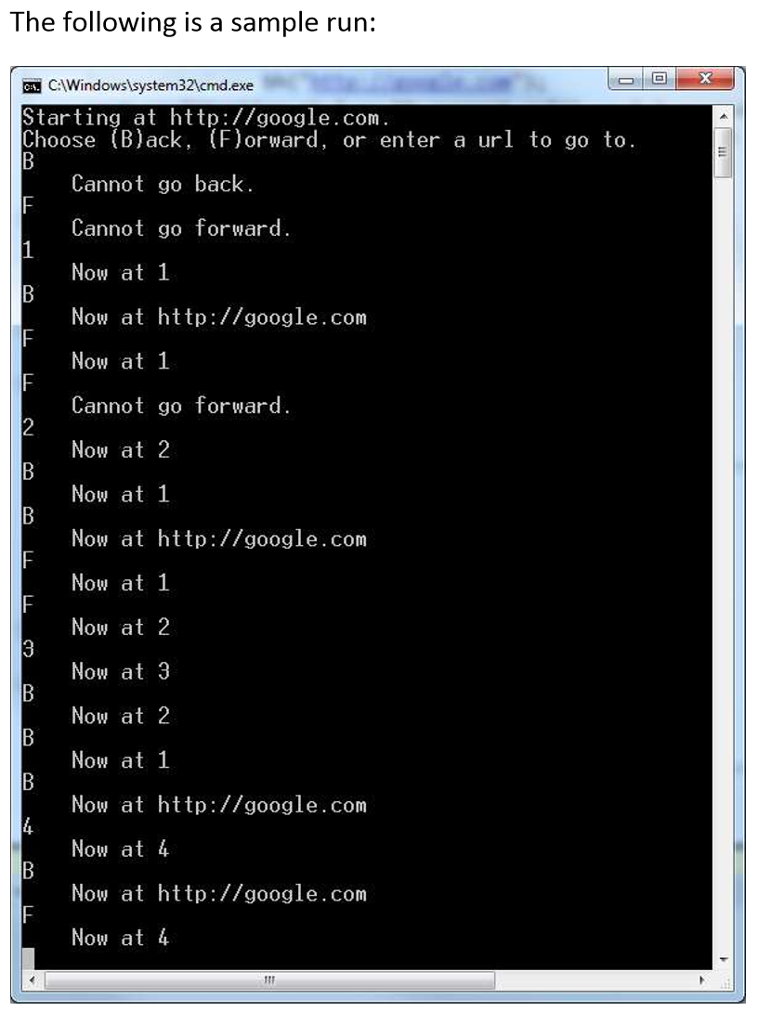
void interactive_mode() { BrowserHistory bh("http://google.com"); cout
string line; while (cin) { string line; getline(cin, line); if (line == "B") { if (bh.can_go_back()) { bh.back(); cout 0) { bh.go_to_url(line); cout
int main() { // Uncomment line below to use your BrowserHistory interactively. // // interactive_mode();
// Comments below indicate the current (expected) state of the history. // Example: [url1, url2, url3, (url4), url5, url6] // The urls are listed oldest to newest from left to right, // and the url in parentheses is the current url.
// History: [(google.com)] BrowserHistory bh("http://google.com"); test(bh.current_url() == "http://google.com"); test(!bh.can_go_back()); test(!bh.can_go_forward()); test(bh.past_url_count() == 0); test(bh.future_url_count() == 0);
bh.go_to_url("http:/etflix.com"); bh.go_to_url("http://amazon.com"); bh.go_to_url("http://utrgv.edu"); // History: [google.com, netflix.com, amazon.com, (utrgv.edu)] test(bh.current_url() == "http://utrgv.edu"); test(bh.can_go_back()); test(!bh.can_go_forward()); test(bh.past_url_count() == 3); test(bh.future_url_count() == 0); bh.back(); bh.back(); // History: [google.com, (netflix.com), amazon.com, utrgv.edu] test(bh.current_url() == "http:/etflix.com"); test(bh.can_go_back()); test(bh.can_go_forward()); test(bh.past_url_count() == 1); test(bh.future_url_count() == 2);
bh.forward(); // History: [google.com, netflix.com, (amazon.com), utrgv.edu] test(bh.current_url() == "http://amazon.com"); test(bh.can_go_back()); test(bh.can_go_forward()); test(bh.past_url_count() == 2); test(bh.future_url_count() == 1);
// History: [google.com, netflix.com, amazon.com, (youtube.com)] bh.go_to_url("http://youtube.com"); test(bh.current_url() == "http://youtube.com"); test(bh.can_go_back()); test(!bh.can_go_forward()); test(bh.past_url_count() == 3); test(bh.future_url_count() == 0); bh.forward(); // Can't go forward any more, so do nothing test(bh.current_url() == "http://youtube.com"); bh.back(); bh.back(); bh.back(); // History: [(google.com), netflix.com, amazon.com, youtube.com] test(bh.current_url() == "http://google.com"); bh.back(); // Can't go back any more, so do nothing test(bh.current_url() == "http://google.com");
// Larger test string url("http://url00.com"); for (int i = 0; i
cout
browserhistory.h
#ifndef BROWSERHISTORY_H #define BROWSERHISTORY_H
#include
using namespace std;
class BrowserHistory { public: // Creates a new browser history with only one page visited: default_url BrowserHistory(string default_url);
// Returns the current page. string current_url();
// Moves the browser to a new page url via, // e.g., clicking a link, typing into the address bar, etc. void go_to_url(string url);
// Moves back (into the past) by one url. // // If there is no past url to move to, does nothing. void back();
// Returns whether there is a url in the past, // i.e. whether the back button can be pushed. bool can_go_back();
// Returns how many urls are in the past, // i.e. how many times in a row the back button could be pushed. int past_url_count();
// Moves forward (into the future) by one url. // // If there is no future url to move to, does nothing. void forward();
// Returns whether there is a url in future, // i.e. whether the future button can be pushed. bool can_go_forward();
// Returns how many urls are in the future, // i.e. how many times in a row the forward button could be pushed. int future_url_count();
private: // Two stacks of strings - these are the only variables you need! // See http://www.cplusplus.com/reference/stack/stack/ for class reference. stack
#endif
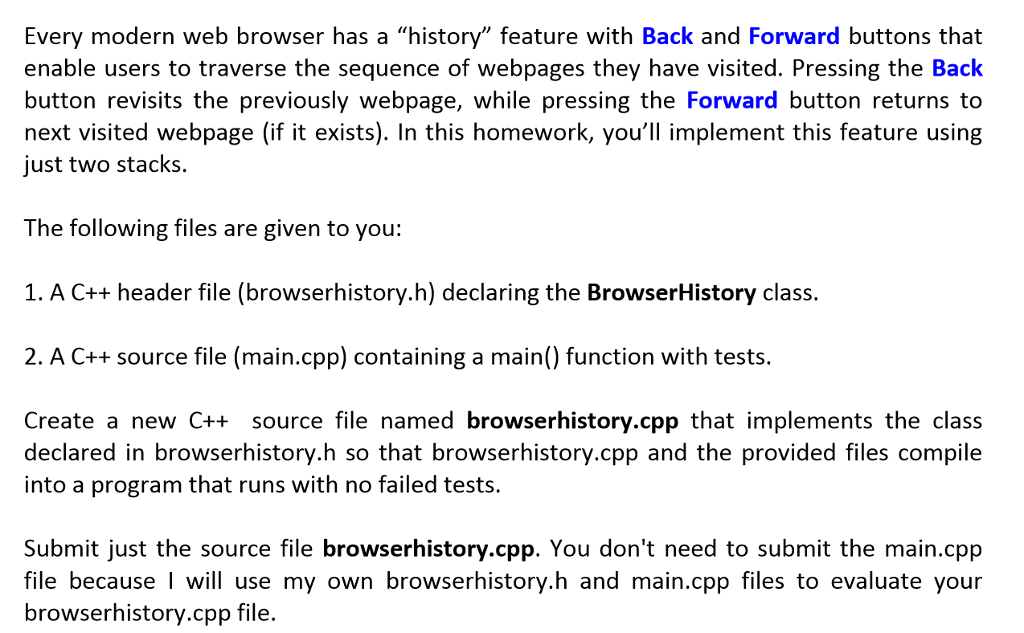
Every modern web browser has a "history" feature with Back and Forward buttons that enable users to traverse the sequence of webpages they have visited. Pressing the Back button revisits the previously webpage, while pressing the Forward button returns to next visited webpage (if it exists). In this homework, you'll implement this feature using ust two stacks. The following files are given to you: 1. A C++ header file (browserhistory.h) declaring the BrowserHistory class. 2. A C++ source file (main.cpp) containing a main() function with tests. Create a new C++ source file named browserhistory.cpp that implements the class declared in browserhistory.h so that browserhistory.cpp and the provided files compile into a program that runs with no failed tests Submit just the source file browserhistory.cpp. You don't need to submit the main.cpp file because I will use my own browserhistory.h and main.cpp files to evaluate your browserhistory.cpp file. Every modern web browser has a "history" feature with Back and Forward buttons that enable users to traverse the sequence of webpages they have visited. Pressing the Back button revisits the previously webpage, while pressing the Forward button returns to next visited webpage (if it exists). In this homework, you'll implement this feature using ust two stacks. The following files are given to you: 1. A C++ header file (browserhistory.h) declaring the BrowserHistory class. 2. A C++ source file (main.cpp) containing a main() function with tests. Create a new C++ source file named browserhistory.cpp that implements the class declared in browserhistory.h so that browserhistory.cpp and the provided files compile into a program that runs with no failed tests Submit just the source file browserhistory.cpp. You don't need to submit the main.cpp file because I will use my own browserhistory.h and main.cpp files to evaluate your browserhistory.cpp file
Step by Step Solution
There are 3 Steps involved in it

Get step-by-step solutions from verified subject matter experts
 Study Help