







Question: make a movie app similar to the example given below. I managed to get the tab layout and view pager to work but I don't
make a movie app similar to the example given below.
I managed to get the tab layout and view pager to work but I don't know how to link any content to it. If you happen to know how to complete the app I would appreciate it a lot! (content can be whatever)
Please find my progress below:
MainActivity.java
import androidx.appcompat.app.AppCompatActivity;import androidx.viewpager2.widget.ViewPager2;import android.os.Bundle;import com.google.android.material.tabs.TabLayout;public class MainActivity extends AppCompatActivity { TabLayout tabLayout; ViewPager2 viewPager2; FragmentPagerAdapter fragmentPagerAdapter; @Override protected void onCreate(Bundle savedInstanceState) { super.onCreate(savedInstanceState); setContentView(R.layout.activity_main); tabLayout = findViewById(R.id.tab_layout); viewPager2 = findViewById(R.id.view_pager); fragmentPagerAdapter = new FragmentPagerAdapter(this); viewPager2.setAdapter(fragmentPagerAdapter); tabLayout.addOnTabSelectedListener(new TabLayout.OnTabSelectedListener() { @Override public void onTabSelected(TabLayout.Tab tab) { viewPager2.setCurrentItem(tab.getPosition()); } @Override public void onTabUnselected(TabLayout.Tab tab) { } @Override public void onTabReselected(TabLayout.Tab tab) { } }); viewPager2.registerOnPageChangeCallback(new ViewPager2.OnPageChangeCallback() { @Override public void onPageSelected(int position) { super.onPageSelected(position); tabLayout.getTabAt(position).select(); } }); }}activity_main.xml
PosterFragment.java
import android.os.Bundle;import androidx.fragment.app.Fragment;import android.view.LayoutInflater;import android.view.View;import android.view.ViewGroup;import com.example.mymovies.R;public class PosterFragment extends Fragment { @Override public View onCreateView(LayoutInflater inflater, ViewGroup container, Bundle savedInstanceState) { return inflater.inflate(R.layout.fragment_poster, container, false); }}DescriptionFragment.java
import android.os.Bundle;import androidx.fragment.app.Fragment;import android.view.LayoutInflater;import android.view.View;import android.view.ViewGroup;import com.example.mymovies.R;public class DescriptionFragment extends Fragment { @Override public View onCreateView(LayoutInflater inflater, ViewGroup container, Bundle savedInstanceState) { return inflater.inflate(R.layout.fragment_description, container, false); }}FragmentPagerAdapter.java
import androidx.annotation.NonNull;import androidx.fragment.app.Fragment;import androidx.fragment.app.FragmentActivity;import androidx.viewpager2.adapter.FragmentStateAdapter;import com.example.mymovies.Fragments.DescriptionFragment;import com.example.mymovies.Fragments.PosterFragment;public class FragmentPagerAdapter extends FragmentStateAdapter { public FragmentPagerAdapter(@NonNull FragmentActivity fragmentActivity) { super(fragmentActivity); } @NonNull @Override public Fragment createFragment(int position) { switch (position){ case 0: return new PosterFragment(); case 1: return new DescriptionFragment(); default: return new PosterFragment(); } } @Override public int getItemCount() { return 2; }}This is what the App should look like:
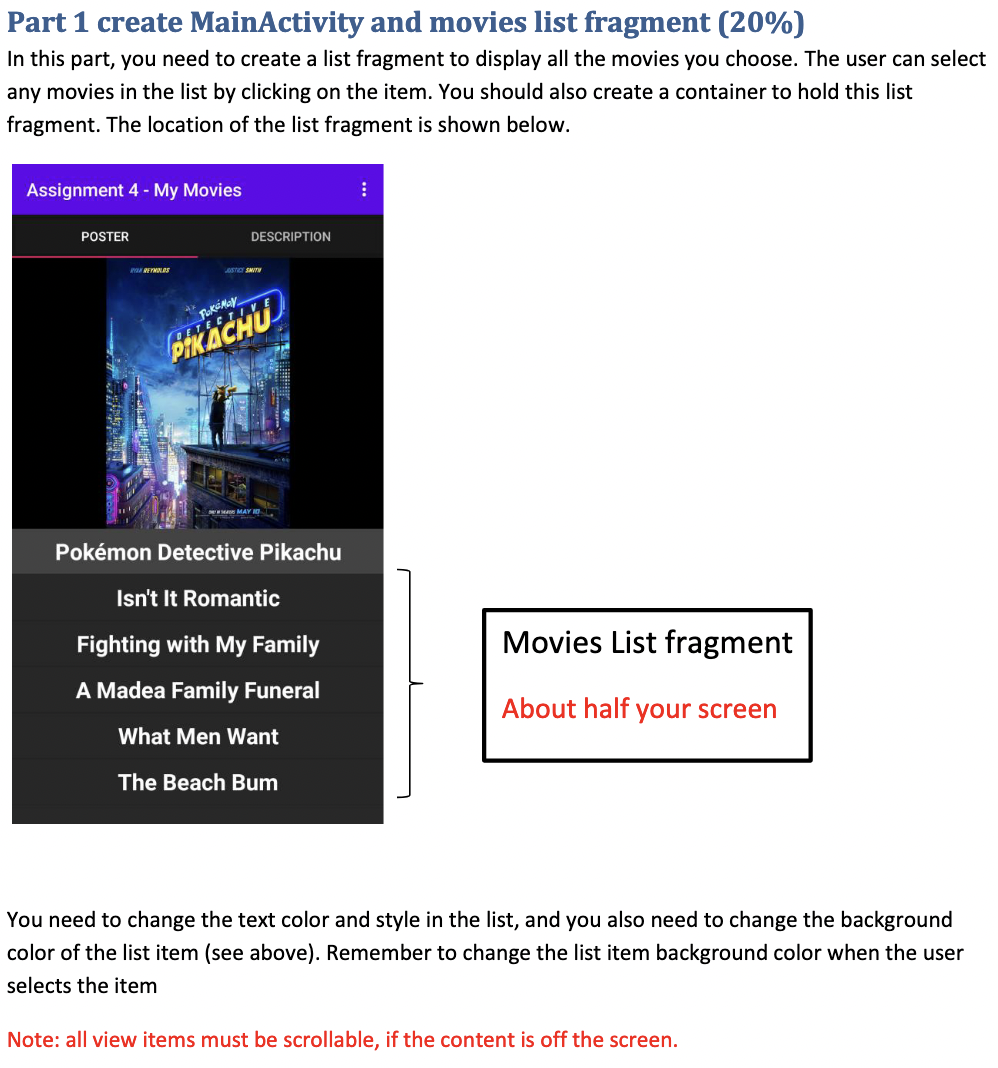
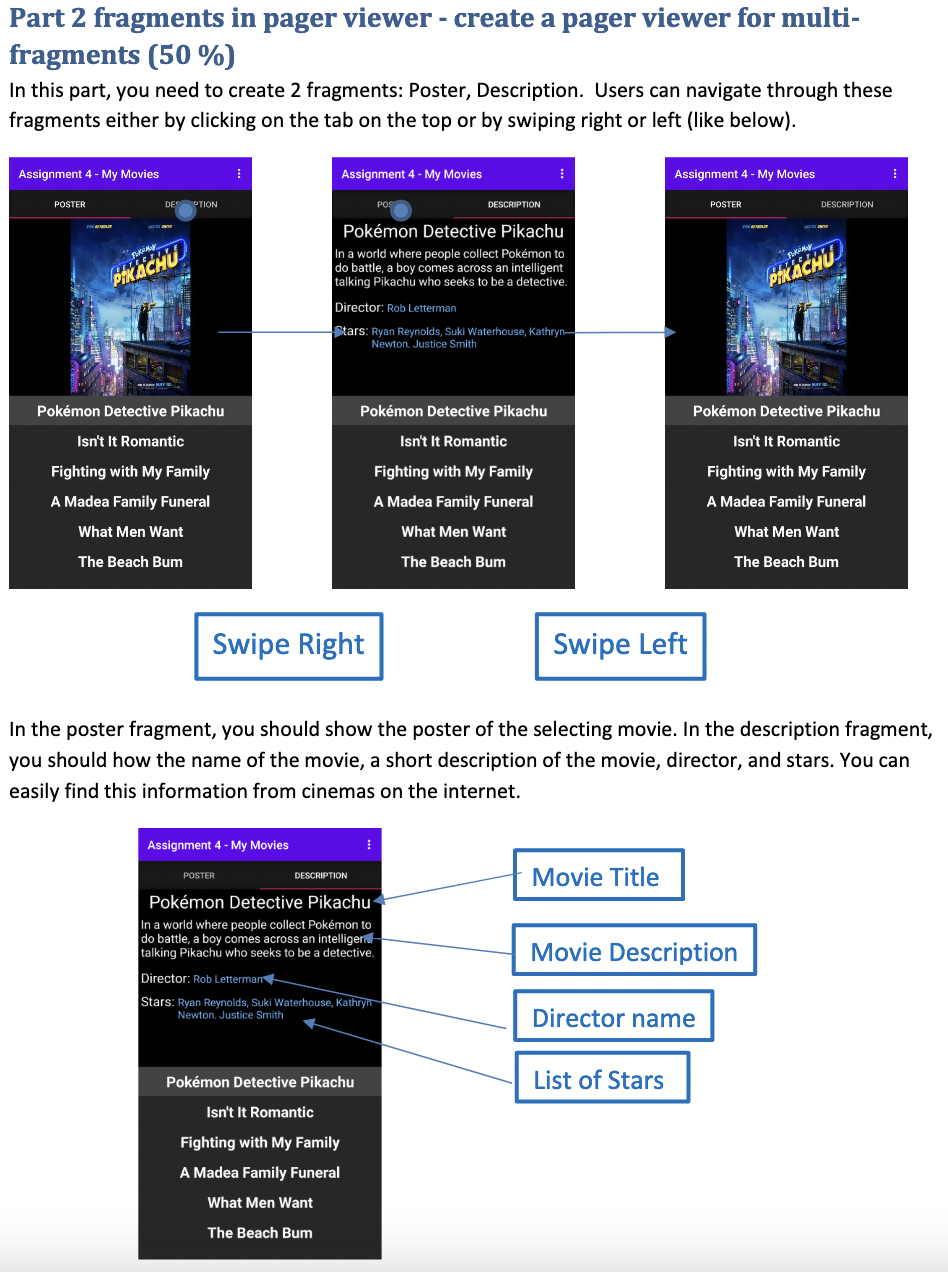
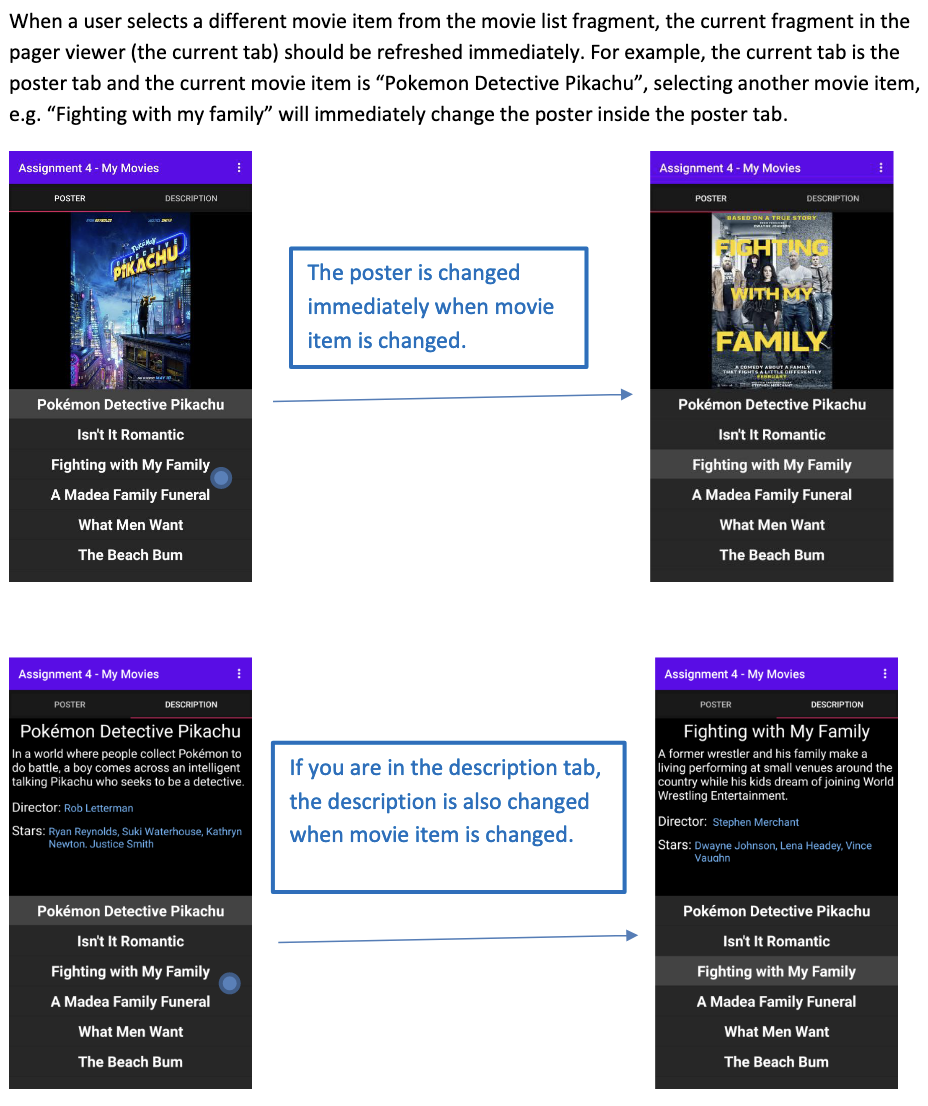
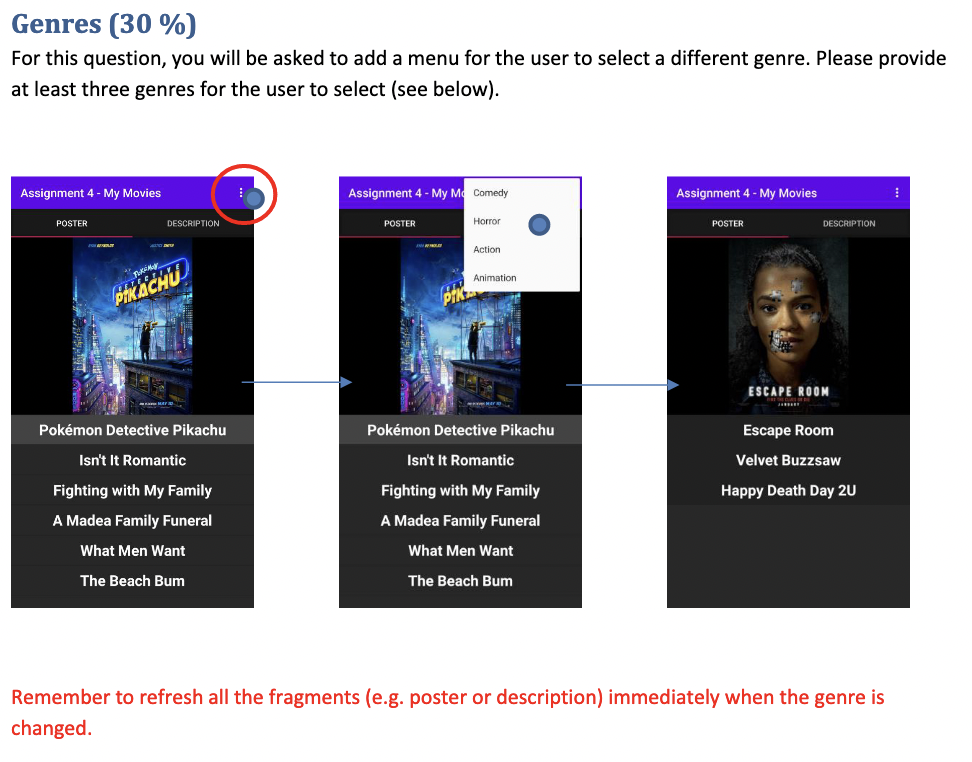
Part 1 create MainActivity and movies list fragment (20%) In this part, you need to create a list fragment to display all the movies you choose. The user can select any movies in the list by clicking on the item. You should also create a container to hold this list fragment. The location of the list fragment is shown below. Assignment 4 - My Movies POSTER RRETHOLDS JUSTICE SMITH DESCRIPTION PIKACHU Pokmon Detective Pikachu Isn't It Romantic Fighting with My Family A Madea Family Funeral What Men Want The Beach Bum Movies List fragment About half your screen You need to change the text color and style in the list, and you also need to change the background color of the list item (see above). Remember to change the list item background color when the user selects the item Note: all view items must be scrollable, if the content is off the screen.
Step by Step Solution
There are 3 Steps involved in it
Answer To complete your movie app you need to provide content for the PosterFragment and DescriptionFragment Heres how you can do it Provide Content for PosterFragment and DescriptionFragment In the P... View full answer

Get step-by-step solutions from verified subject matter experts
 Study Help