







Question: Make sure the code is clear, and the output literally matches the provided sample screenshots, please! The output should be in a table with a
Make sure the code is clear, and the output literally matches the provided sample screenshots, please! The output should be in a table with a table heading with two columns and rows and the content should be shown in a table. table header named Agent and another table header named Code Name, and the content should be displayed is shown in the last screenshot that I attached.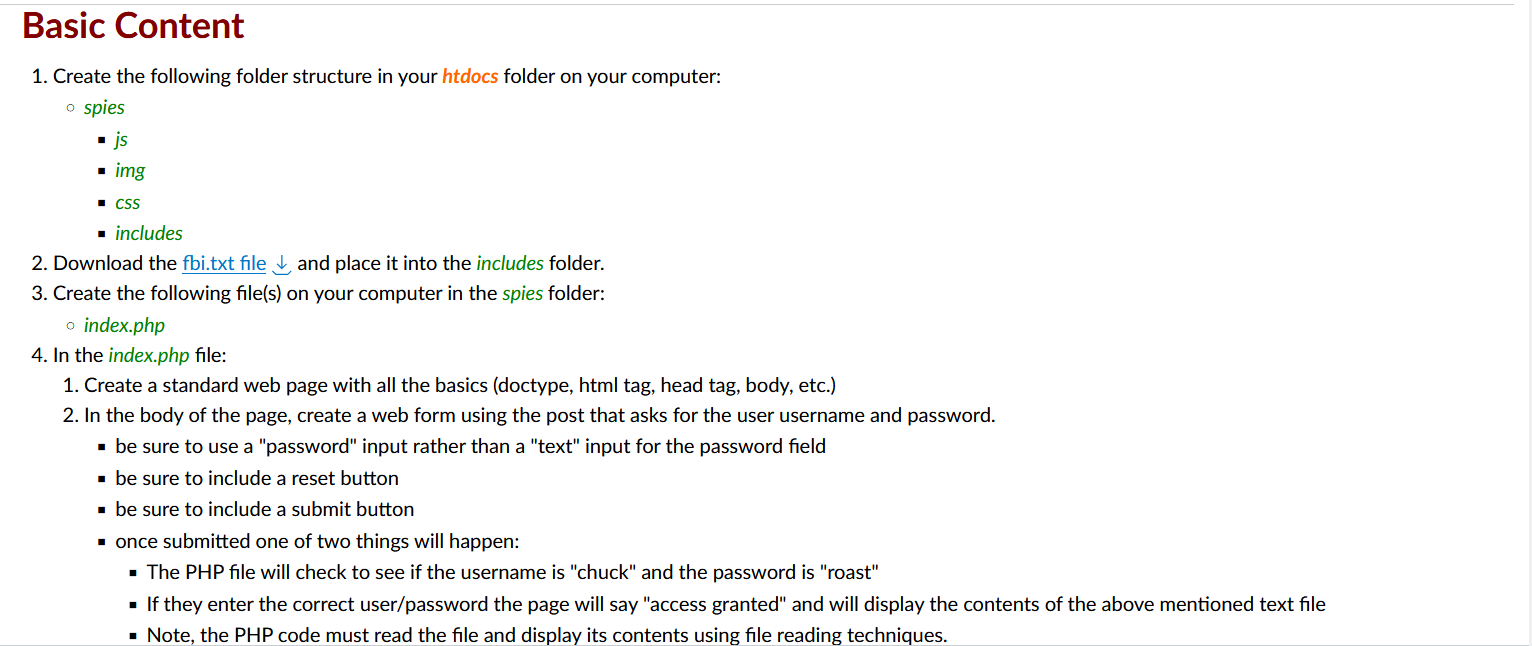
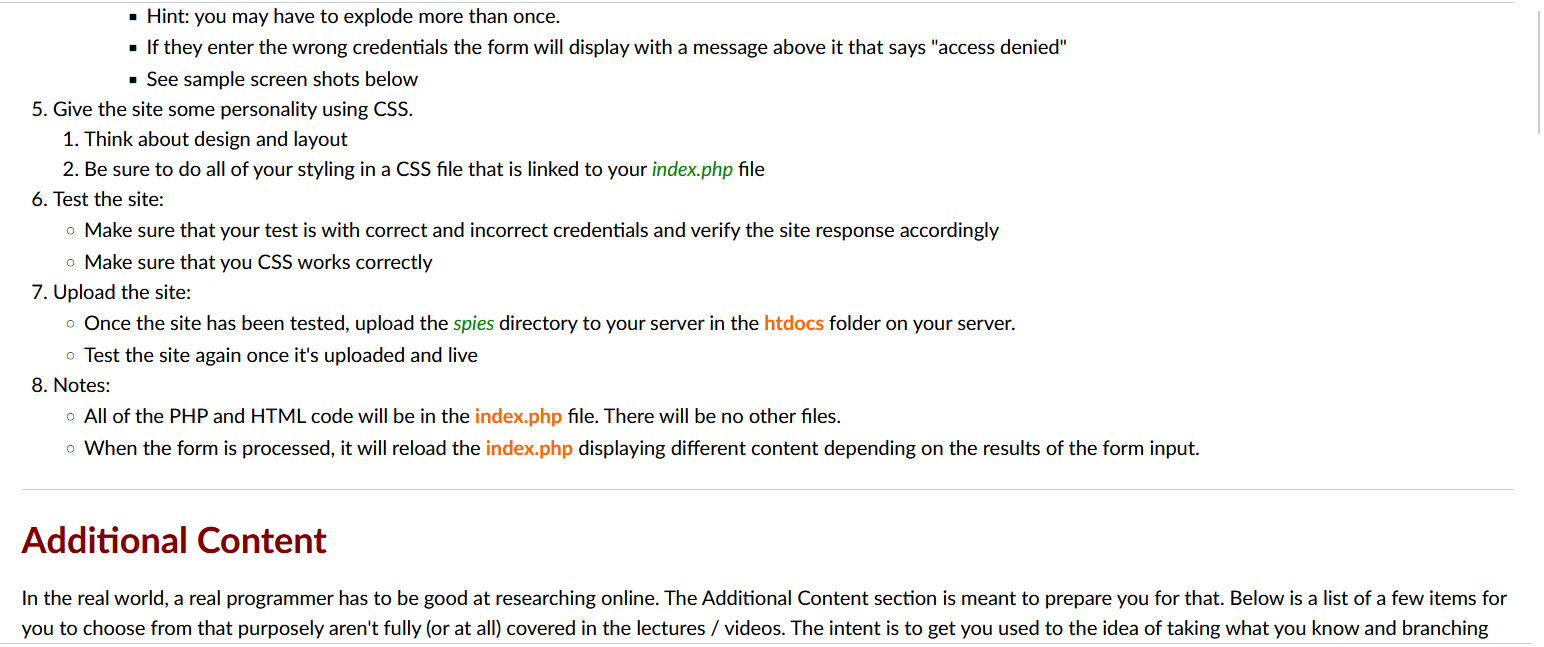

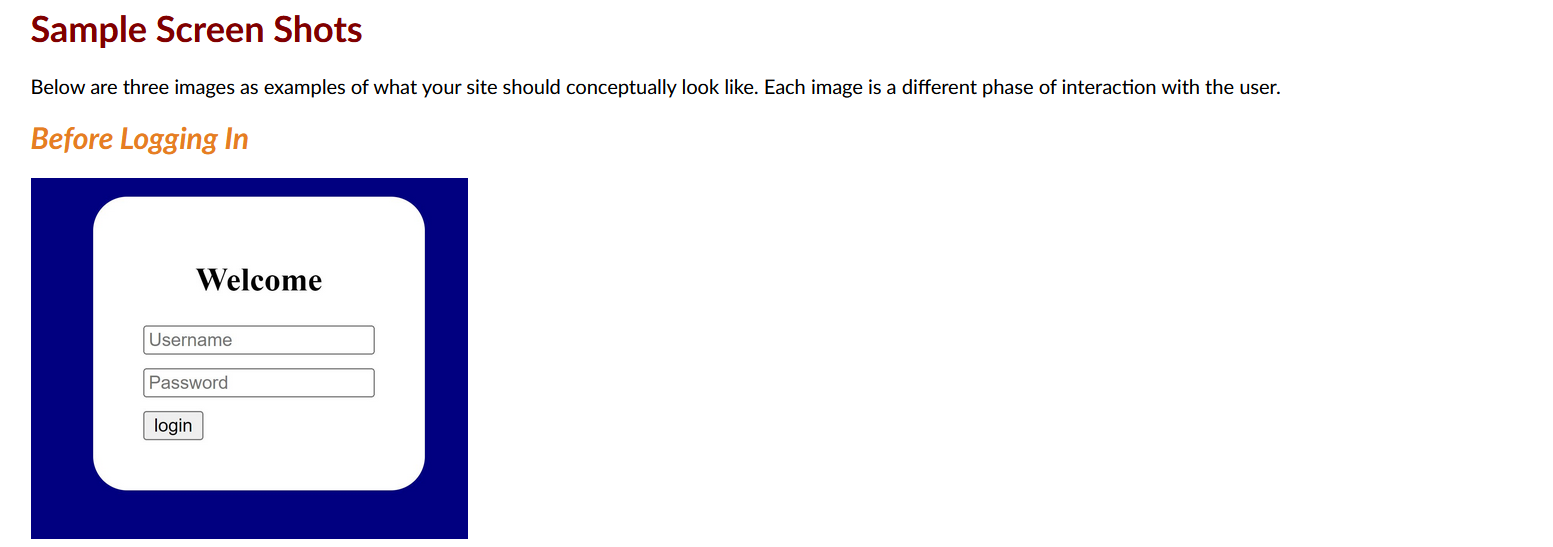
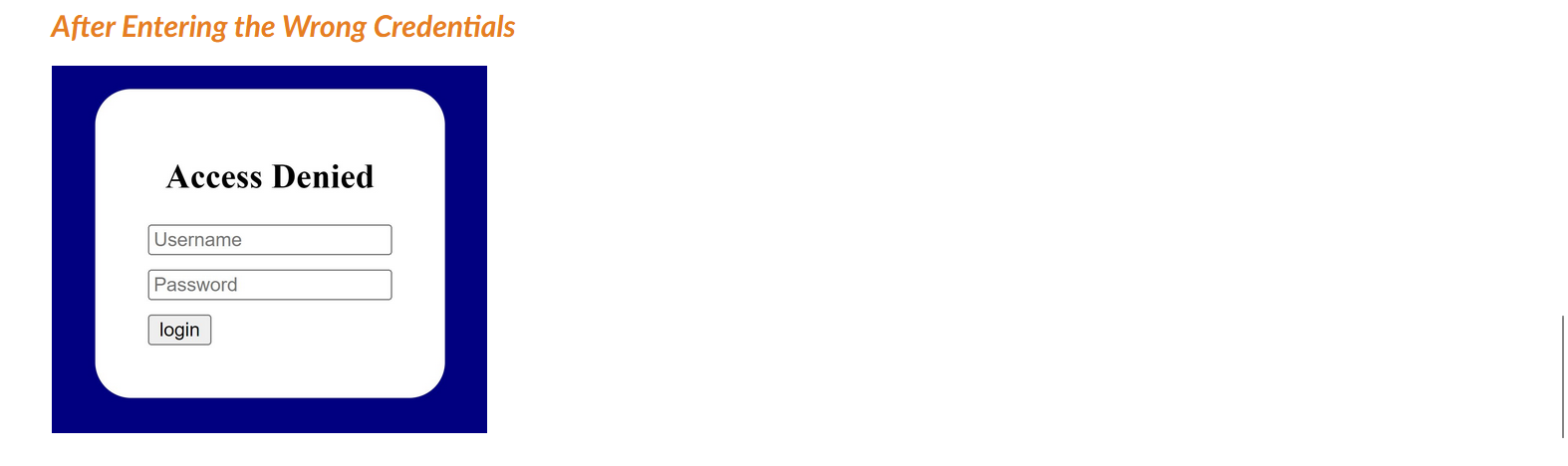
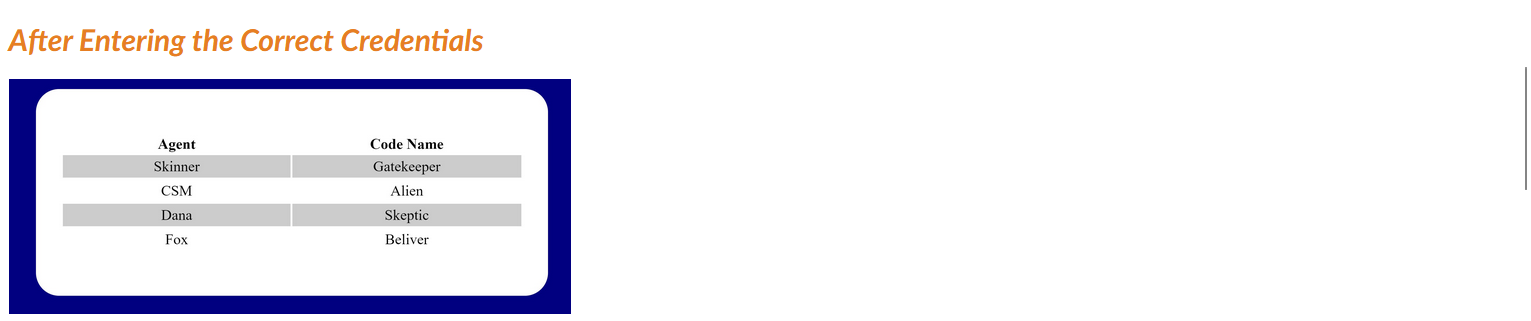
1. Create the following folder structure in your htdocs folder on your computer: spies - js - img - CSS - includes 2. Download the fbi.txt file and place it into the includes folder. 3. Create the following file(s) on your computer in the spies folder: index.php 4. In the index.php file: 1. Create a standard web page with all the basics (doctype, html tag, head tag, body, etc.) 2. In the body of the page, create a web form using the post that asks for the user username and password. - be sure to use a "password" input rather than a "text" input for the password field - be sure to include a reset button - be sure to include a submit button - once submitted one of two things will happen: - The PHP file will check to see if the username is "chuck" and the password is "roast" - If they enter the correct user/password the page will say "access granted" and will display the contents of the above mentioned text file - Note, the PHP code must read the file and display its contents using file reading techniques. - Hint: you may have to explode more than once. - If they enter the wrong credentials the form will display with a message above it that says "access denied" - See sample screen shots below 5. Give the site some personality using CSS. 1. Think about design and layout 2. Be sure to do all of your styling in a CSS file that is linked to your index.php file 6. Test the site: Make sure that your test is with correct and incorrect credentials and verify the site response accordingly Make sure that you CSS works correctly 7. Upload the site: - Once the site has been tested, upload the spies directory to your server in the htdocs folder on your server. - Test the site again once it's uploaded and live 8. Notes: All of the PHP and HTML code will be in the index.php file. There will be no other files. When the form is processed, it will reload the index.php displaying different content depending on the results of the form input. Additional Content In the real world, a real programmer has to be good at researching online. The Additional Content section is meant to prepare you for that. Below is a list of items for you to choose from that purposely aren't fully (or at all) covered in the lectures / videos. The intent is to get you used to the idea of taking what you know and branching out through a little bit of research online, just like in the real, post-school, world. :) Use the and (as a secondary source) . Implement (at least) one of the features below: 1. Modify the input to accept an additional username/password combo of user: bob and password: ross Sample Screen Shots Below are three images as examples of what your site should conceptually look like. Each image is a different phase of interaction with the user. Before Logging In After Entering the Wrong Credentials After Entering the Correct Credentials 1. Create the following folder structure in your htdocs folder on your computer: spies - js - img - CSS - includes 2. Download the fbi.txt file and place it into the includes folder. 3. Create the following file(s) on your computer in the spies folder: index.php 4. In the index.php file: 1. Create a standard web page with all the basics (doctype, html tag, head tag, body, etc.) 2. In the body of the page, create a web form using the post that asks for the user username and password. - be sure to use a "password" input rather than a "text" input for the password field - be sure to include a reset button - be sure to include a submit button - once submitted one of two things will happen: - The PHP file will check to see if the username is "chuck" and the password is "roast" - If they enter the correct user/password the page will say "access granted" and will display the contents of the above mentioned text file - Note, the PHP code must read the file and display its contents using file reading techniques. - Hint: you may have to explode more than once. - If they enter the wrong credentials the form will display with a message above it that says "access denied" - See sample screen shots below 5. Give the site some personality using CSS. 1. Think about design and layout 2. Be sure to do all of your styling in a CSS file that is linked to your index.php file 6. Test the site: Make sure that your test is with correct and incorrect credentials and verify the site response accordingly Make sure that you CSS works correctly 7. Upload the site: - Once the site has been tested, upload the spies directory to your server in the htdocs folder on your server. - Test the site again once it's uploaded and live 8. Notes: All of the PHP and HTML code will be in the index.php file. There will be no other files. When the form is processed, it will reload the index.php displaying different content depending on the results of the form input. Additional Content In the real world, a real programmer has to be good at researching online. The Additional Content section is meant to prepare you for that. Below is a list of items for you to choose from that purposely aren't fully (or at all) covered in the lectures / videos. The intent is to get you used to the idea of taking what you know and branching out through a little bit of research online, just like in the real, post-school, world. :) Use the and (as a secondary source) . Implement (at least) one of the features below: 1. Modify the input to accept an additional username/password combo of user: bob and password: ross Sample Screen Shots Below are three images as examples of what your site should conceptually look like. Each image is a different phase of interaction with the user. Before Logging In After Entering the Wrong Credentials After Entering the Correct Credentials
Step by Step Solution
There are 3 Steps involved in it

Get step-by-step solutions from verified subject matter experts
 Study Help