







Question: Makefile Create a makefile to build your program Add the following rule: elements: elements.o elementops.o gcc -o elements elements.o elementops.o Make sure the second line
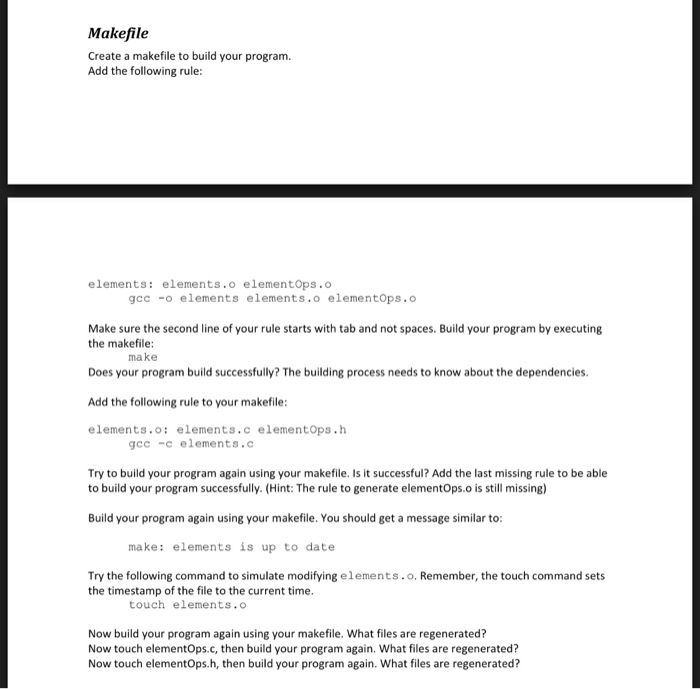
Makefile Create a makefile to build your program Add the following rule: elements: elements.o elementops.o gcc -o elements elements.o elementops.o Make sure the second line of your rule starts with tab and not spaces. Build your program by executing the makefile: Does your program build successfully? The building process needs to know about the dependencies. Add the following rule to your makefile: elements.o: elements.c elementops.h make gcc -c elements.c Try to build your program again using your makefile. Is it successful? Add the last missing rule to be able to build your program successfully. (Hint: The rule to generate elementOps.o is still missing) Build your program again using your makefile. You should get a message similar to: make: elements is up to date Try the following command to simulate modifying elements. o. Remember, the touch command sets the timestamp of the file to the current time. touch elements.o Now build your program again using your makefile. What files are regenerated? Now touch elementOps.c, then build your program again. What files are regenerated? Now touch elementOps.h, then build your program again. What files are regenerated
Step by Step Solution
There are 3 Steps involved in it

Get step-by-step solutions from verified subject matter experts
 Study Help