







Question: Making a webbase calculator using spring mvc with maven On my controller java file, public class Webcalculator, public string showCalcualtor and public string calcualte is
Making a webbase calculator using spring mvc with maven
On my controller java file, public class Webcalculator, public string showCalcualtor and public string calcualte is grey out and says it got no usage right now and this is why my html won't calculate the results out so I need a fix for this
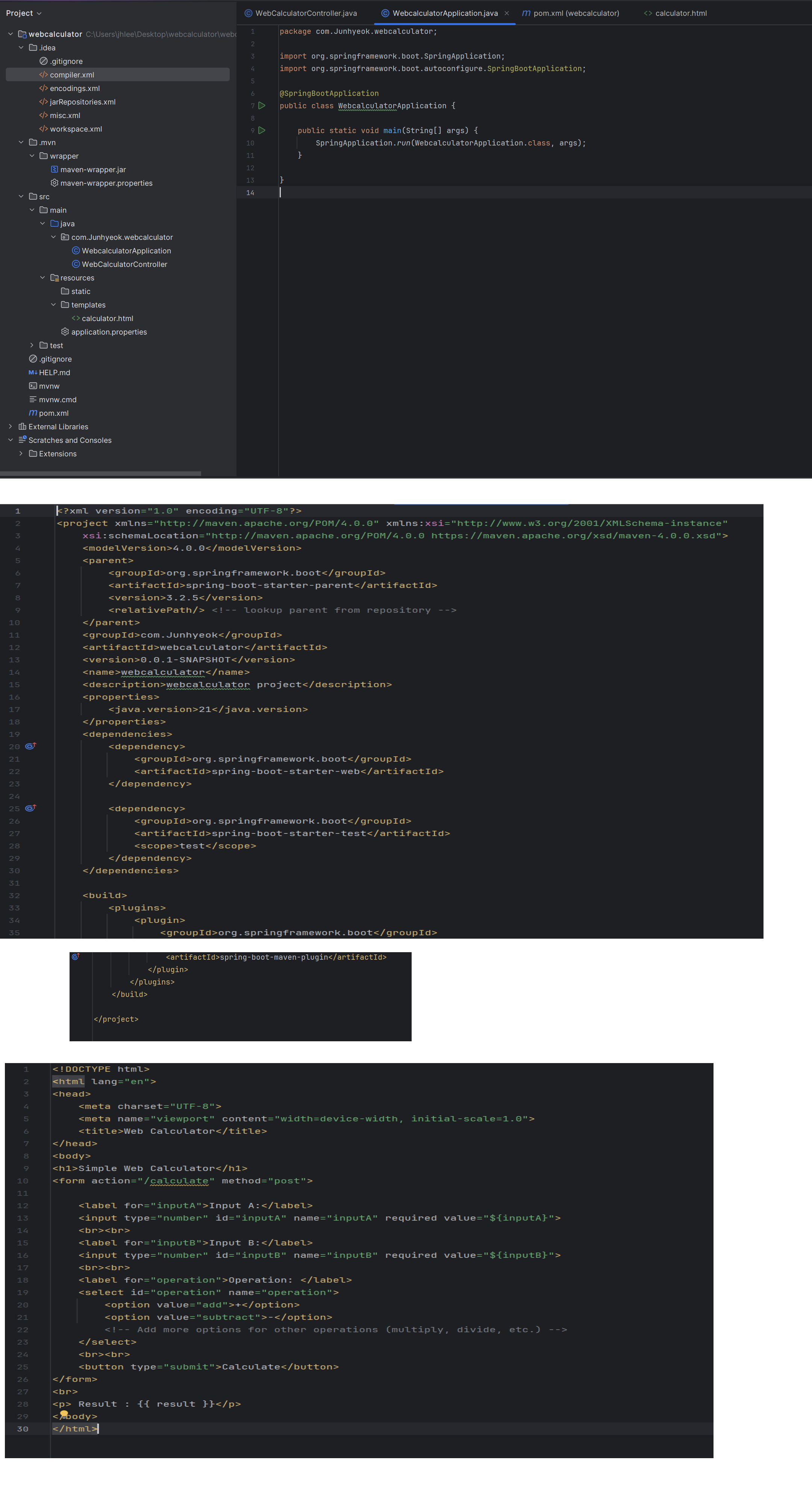
on the images are WebcalculatorApplication.java, pom.xml and calcualtor.html in order
this is the WebCalculatorController.java
package com.Junhyeok.webcalculator;
import org.springframework.stereotype.Controller;
import org.springframework.uiModel;
import org.springframework.web.bind.annotation.GetMapping;
import org.springframework.web.bind.annotation.PostMapping;
import org.springframework.web.bind.annotation.RequestParam;
@Controller
public class WebCalculatorController
This method handles GET requests to the root URL and displays the calculator form.
@GetMapping
public String showCalculator
Return the name of the HTML file view that contains the calculator form
return "calculator";
@PostMappingcalculate
public String calculate@RequestParaminputA double inputA,
@RequestParaminputB double inputB,
@RequestParamoperation String operation,
Model model
double result;
Perform different calculations based on the provided operation
switch operation
case "add":
result inputA inputB;
break;
case "subtract":
result inputA inputB;
break;
Add more cases for other operations eg multiply, divide, etc.
default:
throw new IllegalArgumentExceptionInvalid operation: operation;
Add attributes to the model to be displayed in the calculator view
model.addAttributeresult result; Result of the calculation
model.addAttributeinputA inputA; First input value
model.addAttributeinputB inputB; Second input value
model.addAttributeoperation operation; Operation performed
Return the name of the HTML file view that contains the calculator form
return "calculator";
Step by Step Solution
There are 3 Steps involved in it
1 Expert Approved Answer
Step: 1 Unlock

Question Has Been Solved by an Expert!
Get step-by-step solutions from verified subject matter experts
Step: 2 Unlock
Step: 3 Unlock
 Study Help