







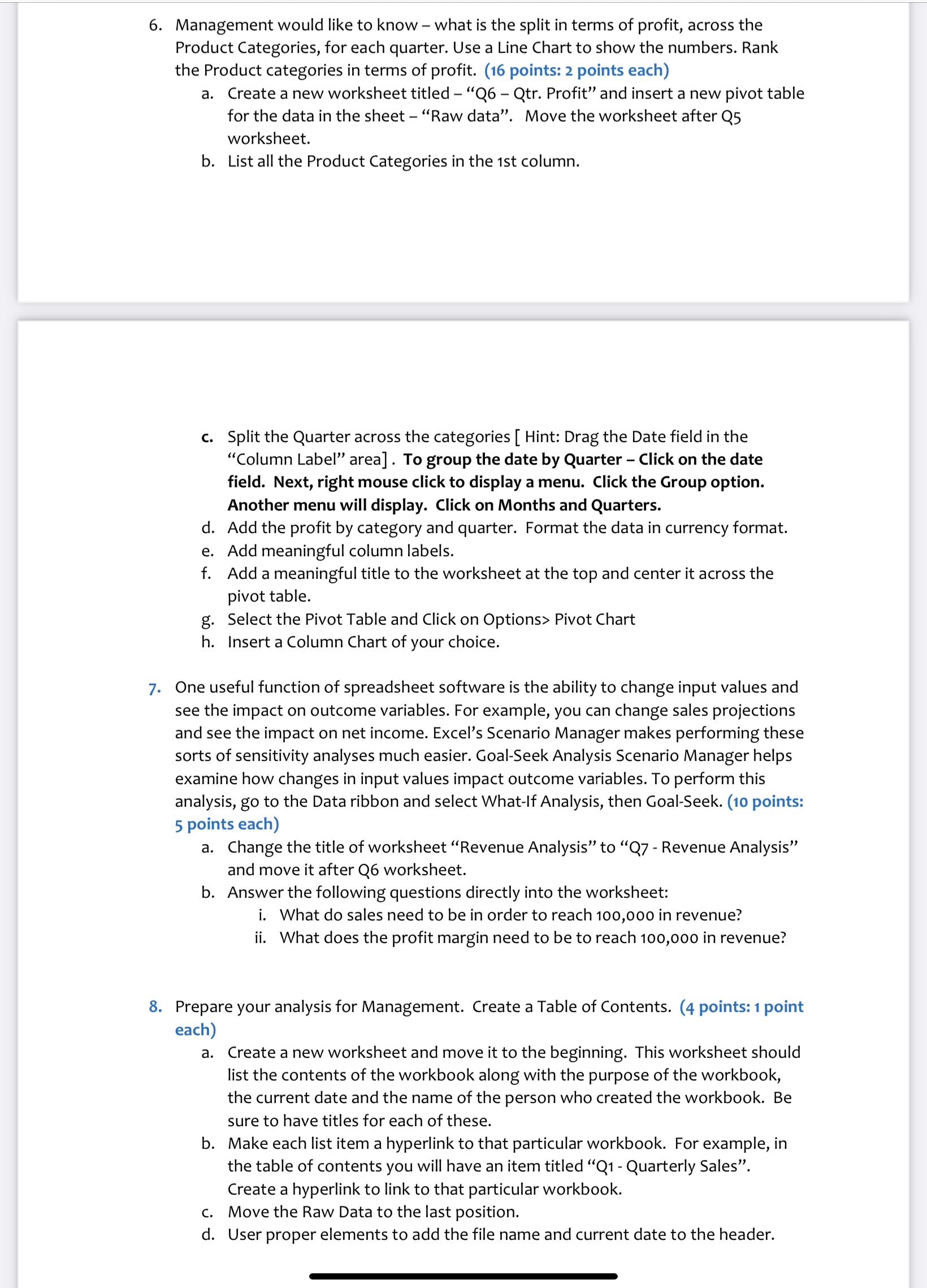
Question: Management would like to know - what is the split in terms of profit, across the Product Categories, for each quarter. Use a Line Chart
Management would like to know what is the split in terms of profit, across the
Product Categories, for each quarter. Use a Line Chart to show the numbers. Rank
the Product categories in terms of profit. points: points each
a Create a new worksheet titled Q Qtr Profit" and insert a new pivot table
for the data in the sheet "Raw data". Move the worksheet after Q
worksheet.
b List all the Product Categories in the st column.
c Split the Quarter across the categories Hint: Drag the Date field in the
"Column Label" area To group the date by Quarter Click on the date
field. Next, right mouse click to display a menu. Click the Group option.
Another menu will display. Click on Months and Quarters.
d Add the profit by category and quarter. Format the data in currency format.
e Add meaningful column labels.
f Add a meaningful title to the worksheet at the top and center it across the
pivot table.
g Select the Pivot Table and Click on Options Pivot Chart
h Insert a Column Chart of your choice.
One useful function of spreadsheet software is the ability to change input values and
see the impact on outcome variables. For example, you can change sales projections
and see the impact on net income. Excel's Scenario Manager makes performing these
sorts of sensitivity analyses much easier. GoalSeek Analysis Scenario Manager helps
examine how changes in input values impact outcome variables. To perform this
analysis, go to the Data ribbon and select WhatIf Analysis, then GoalSeek. points:
points each
a Change the title of worksheet "Revenue Analysis" to Q Revenue Analysis"
and move it after Q worksheet.
b Answer the following questions directly into the worksheet:
i What do sales need to be in order to reach in revenue?
ii What does the profit margin need to be to reach in revenue?
Prepare your analysis for Management. Create a Table of Contents. points: point
each
a Create a new worksheet and move it to the beginning. This worksheet should
list the contents of the workbook along with the purpose of the workbook,
the current date and the name of the person who created the workbook. Be
sure to have titles for each of these.
b Make each list item a hyperlink to that particular workbook. For example, in
the table of contents you will have an item titled Q Quarterly Sales".
Create a hyperlink to link to that particular workbook.
c Move the Raw Data to the last position.
d User proper elements to add the file name and current date to the header.
Step by Step Solution
There are 3 Steps involved in it
1 Expert Approved Answer
Step: 1 Unlock

Question Has Been Solved by an Expert!
Get step-by-step solutions from verified subject matter experts
Step: 2 Unlock
Step: 3 Unlock
 Study Help