







Question: Mark the steps as checked when you complete them. Open the BoydAir - 0 4 . xIsx start file. If the workbook opens in Protected
Mark the steps as checked when you complete them.
Open the BoydAirxIsx start file. If the workbook opens in Protected View, click the Enable Editing button
so you can modify it
The file will be renamed automatically to include your name. Change the project file name if directed to do so by
your instructor, and save it
Rename the sheet tab Stats.
The worksheet includes the Boyd Air Flight statistics.
Select cell A and format the data as an Excel table using Green, Table Style Medium
Copy the Stats sheet to the end and name the copy PM Flights.
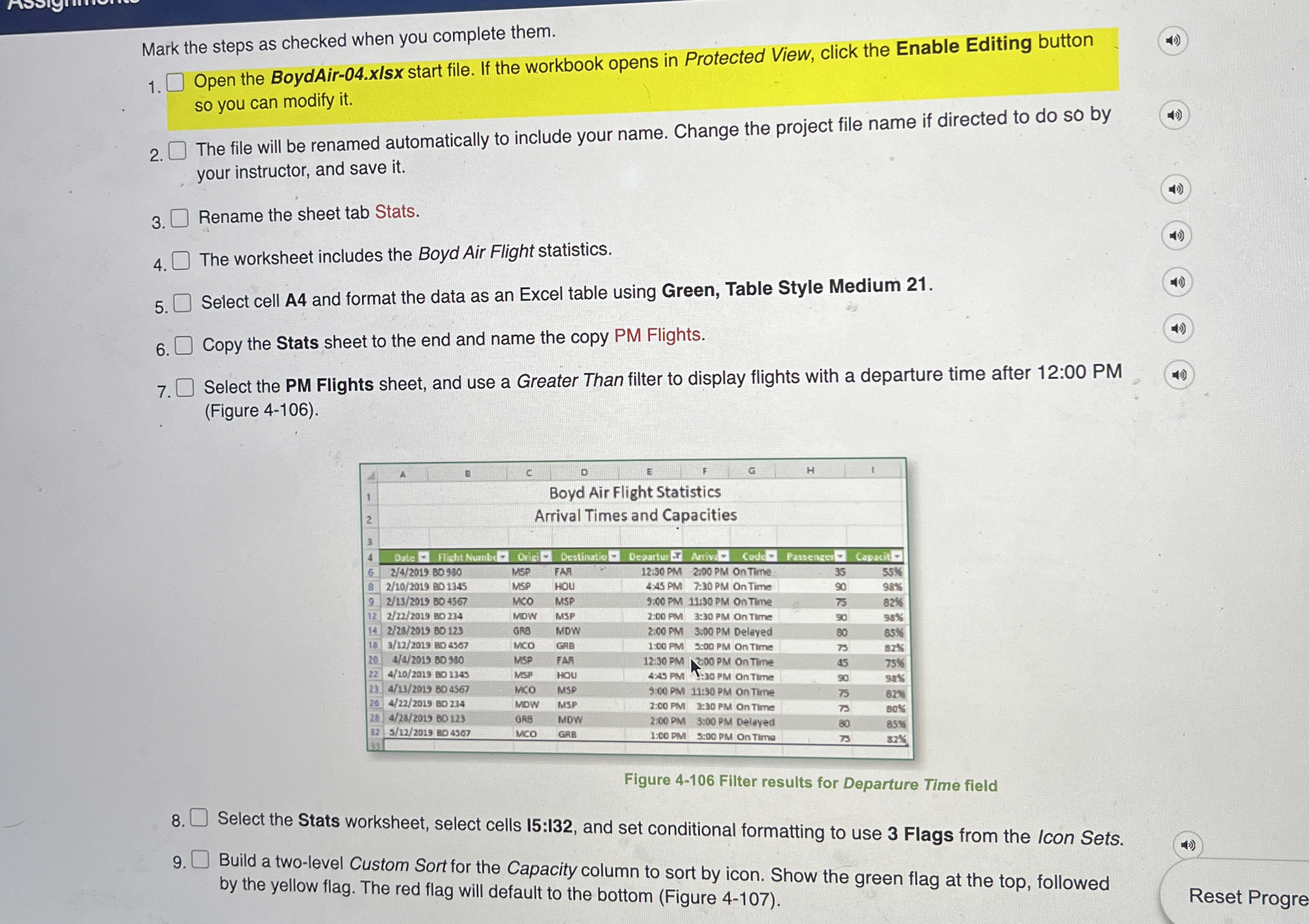
Select the PM Flights sheet, and use a Greater Than filter to display flights with a departure time after : PM
Figure
Figure Filter results for Departure Time field
Select the Stats worksheet, select cells : and set conditional formatting to use Flags from the Icon Sets.
Build a twolevel Custom Sort for the Capacity column to sort by icon. Show the green flag at the top, followed
by the yellow flag. The red flag will default to the bottom Figure
Step by Step Solution
There are 3 Steps involved in it
1 Expert Approved Answer
Step: 1 Unlock

Question Has Been Solved by an Expert!
Get step-by-step solutions from verified subject matter experts
Step: 2 Unlock
Step: 3 Unlock
 Study Help