







Question: Match the items in column 1 to column 2 Select Insert Tab from the Ribbon > Click on Picture/Shapes/icons Select Home Tab from the 1.
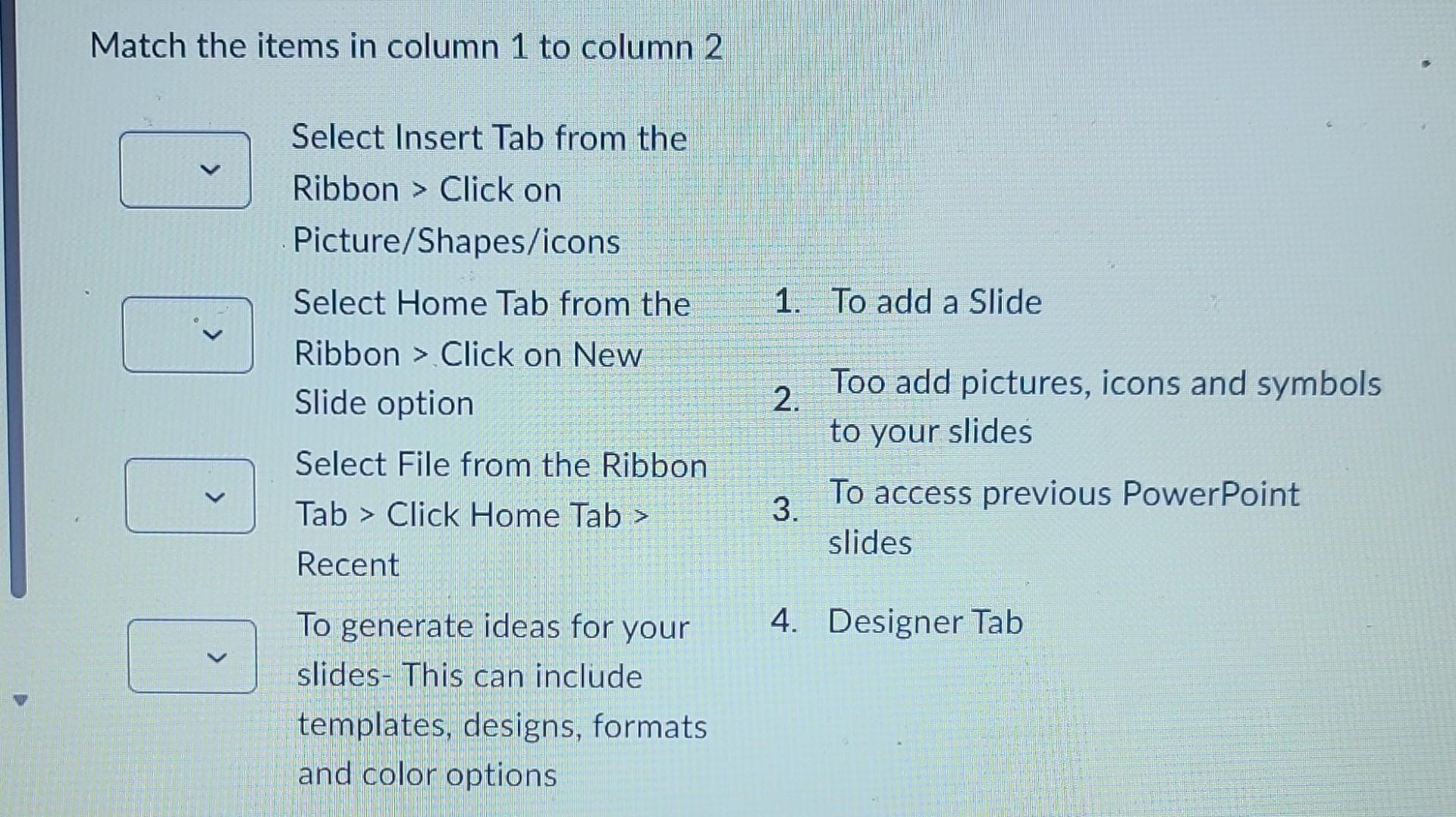
Match the items in column 1 to column 2 Select Insert Tab from the Ribbon > Click on Picture/Shapes/icons Select Home Tab from the 1. To add a Slide Ribbon > Click on New Slide option 2. Too add pictures, icons and symbols Select File from the Ribbon to your slides Tab > Click Home Tab > 3. To access previous PowerPoint Recent slides To generate ideas for your 4. Designer Tab slides- This can include templates, designs, formats and color options
Step by Step Solution
There are 3 Steps involved in it
1 Expert Approved Answer
Step: 1 Unlock

Question Has Been Solved by an Expert!
Get step-by-step solutions from verified subject matter experts
Step: 2 Unlock
Step: 3 Unlock
 Study Help