







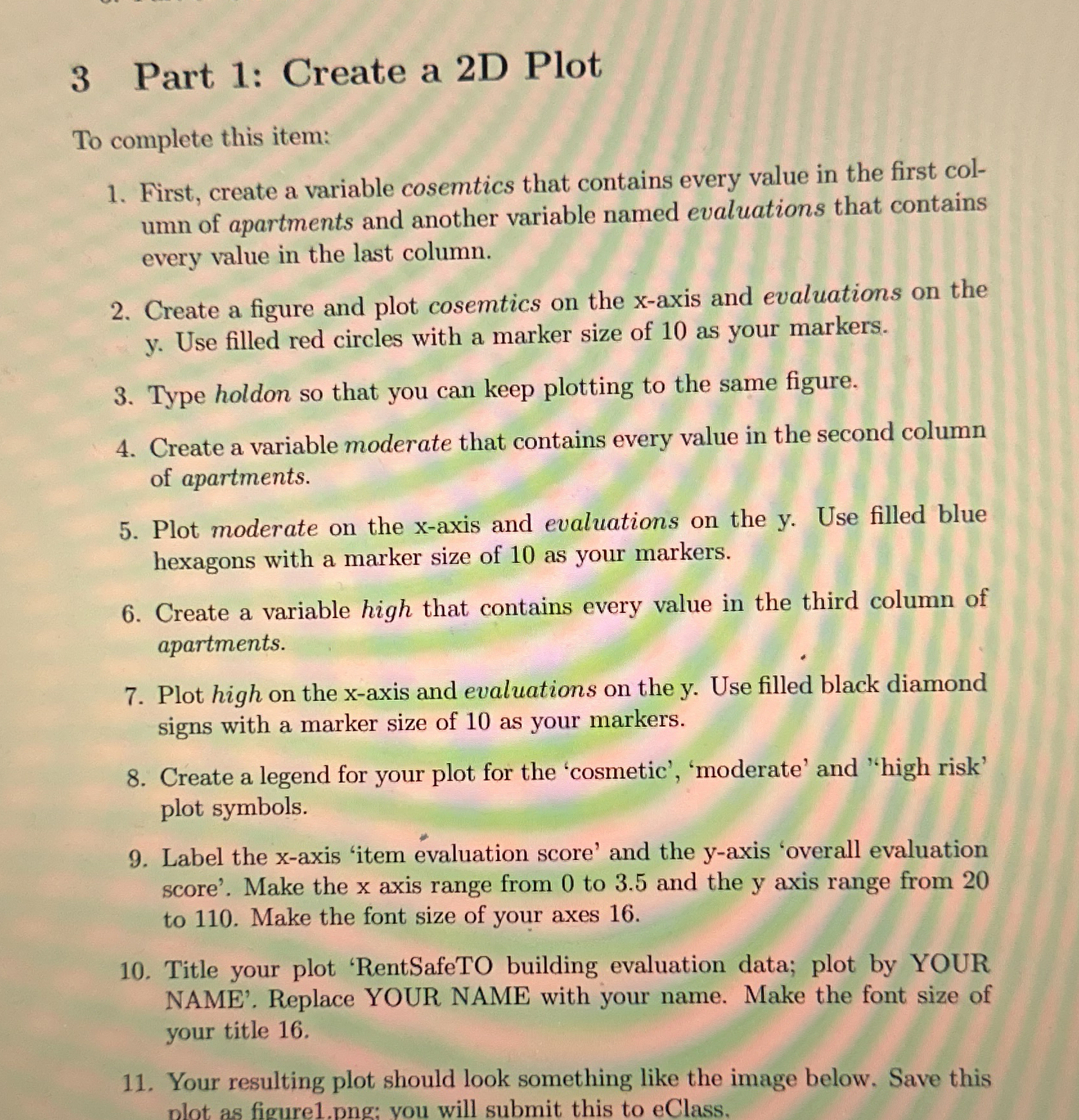
Question: Mathlab assignment Part 1 : Create a 2 D Plot To complete this item: First, create a variable cosemtics that contains every value in the
Mathlab assignment
Part : Create a D Plot
To complete this item:
First, create a variable cosemtics that contains every value in the first col
umn of apartments and another variable named evaluations that contains
every value in the last column.
Create a figure and plot cosemtics on the x axis and evaluations on the
y Use filled red circles with a marker size of as your markers.
Type holdon so that you can keep plotting to the same figure.
Create a variable moderate that contains every value in the second column
of apartments.
Plot moderate on the x axis and evaluations on the y Use filled blue
hexagons with a marker size of as your markers.
Create a variable high that contains every value in the third column of
apartments.
Plot high on the x axis and evaluations on the y Use filled black diamond
signs with a marker size of as your markers.
Create a legend for your plot for the 'cosmetic', 'moderate' and 'high risk'
plot symbols.
Label the x axis 'item evaluation score' and the y axis 'overall evaluation
score'. Make the x axis range from to and the y axis range from
to Make the font size of your axes
Title your plot 'RentSafeTO building evaluation data; plot by YOUR
NAME'. Replace YOUR NAME with your name. Make the font size of
your title
Your resulting plot should look something like the image below. Save this
Step by Step Solution
There are 3 Steps involved in it
1 Expert Approved Answer
Step: 1 Unlock

Question Has Been Solved by an Expert!
Get step-by-step solutions from verified subject matter experts
Step: 2 Unlock
Step: 3 Unlock
 Study Help