







Question: Mathlab code: Use Haar wavelet to decompose the original image in (Apple.png) to generate one level wavelet coefficients. (dbl=Haar) i Reconstruct the image using the
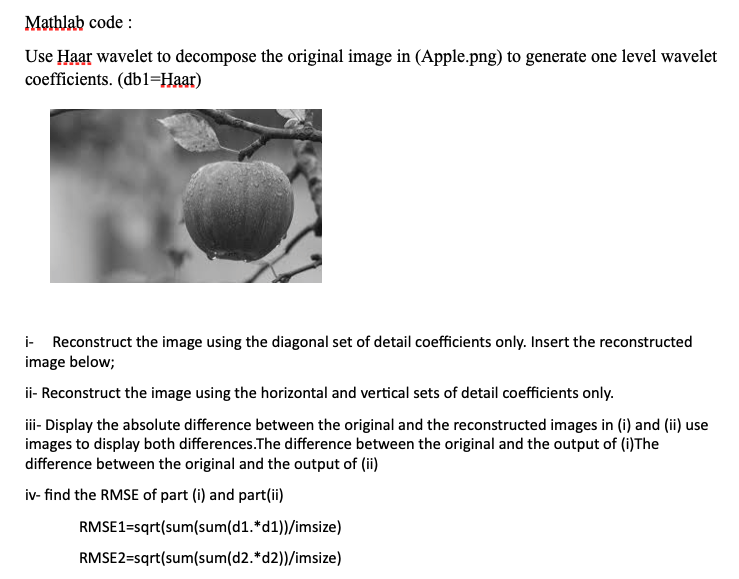
Mathlab code: Use Haar wavelet to decompose the original image in (Apple.png) to generate one level wavelet coefficients. (dbl=Haar) i Reconstruct the image using the diagonal set of detail coefficients only. Insert the reconstructed image below; ii- Reconstruct the image using the horizontal and vertical sets of detail coefficients only. iii- Display the absolute difference between the original and the reconstructed images in (i) and (ii) use images to display both differences. The difference between the original and the output of (i)The difference between the original and the output of (ii) iv- find the RMSE of part (i) and part(ii) RMSE1=sqrt(sum(sum(d1.*d1))/imsize) RMSE2=sqrt(sum(sum(d2.* d2/imsize) Mathlab code: Use Haar wavelet to decompose the original image in (Apple.png) to generate one level wavelet coefficients. (dbl=Haar) i Reconstruct the image using the diagonal set of detail coefficients only. Insert the reconstructed image below; ii- Reconstruct the image using the horizontal and vertical sets of detail coefficients only. iii- Display the absolute difference between the original and the reconstructed images in (i) and (ii) use images to display both differences. The difference between the original and the output of (i)The difference between the original and the output of (ii) iv- find the RMSE of part (i) and part(ii) RMSE1=sqrt(sum(sum(d1.*d1))/imsize) RMSE2=sqrt(sum(sum(d2.* d2/imsize)
Step by Step Solution
There are 3 Steps involved in it

Get step-by-step solutions from verified subject matter experts
 Study Help