







Question: Matlab function basic, if-else, return corner element of matrix Write a function named myFunction(M,flagA,flagB) which accepts an arbitrary matrix M, and two numbers flagA and
Matlab
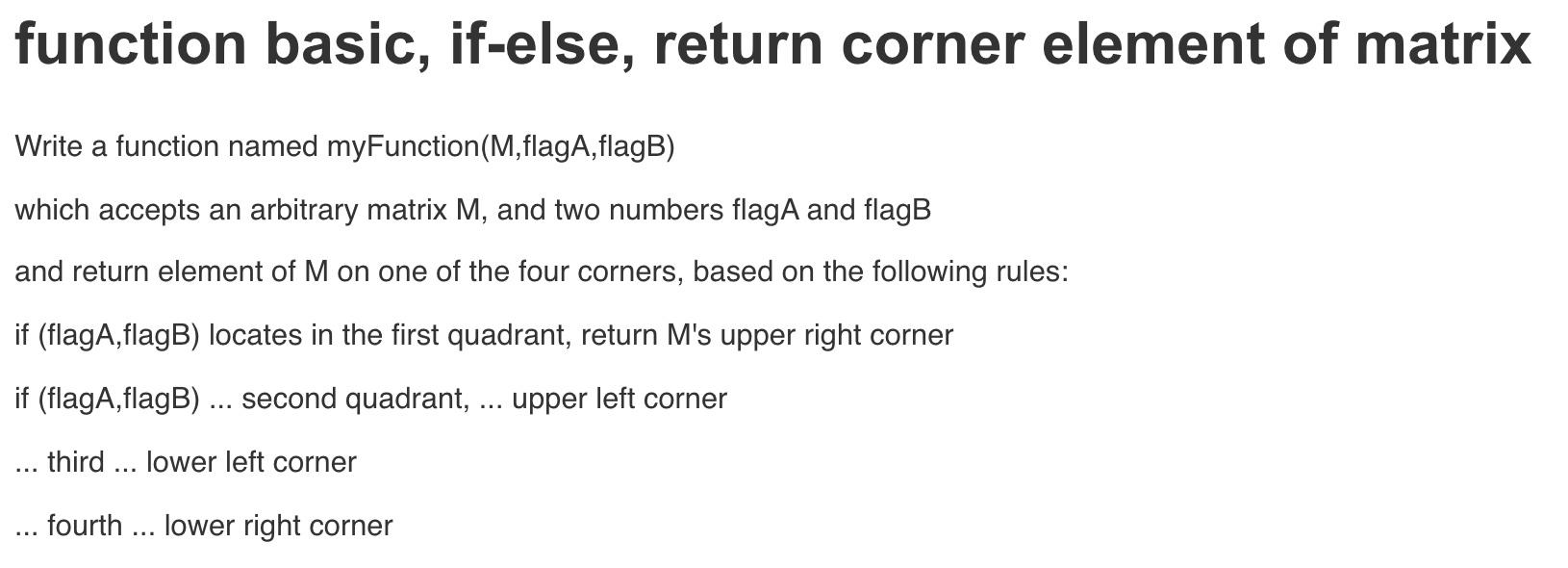
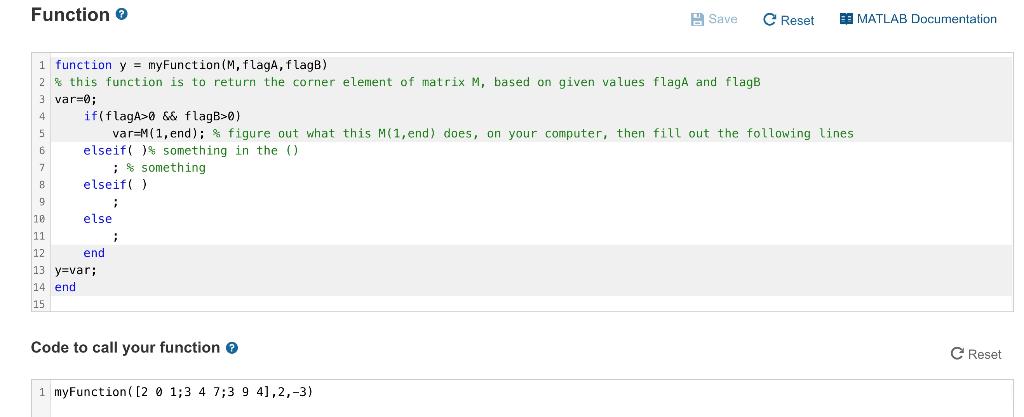
function basic, if-else, return corner element of matrix Write a function named myFunction(M,flagA,flagB) which accepts an arbitrary matrix M, and two numbers flagA and flagB and return element of M on one of the four corners, based on the following rules: if (flagA,flagB) locates in the first quadrant, return M's upper right corner if (flagA,flagB) ... second quadrant, ... upper left corner third ... lower left corner ... fourth ... lower right corner II. Function Save C Reset 19 MATLAB Documentation 1 function y = myFunction(M, flaga, flagB) 2% this function is to return the corner element of matrix M, based on given values flagA and flags var=0; if(flagA>0 && flagB>0) var=M(1, end); % figure out what this M(1, end) does, on your computer, then fill out the following lines elseif( )$ something in the () ; * something elseif() ; else | end 13 y=var; 14 end 15 10 11 12 Code to call your function C Reset 1 myFunction([2 0 1;3 4 7;3 9 4),2,-3)
Step by Step Solution
There are 3 Steps involved in it

Get step-by-step solutions from verified subject matter experts
 Study Help