







Question: MATLAB: Hello! I'm currently working on a program that will hide an image in another. I am on Part 2, but cannot get it to
MATLAB:
Hello! I'm currently working on a program that will hide an image in another. I am on Part 2, but cannot get it to work when I click Odd/Even Red Embedding. I am receiving the following error in the command window:
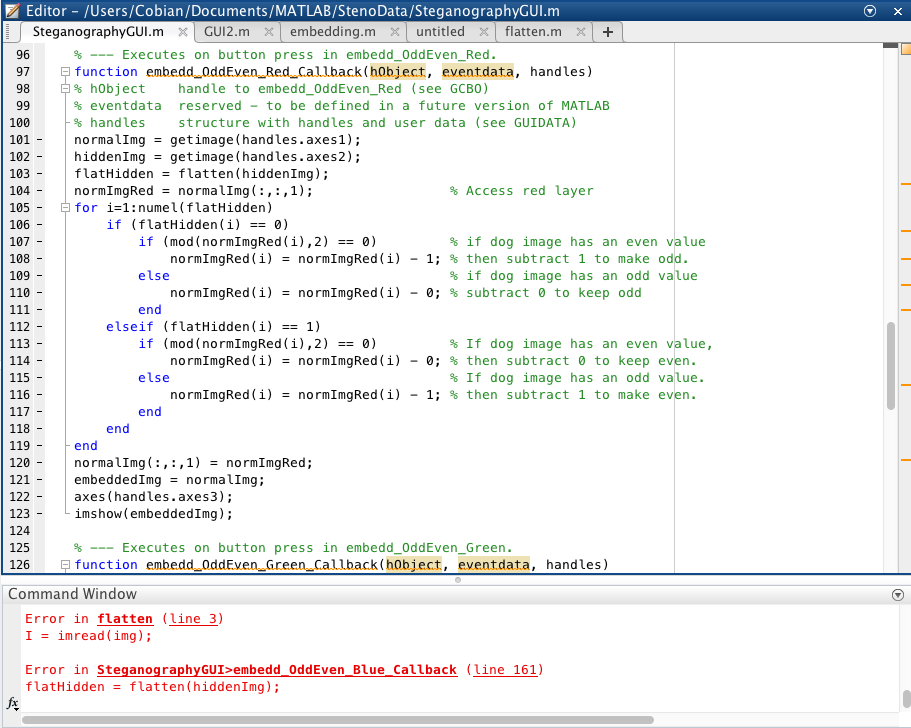
However, when I run the function flatten separately it works. So is it something wrong with my embedding code or the flatten function. I have included the prompt, code, and GUI. Any real help or explanation is appreciated. This is my third time asking this question because people reply with irrelevant information.
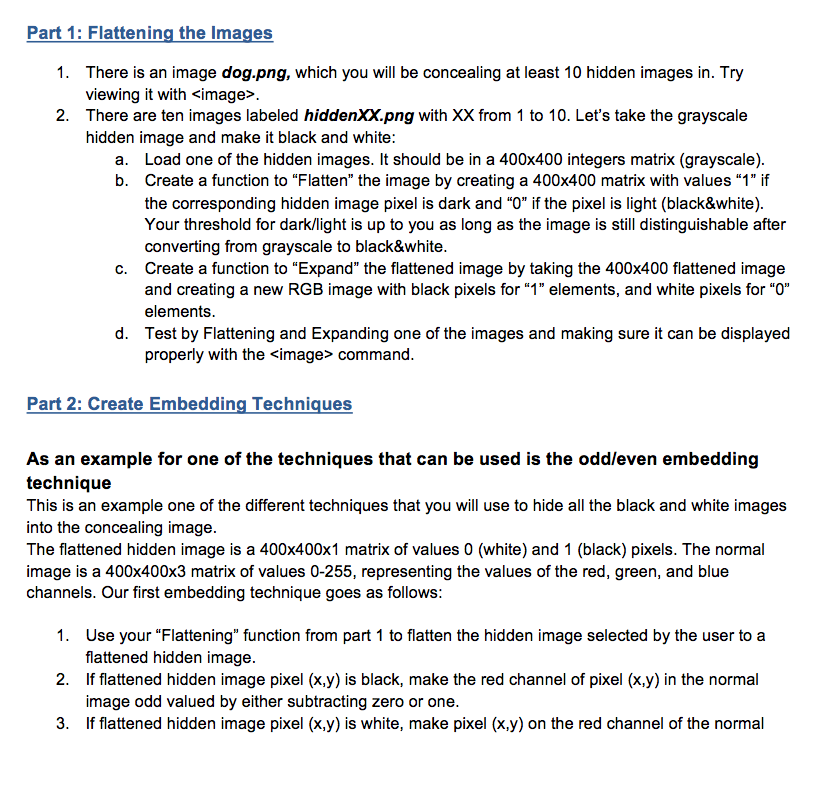
Function as stated in part 1:
function [BW] = flatten(img)
I = imread(img);
BW = imbinarize(I);
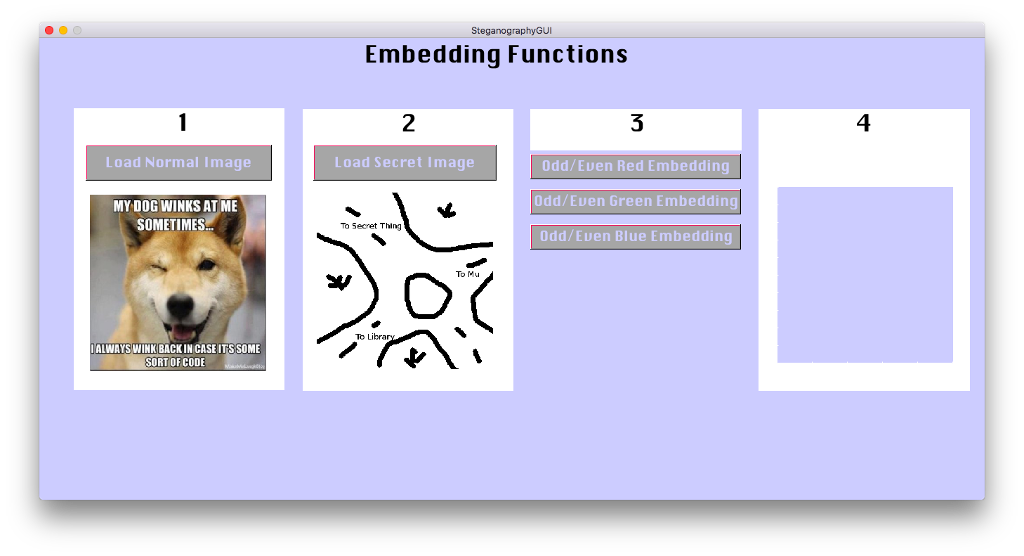
My GUI, panel 4 should display dog image with the secret picture hidden inside, but it does't display:
Editor - /Users/Cobian/Documents/MATLAB/StenoData/SteganographyGUl.nm - | SteganographyGUI.m GU12.m X | embedding.m untitled X| flatten.m X1+ %-- Executes on button press in embedd. OddEven-Red function embeddOddEvenRed Callback (h0bject, eventdata, handles) % hObject handle to embedd-OddEven-Red (see GCBO) % eventdata reserved - to be defined in a future version of MATLAB % handles structure with handles and user data (see GUIDATA) normal1mg = getinage ( handles.axes1); hidden!mg getimage(handles . axes2); flatHiddenflatten(hiddenImg); norm1mgRed = normal!mg ( : , : , 1) ; for i-1: numel (flatHidden) 96 97 98 100 101 102 - 103 104 - 105 - 106- 107 - 108 - 109 - 110 % Access red layer if (flatHidden(1) 0) if (mod ( norm!mgRed (1) ,2) 0) % if dog image has an even value % then s if dog image has an odd value = norm!mgRed (i) norm!mgRed(1) -1; subtract 1 to make odd. = else norm!mgRed (1) = norm!mgRed (1) -0; % subtract 0 to keep odd elseif (flatHidden ( 1) -1) 112 113 114 115 116 0) if (mod ( norm!mgRed (i),2) else end % If dog image has an even value, = norm!mgRed (1) norm!mgRed(1) -0; % then subtract 0 to keep even. = If dog image has an odd value. 1 norm!mgRed (1) norm!mgRed(1) -1; % then subtract to make even. end 118 119 120 121 122 123 124 125 126 end normal!mg ( :,:, 1) = normlmgRed; embedded!mg normal!mg ; axes (handles.axes3); imshow(embeddedImg); %-- Executes on button press in embedd. OddEven-Green. function embedd OddEven GreenCallback (h0bject, eventdata, handles) Command Window Error in flatten (line 3) I = imread (ing); Error in Steganography GUI embedd OddEven Blue Callback (line 161) flatHidden = flatten (hidden!mg)
Step by Step Solution
There are 3 Steps involved in it

Get step-by-step solutions from verified subject matter experts
 Study Help