







Question: Matlab help Exercise 3c. Create a GUl to display waveform of an audio file (wav), and play it. You can download a few (2-3) wave
Matlab help 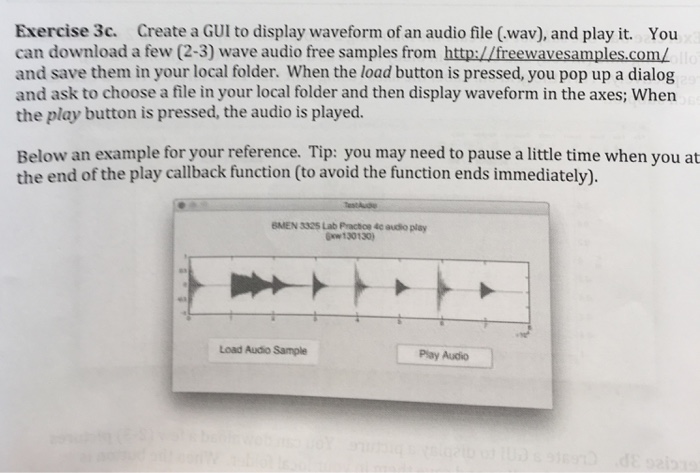
Exercise 3c. Create a GUl to display waveform of an audio file (wav), and play it. You can download a few (2-3) wave audio free samples from http://freewavesamples.com/ and save them in your local folder. When the load button is pressed, you pop up a dialog and ask to choose a file in your local folder and then display waveform in the axes; When the play button is pressed, the audio is played. Below an example for your reference. Tip: you may need to pause a little time when you at the end of the play callback function (to avoid the function ends immediately). BMEN 3325 Lab Practce 4c audio play w130130 Load Audio Sample Play Audio
Step by Step Solution
There are 3 Steps involved in it
1 Expert Approved Answer
Step: 1 Unlock

Question Has Been Solved by an Expert!
Get step-by-step solutions from verified subject matter experts
Step: 2 Unlock
Step: 3 Unlock
 Study Help