







Question: Matlab HW Help needed Some instructions for the problem: - Copy the relevant sorting code loops and initializations into your function file. In your script
Matlab HW Help needed
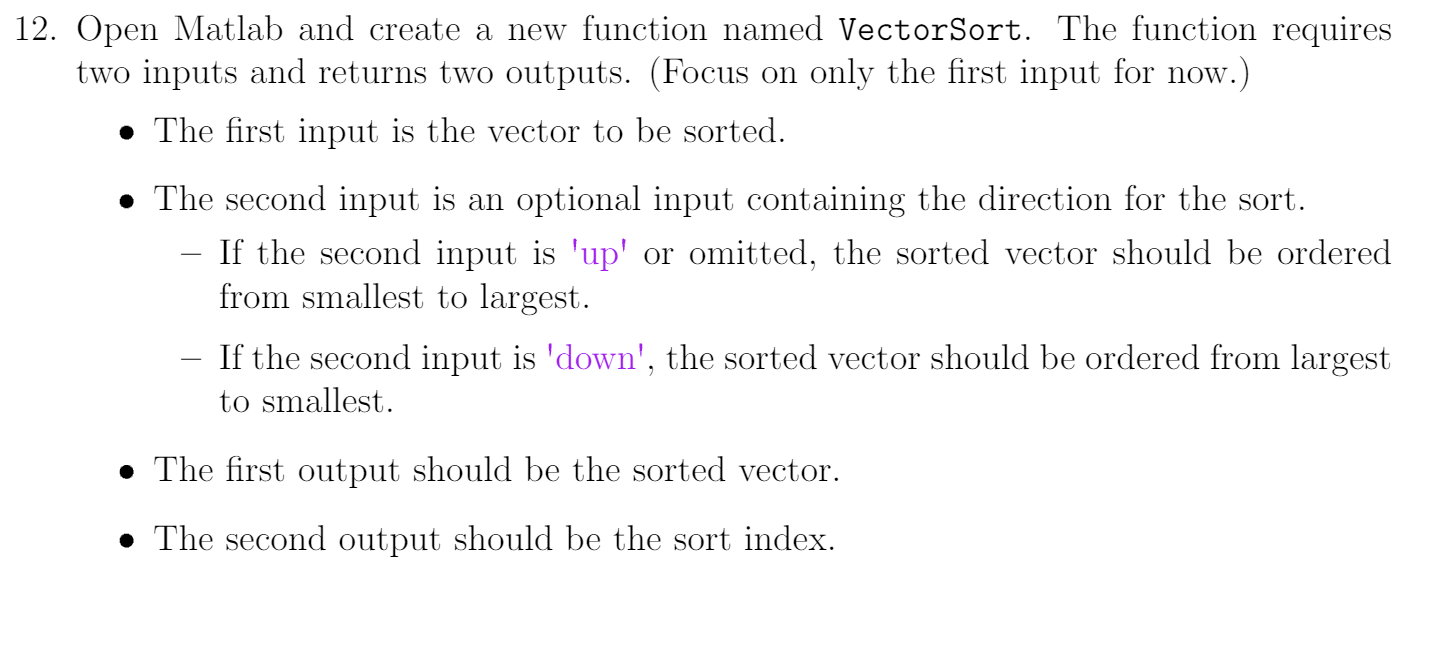
Some instructions for the problem:
- Copy the relevant sorting code loops and initializations into your function file. In your script file, you should only have the initial input vector defined and a function call. Double-check that your script calls the function correctly and outputs a sorted vector and index.
- Set up a conditional statement that provides Matlab with a value for the second input if the user has not specified its value.
- If the array should be sorted from smallest to largest, you dont need to change anything, because you already have this sort order. However, if the array is to be sorted from largest to smallest, you need to reverse the order of the sorted array AND of the index values.
Reversing the array can be done easily using integer indexing and the end keyword: myOutputVar = myOutputVar(indices reversing the order of myOutputVar)
Use the colon (:) operator and the proper increments to reverse the order of any variables you need to change.
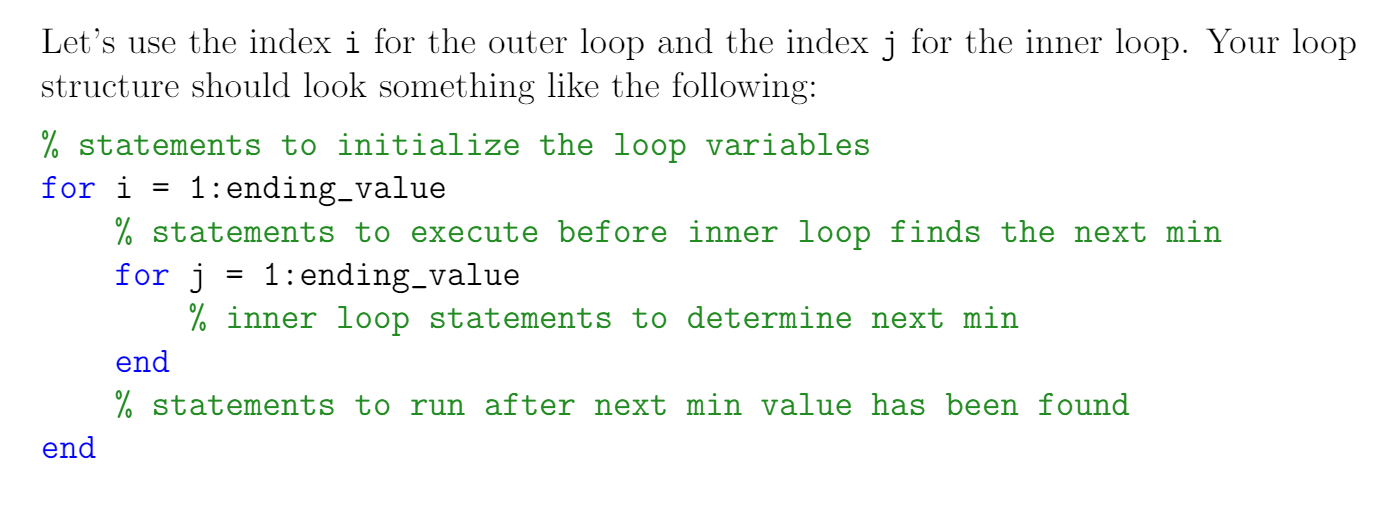
12. Open Matlab and create a new function named VectorSort. The function requires two inputs and returns two outputs. (Focus on only the first input for now.) The first input is the vector to be sorted. The second input is an optional input containing the direction for the sort. If the second input is 'up' or omitted, the sorted vector should be ordered from smallest to largest. If the second input is 'down', the sorted vector should be ordered from largest to smallest. The first output should be the sorted vector. The second output should be the sort index. Let's use the index i for the outer loop and the index j for the inner loop. Your loop structure should look something like the following: % statements to initialize the loop variables for i = 1:ending_value % statements to execute before inner loop finds the next min 1:ending_value % inner loop statements to determine next min end % statements to run after next min value has been found end for j
Step by Step Solution
There are 3 Steps involved in it

Get step-by-step solutions from verified subject matter experts
 Study Help