







Question: MATLAB ... Need help with a - e. Please show codes and results Exercise 1 Vectors Matrices and vectors make up the heart of MATLAB
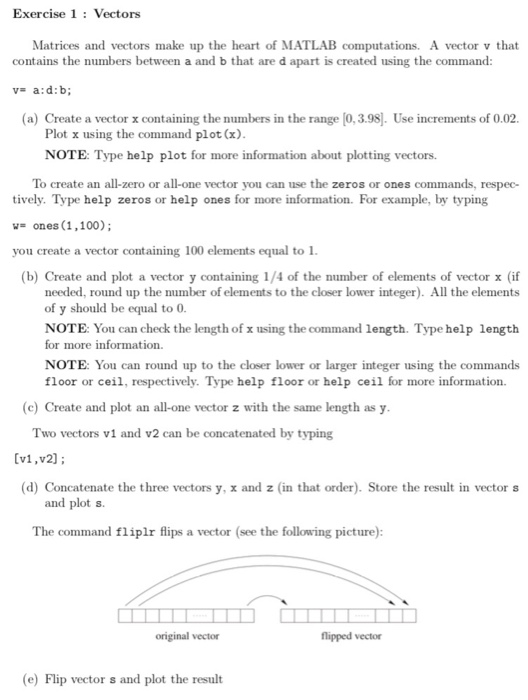
Exercise 1 Vectors Matrices and vectors make up the heart of MATLAB computations. A vector v that contains the numbers between a and b that are d apart is created using the command: (a) Create a vector x containing the numbers in the range [0,3.98]. Use increments of 0.02 Plot x using the command plot (x) NOTE: Type help plot for more information about plotting vectors. To create an all-zero or all-one vector you can use the zeros or ones commands, respec- tively. Type help zeros or help ones for more information. For example, by typing -ones (1,100) you create a vector containing 100 elements equal to1 (b) Create and plot a vector y containing 1/4 of the number of elements of vector x (if needed, round up the number of elements to the closer lower integer). All the elements of y should be equal to 0 NOTE: You can check the length of x using the command length. Type help length for more information. NOTE: You can round up to the closer lower or larger integer using the commands floor or ceil, respectively. Type help floor or help ceil for more information (c) Create and plot an all-one vector z with the same length as y Two vectors vi and v2 can be concatenated by typing [v1,v2 (d) Concatenate the three vectors y, x and z (in that order). Store the result in vector s and plot s. The command fliplr flips a vector (see the following picture): original vector flipped vector (e) Flip vector s and plot the result
Step by Step Solution
There are 3 Steps involved in it

Get step-by-step solutions from verified subject matter experts
 Study Help