







Question: Matlab: PART 3 - Applications Create a script for each of the following four application problems (A7P3Alastname.m, A7P3Blastname.m, A7P3Clastname.m and A7P3Dlastname.m). Each program will call
Matlab:
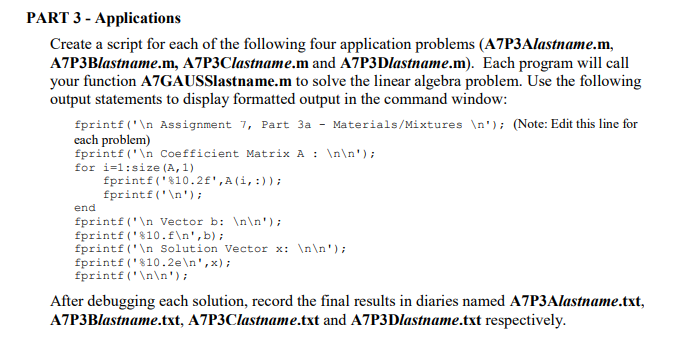
PART 3 - Applications Create a script for each of the following four application problems (A7P3Alastname.m, A7P3Blastname.m, A7P3Clastname.m and A7P3Dlastname.m). Each program will call your function A7GAUSSlastname.m to solve the linear algebra problem. Use the following output statements to display formatted output in the command window: fprintf('In Assignment 7, Part 3a - Materials/Mixtures In(Note: Edit this line for each problem) fprintf (' Coefficient Matrix A : '); for i-1:size(A, 1) fprintf("%10.2f',A(i, :)); fprint'In') end fprintf'In Vector b: Inln') fprintf ( . %10 . f ' , b) ; fprintf ('n Solution Vector x: In ' forintf ( . %10 . 2e " , x) ; fprintf'Inn') After debugging each solution, record the final results in diaries named A7P3Alastname.txt, A7P3Blastname.txt, A7P3Clastname.txt and A7P3Dlastname.txt respectively
Step by Step Solution
There are 3 Steps involved in it

Get step-by-step solutions from verified subject matter experts
 Study Help