







Question: matlab please Problem: Create the following Excel file, num.xlsx, in your Matlab working directory: 1 2 3 456 789 a) Write a script to use
matlab please 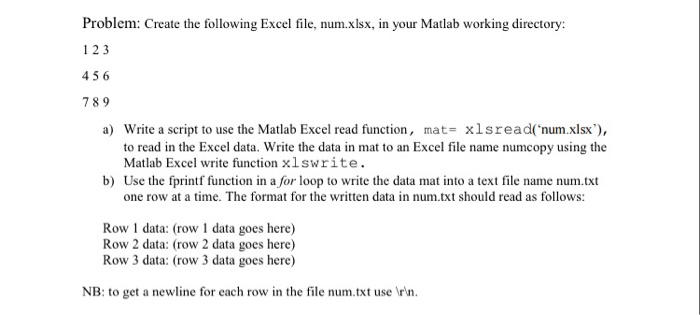
Problem: Create the following Excel file, num.xlsx, in your Matlab working directory: 1 2 3 456 789 a) Write a script to use the Matlab Excel read function, mat- xlsread(num.xlsx to read in the Excel data. Write the data in mat to an Excel file name numcopy using the Matlab Excel write function x1lswrite. b) Use the fprintf function in a for loop to write the data mat into a text file name num.txt one row at a time. The format for the written data in num.txt should read as follows: Row 1 data: (row 1 data goes here) Row 2 data: (row 2 data goes here) Row 3 data: (row 3 data goes here) NB to get a newline ow in the filuse vn
Step by Step Solution
There are 3 Steps involved in it
1 Expert Approved Answer
Step: 1 Unlock

Question Has Been Solved by an Expert!
Get step-by-step solutions from verified subject matter experts
Step: 2 Unlock
Step: 3 Unlock
 Study Help