







Question: MATLAB, plz don't use loop(if, for, while) /conditionals Output: 1. (char) MxK array containg the name of each sales rep who sold more than the
MATLAB, plz don't use loop(if, for, while) /conditionals
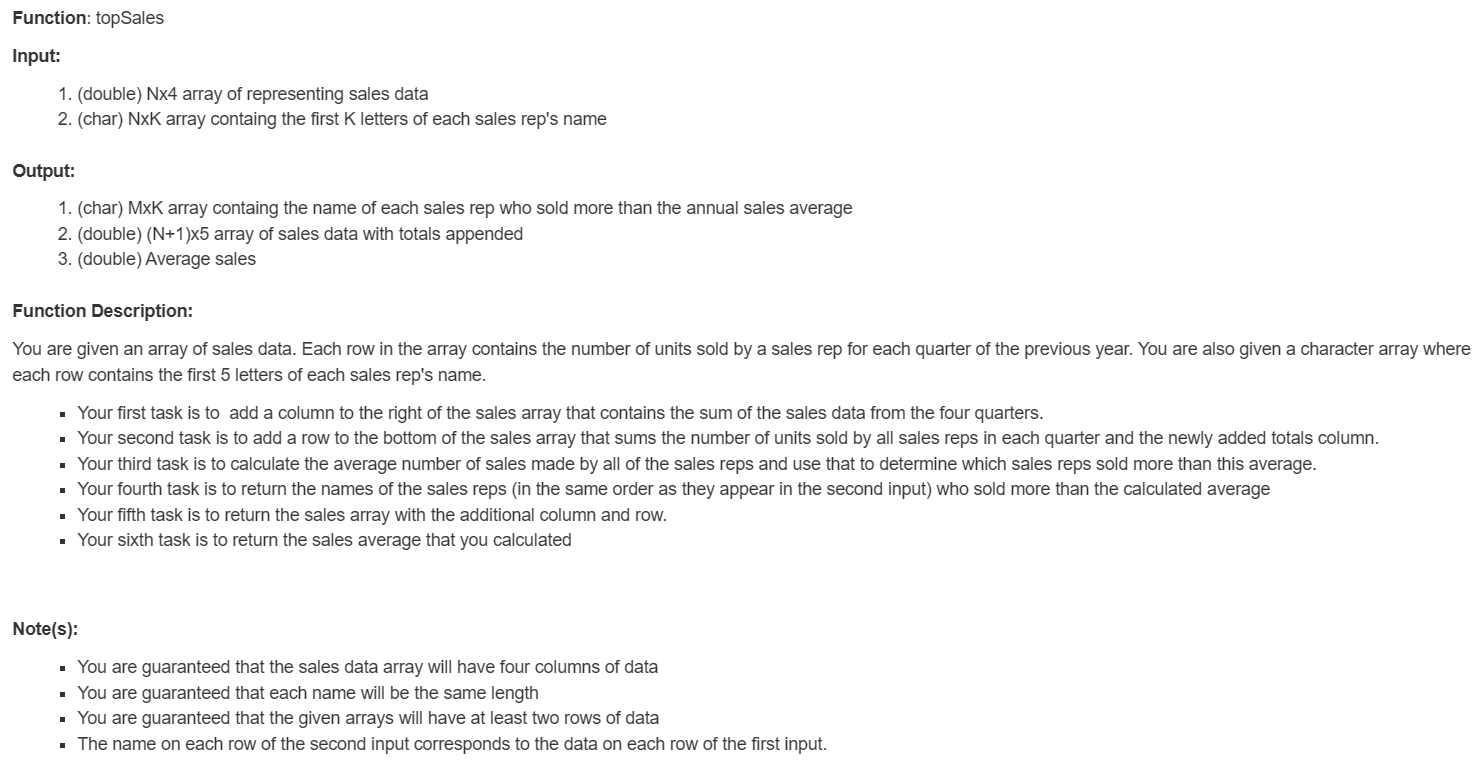
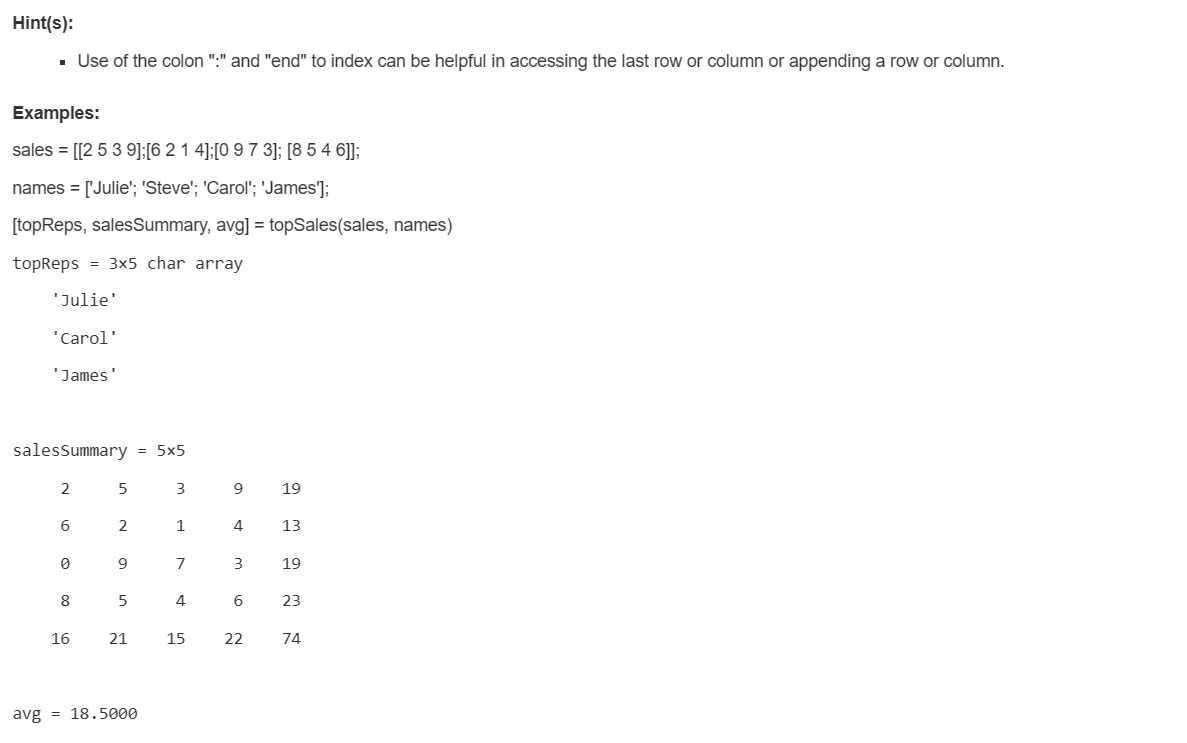
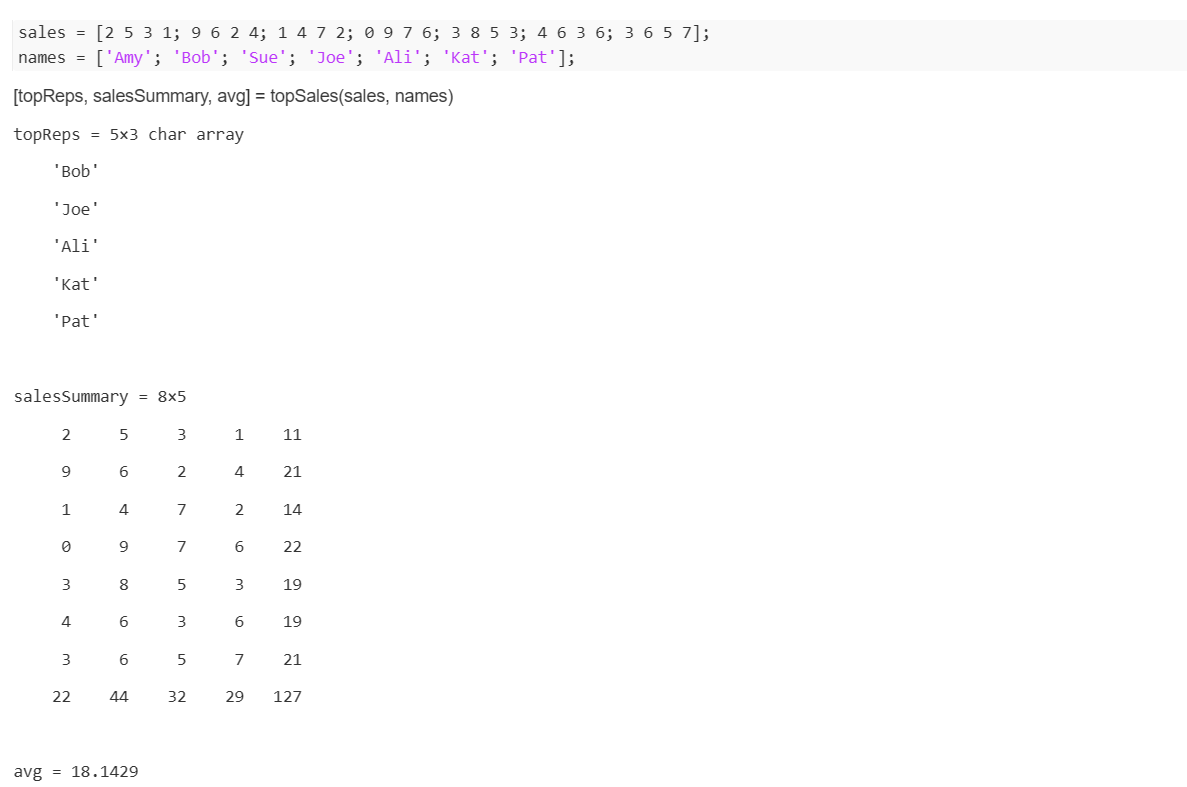
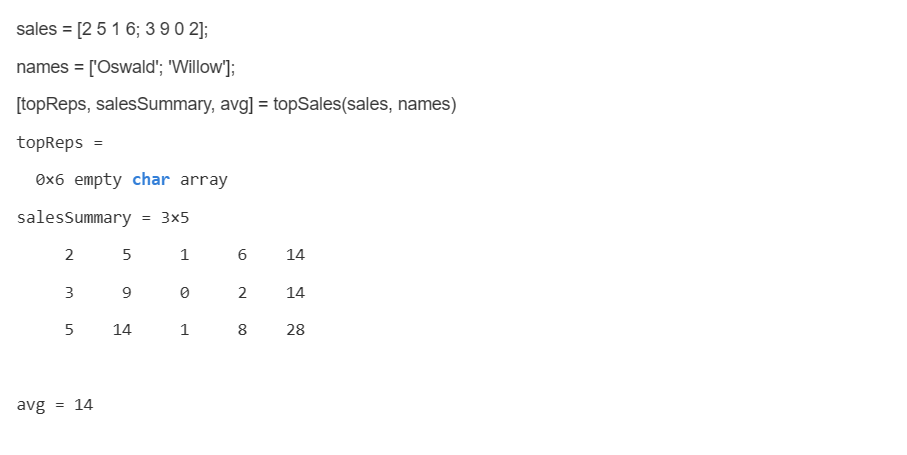
Output: 1. (char) MxK array containg the name of each sales rep who sold more than the annual sales average 2. (double) (N+1)5 array of sales data with totals appended 3. (double) Average sales Function Description: You are given an array of sales data. Each row in the array contains the number of units sold by a sales rep for each quarter of the previous year. You are also given a character array where each row contains the first 5 letters of each sales rep's name. - Your first task is to add a column to the right of the sales array that contains the sum of the sales data from the four quarters. - Your second task is to add a row to the bottom of the sales array that sums the number of units sold by all sales reps in each quarter and the newly added totals column. - Your third task is to calculate the average number of sales made by all of the sales reps and use that to determine which sales reps sold more than this average. - Your fourth task is to return the names of the sales reps (in the same order as they appear in the second input) who sold more than the calculated average - Your fifth task is to return the sales array with the additional column and row. - Your sixth task is to return the sales average that you calculated Note(s): - You are guaranteed that the sales data array will have four columns of data - You are guaranteed that each name will be the same length - You are guaranteed that the given arrays will have at least two rows of data - The name on each row of the second input corresponds to the data on each row of the first input. - Use of the colon ":" and "end" to index can be helpful in accessing the last row or column or appending a row or column. Examples: names=[Julie;Steve;Carol;James]; [topReps, salesSummary, avg] = topSales(sales, names) topReps=35chararray 'Julie' 'Carol' 'James ' avg=18.5000 avg=18.1429
Step by Step Solution
There are 3 Steps involved in it

Get step-by-step solutions from verified subject matter experts
 Study Help