







Question: MATLAB script needed a. Import into MATLAB the US_Presidents.xlsx file using readtable) b. Convert the columns containing date to MATLAB's datetime format. You will certainly
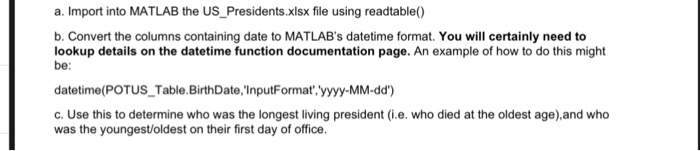
a. Import into MATLAB the US_Presidents.xlsx file using readtable) b. Convert the columns containing date to MATLAB's datetime format. You will certainly need to lookup details on the datetime function documentation page. An example of how to do this might be: datetime(POTUS Table.BirthDate, InputFormat, yyyy-MM-dd' c. Use this to determine who was the longest living president (i.e. who died at the oldest age),and who was the youngest/oldest on their first day of office. a. Import into MATLAB the US_Presidents.xlsx file using readtable) b. Convert the columns containing date to MATLAB's datetime format. You will certainly need to lookup details on the datetime function documentation page. An example of how to do this might be: datetime(POTUS Table.BirthDate, InputFormat, yyyy-MM-dd' c. Use this to determine who was the longest living president (i.e. who died at the oldest age),and who was the youngest/oldest on their first day of office
Step by Step Solution
There are 3 Steps involved in it

Get step-by-step solutions from verified subject matter experts
 Study Help