







Question: matlab Using the provided program record sound.m record a sentence in your voice (with a minimum of four words). You may name the audio file
matlab
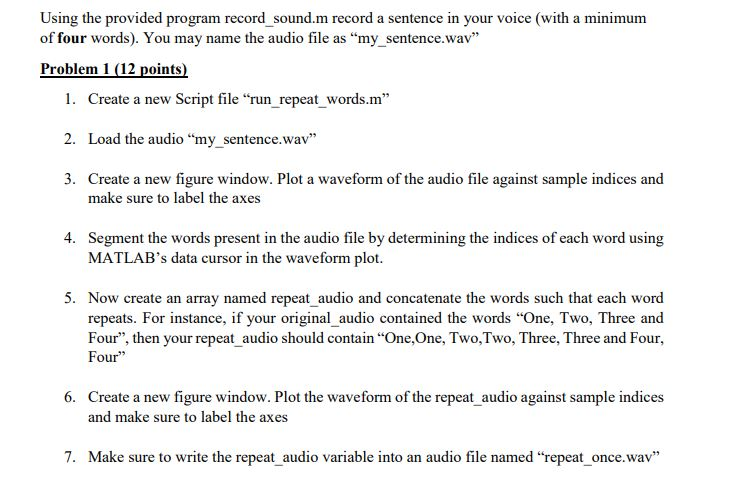
Using the provided program record sound.m record a sentence in your voice (with a minimum of four words). You may name the audio file as "my_sentence.wav 1. Create a new Script file "run_repeat words.m" 2. Load the audio "my sentence.wav" 3. Create a new figure window. Plot a waveform of the audio file against sample indices and make sure to label the axes 4. Segment the words present in the audio file by determining the indices of each word using MATLAB's data cursor in the waveform plot. 5. Now create an array named repeat _audio and concatenate the words such that each word repeats. For instance, if your original audio contained the words "One, Two, Three and Four", then your repeat audio should contain "One,One, Two,Two, Three, Three and Four, Four" 6. Create a new figure window. Plot the waveform of the repeat audio against sample indices and make sure to label the axes 7. Make sure to write the repeat audio variable into an audio file named "repeat once.wav
Step by Step Solution
There are 3 Steps involved in it

Get step-by-step solutions from verified subject matter experts
 Study Help