







Question: MATLAB We want to plot the function y = x over the interval [13]. In order to do this, we need to establish an x
MATLAB
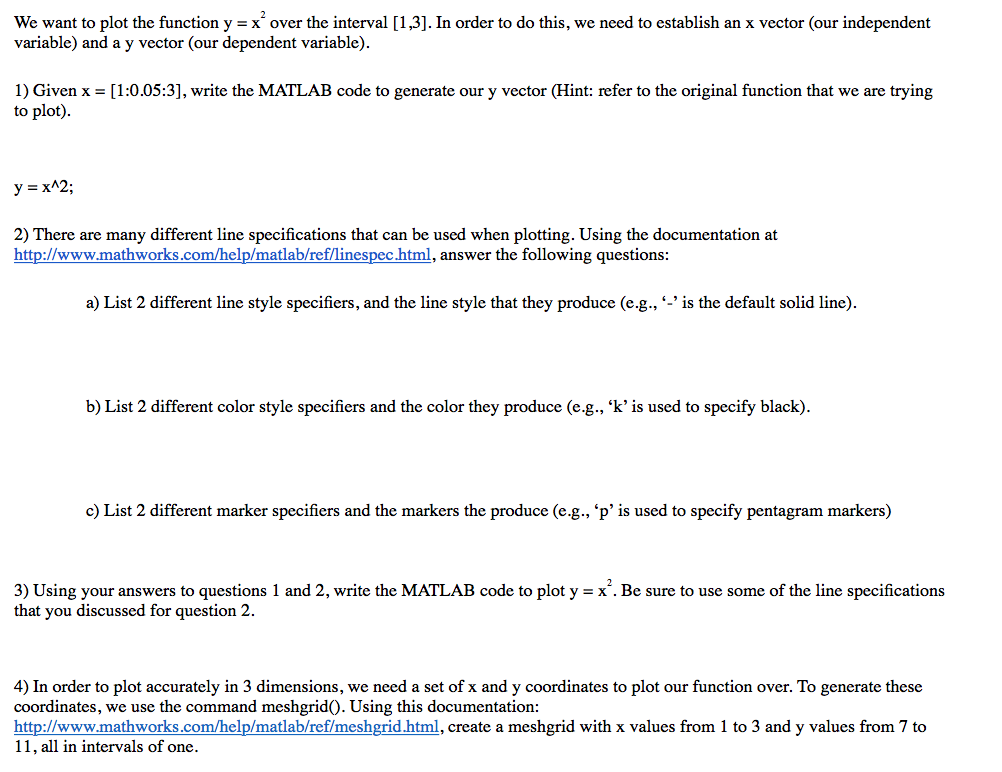
We want to plot the function y = x over the interval [13]. In order to do this, we need to establish an x vector (our independent variable) and a y vector (our dependent variable). 1) Given x = [1:0.053, write the MATLAB code to generate our y vector(Hint: refer to the original function that we are trying to plot). y=x^2; 2) There are many different line specifications that can be used when plotting. Using the documentation at http://www.mathworks.com/help/matlab/reflinespec html, answer the following questions: a) List 2 different line style specifiers, and the line style that they produce (e.g., -'is the default solid line) b) List 2 different color style specifiers and the color they produce (e.g., 'k'is used to specify black) c) List 2 different marker specifiers and the markers the produce (eg., p, is used to specify pentagram markers) 3) Using your answers to questions 1 and 2, write the MATLAB code to plot y = x. Be sure to use some of the line specifications that you discussed for question 2. 4) In order to plot accurately in 3 dimensions, we need a set of x and y coordinates to plot our function over. To generate these coordinates, we use the command meshgridO. Using this documentation: http://www.mathworks.com/help/matlab/ref/meshgrid html, create a meshgrid with x values from 1 to 3 and y values from 7 to 11, all in intervals of one
Step by Step Solution
There are 3 Steps involved in it

Get step-by-step solutions from verified subject matter experts
 Study Help