







Question: MATT A 0.00 0.00 2. SI 2 Comparative forma Comparative romance Since all the charts start over $100,000 I want to get rid of the
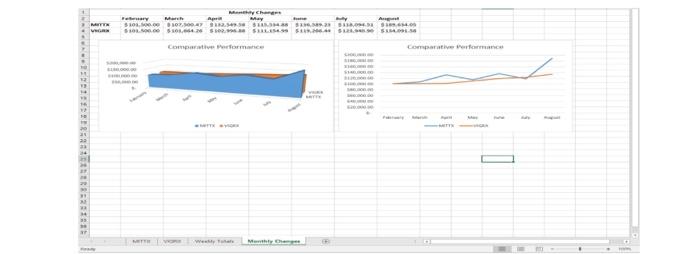
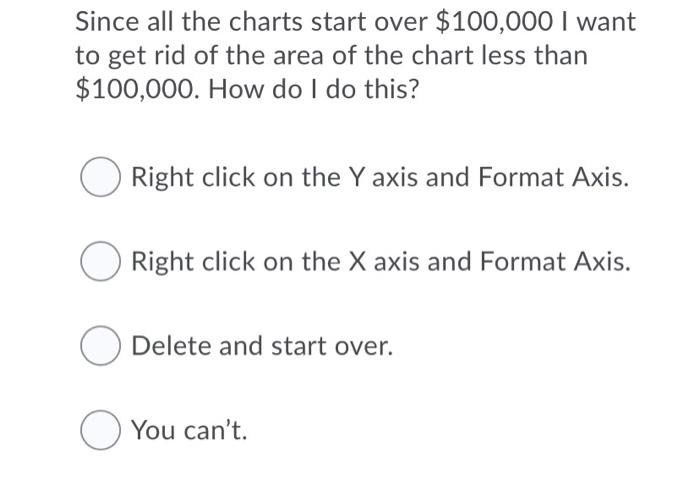
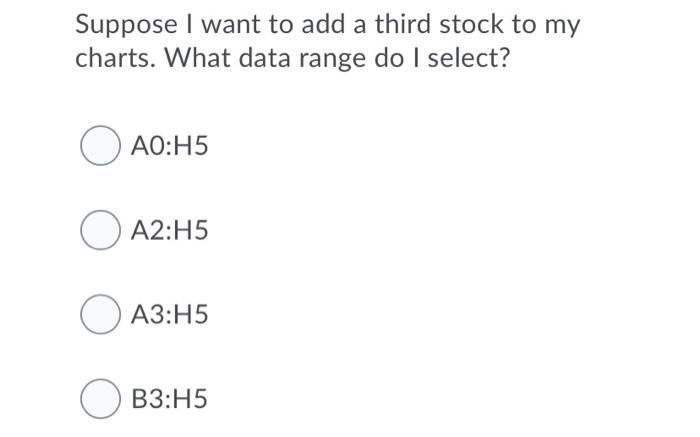
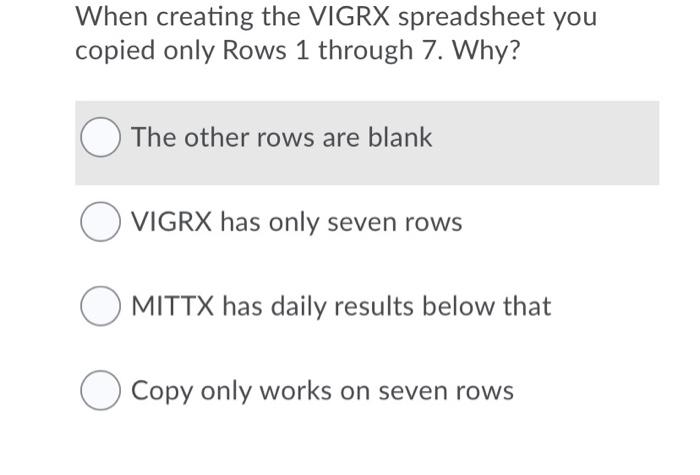
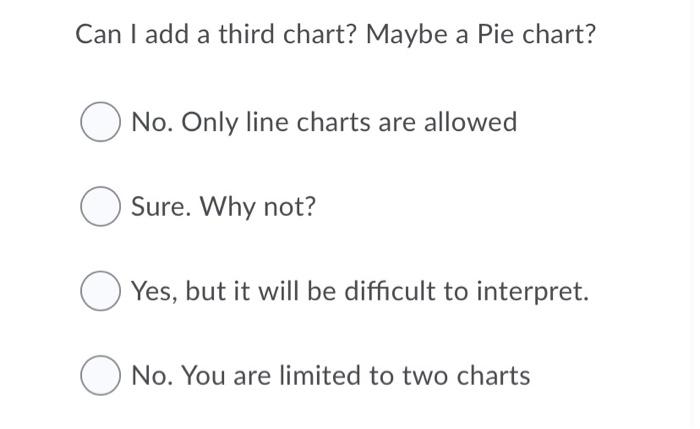
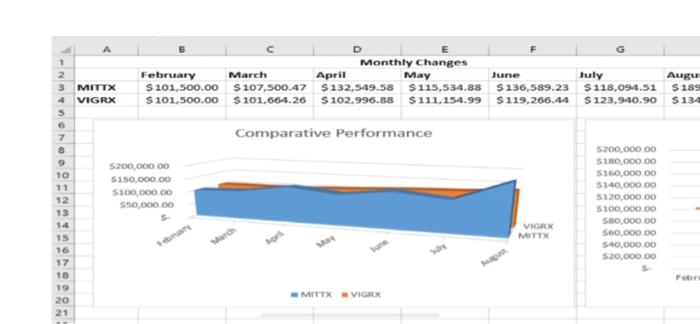
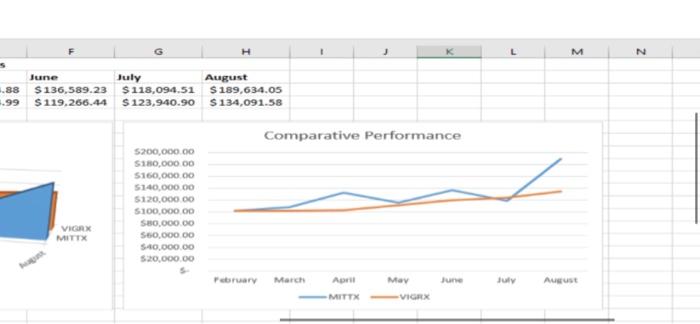
MATT A 0.00 0.00 2. SI 2 Comparative forma Comparative romance Since all the charts start over $100,000 I want to get rid of the area of the chart less than $100,000. How do I do this? Right click on the Y axis and Format Axis. Right click on the X axis and Format Axis. O Delete and start over. You can't. Suppose I want to add a third stock to my charts. What data range do I select? AO:H5 O A2:45 :H5 B3:15 When creating the VIGRX spreadsheet you copied only Rows 1 through 7. Why? The other rows are blank O VIGRX has only seven rows O MITTX has daily results below that Copy only works on seven rows Can I add a third chart? Maybe a Pie chart? No. Only line charts are allowed Sure. Why not? Yes, but it will be difficult to interpret. No. You are limited to two charts 1 2 3 MITTX 4 VIGRX 5 Monthly Changes February March April May June July $ 101,500.00 $ 107,500.47 $132,549.58 $115,534.88 $ 136,589.23 $118,094.51 $ 101,500.00 $ 101,664.26 S 102,996.88 $111.154.99 $119,266.44 S 123,940.90 Augu $ 189 $134 Comparative Performance 7 8 9 10 11 $200,000 00 $150,000.00 $100,000.00 S50,000.00 12 13 $200,000.00 S10,000.00 $160,000.00 $140,000.00 $120,000.00 $100,000.00 550.000 DO 550,000.00 500.000.00 520,000.00 VIGRX MITTX 15 17 18 19 20 21 MITTXVIGRX H M N June July August .88 $ 136,589.23 $118,094.51 $ 189,634.05 4.99 $119.266.44 $123,940.90 $ 134,091.58 Comparative Performance 5200,000.00 S180,000.00 $160,000.00 $140,000.00 5120,000.00 $100,000.00 SBO,000.00 S60.000 DO 540,000.00 $20,000.00 VIGRX MITTX February March April June JU August MITTX VIGRX
Step by Step Solution
There are 3 Steps involved in it

Get step-by-step solutions from verified subject matter experts
 Study Help