



Question: ME 105 Homework 4 Deliver a Package by Air Simulation with Graphical User Interface Deliver a Package by Air. A relief airplane is delivering a
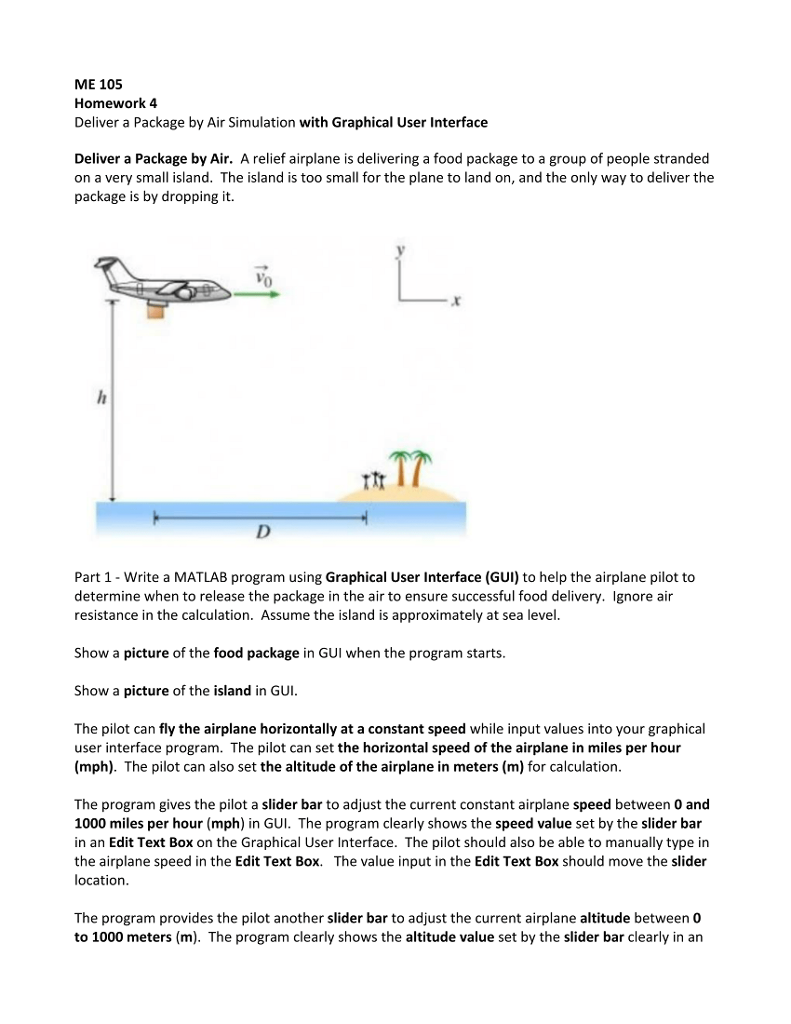
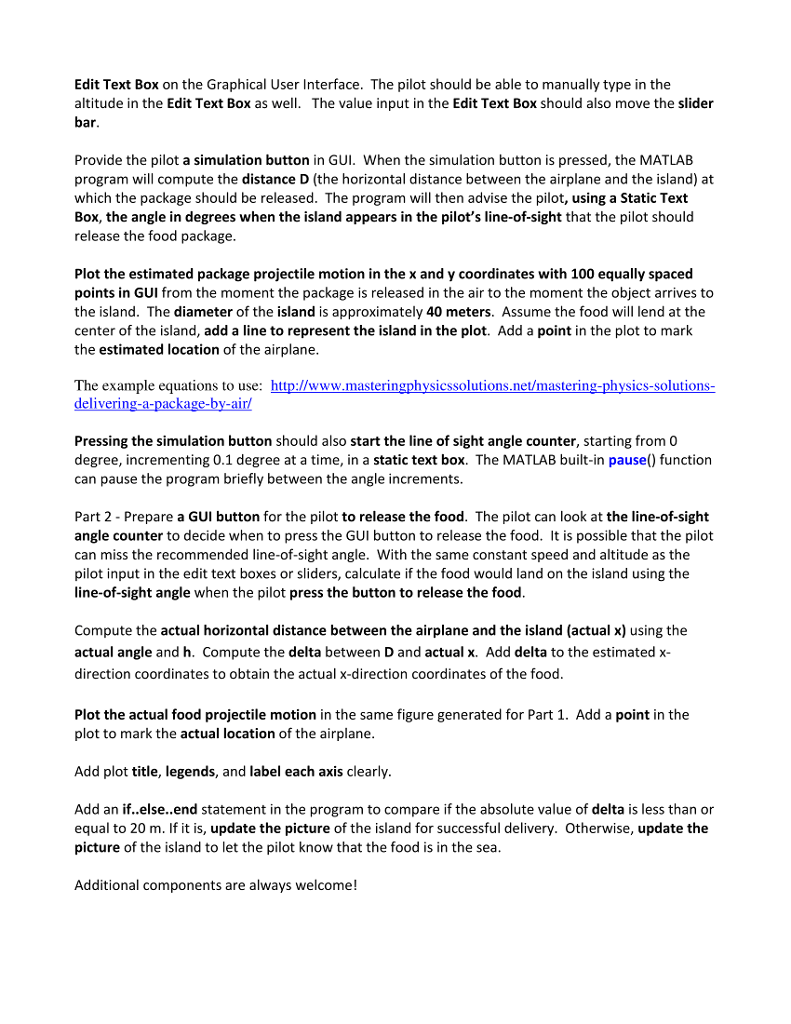
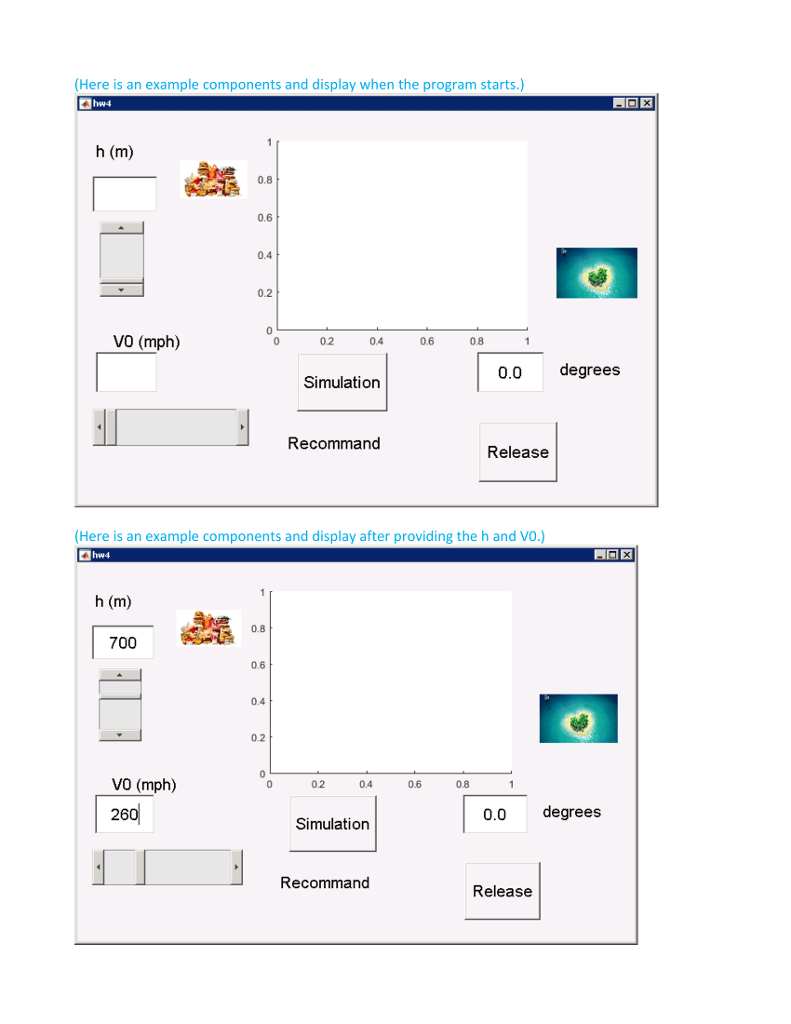
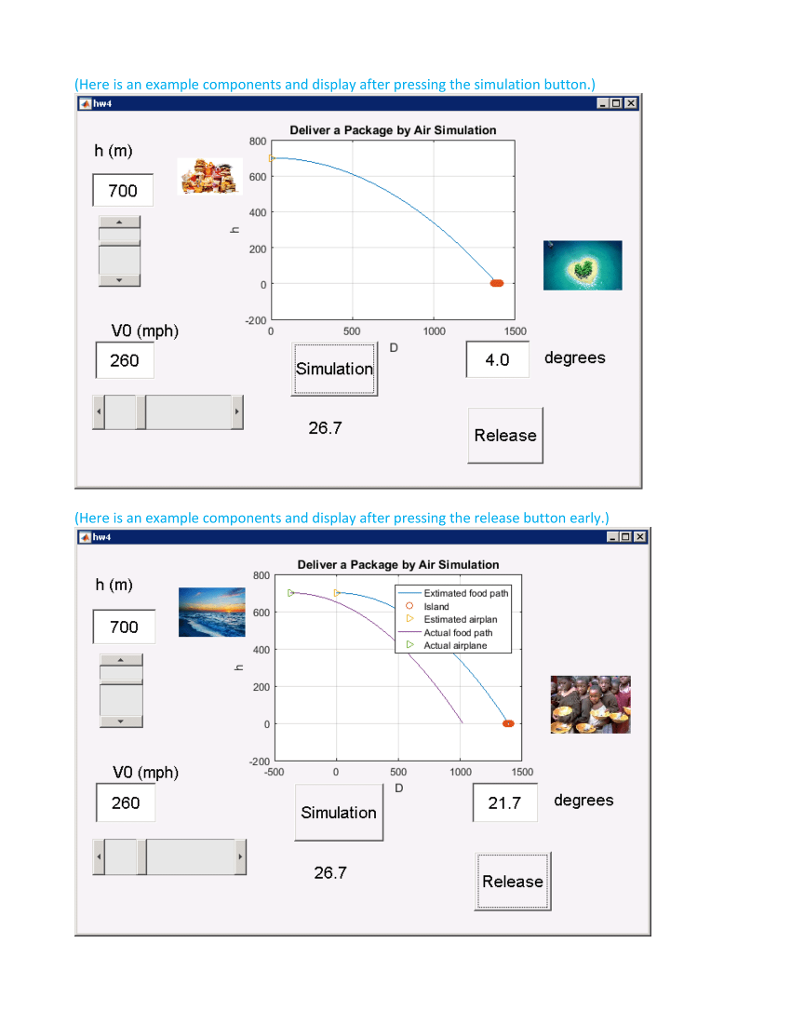
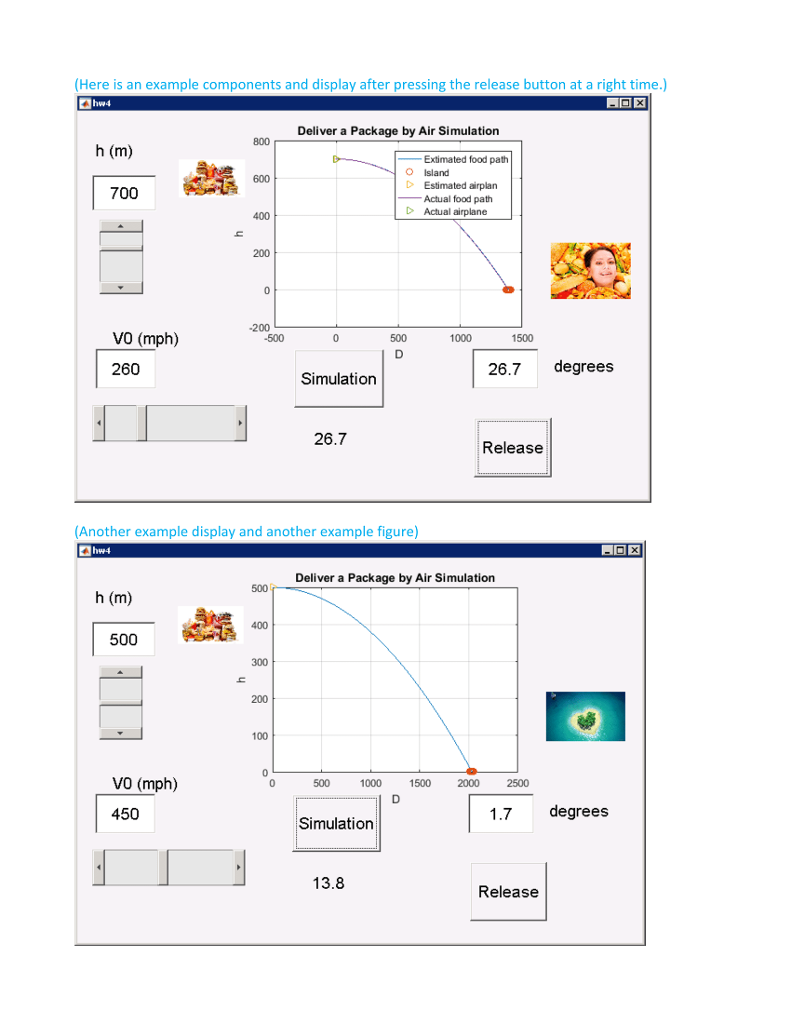
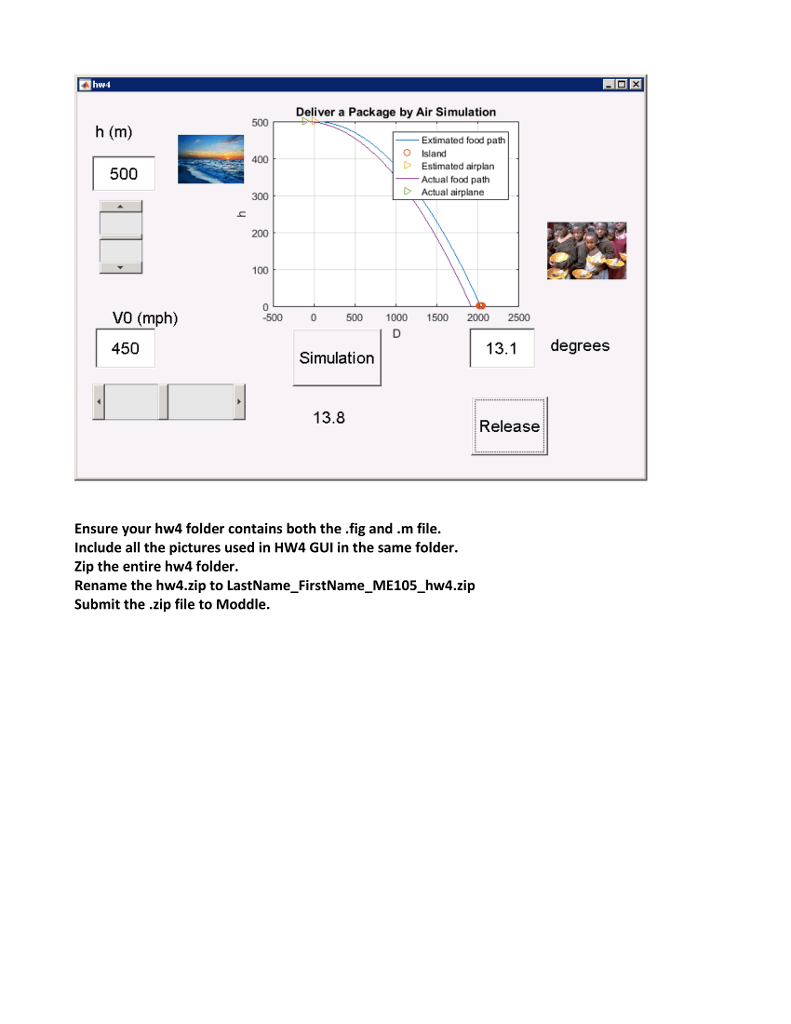
ME 105 Homework 4 Deliver a Package by Air Simulation with Graphical User Interface Deliver a Package by Air. A relief airplane is delivering a food package to a group of people stranded on a very small island. The island is too small for the plane to land on, and the only way to deliver the package is by dropping it. TAI Part 1 - Write a MATLAB program using Graphical User Interface (GUI) to help the airplane pilot to determine when to release the package in the air to ensure successful food delivery. Ignore air resistance in the calculation. Assume the island is approximately at sea level. Show a picture of the food package in GUI when the program starts. Show a picture of the island in GUI The pilot can fly the airplane horizontally at a constant speed while input values into your graphical user interface program. The pilot can set the horizontal speed of the airplane in miles per hour (mph). The pilot can also set the altitude of the airplane in meters (m) for calculation. The program gives the pilot a slider bar to adjust the current constant airplane speed between 0 and 1000 miles per hour (mph) in GUI. The program clearly shows the speed value set by the slider bar in an Edit Text Box on the Graphical User Interface. The pilot should also be able to manually type in the airplane speed in the Edit Text Box. The value input in the Edit Text Box should move the slider location. The program provides the pilot another slider bar to adjust the current airplane altitude between 0 to 1000 meters (m). The program clearly shows the altitude value set by the slider bar clearly in an ME 105 Homework 4 Deliver a Package by Air Simulation with Graphical User Interface Deliver a Package by Air. A relief airplane is delivering a food package to a group of people stranded on a very small island. The island is too small for the plane to land on, and the only way to deliver the package is by dropping it. TAI Part 1 - Write a MATLAB program using Graphical User Interface (GUI) to help the airplane pilot to determine when to release the package in the air to ensure successful food delivery. Ignore air resistance in the calculation. Assume the island is approximately at sea level. Show a picture of the food package in GUI when the program starts. Show a picture of the island in GUI The pilot can fly the airplane horizontally at a constant speed while input values into your graphical user interface program. The pilot can set the horizontal speed of the airplane in miles per hour (mph). The pilot can also set the altitude of the airplane in meters (m) for calculation. The program gives the pilot a slider bar to adjust the current constant airplane speed between 0 and 1000 miles per hour (mph) in GUI. The program clearly shows the speed value set by the slider bar in an Edit Text Box on the Graphical User Interface. The pilot should also be able to manually type in the airplane speed in the Edit Text Box. The value input in the Edit Text Box should move the slider location. The program provides the pilot another slider bar to adjust the current airplane altitude between 0 to 1000 meters (m). The program clearly shows the altitude value set by the slider bar clearly in an
Step by Step Solution
There are 3 Steps involved in it

Get step-by-step solutions from verified subject matter experts