







Question: Media Galore Web App and User Validation Part 1.1 - default.htm and login.htm 1. Write the default.htm page so that it looks like below. The
Media Galore Web App and User Validation
Part 1.1 - default.htm and login.htm
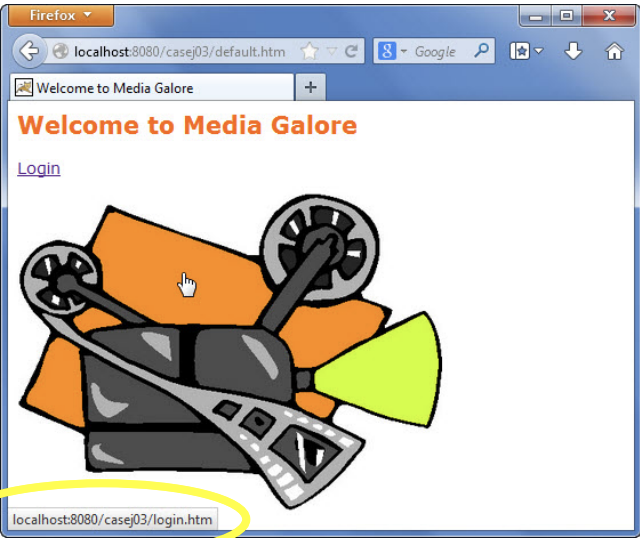
1. Write the default.htm page so that it looks like below. The page contains a picture of any movie projector (Hint: use the img tag and set its src property to the URI of the image). Besides the Login hyperlink to login.htm, clicking the image also opens up login.htm.
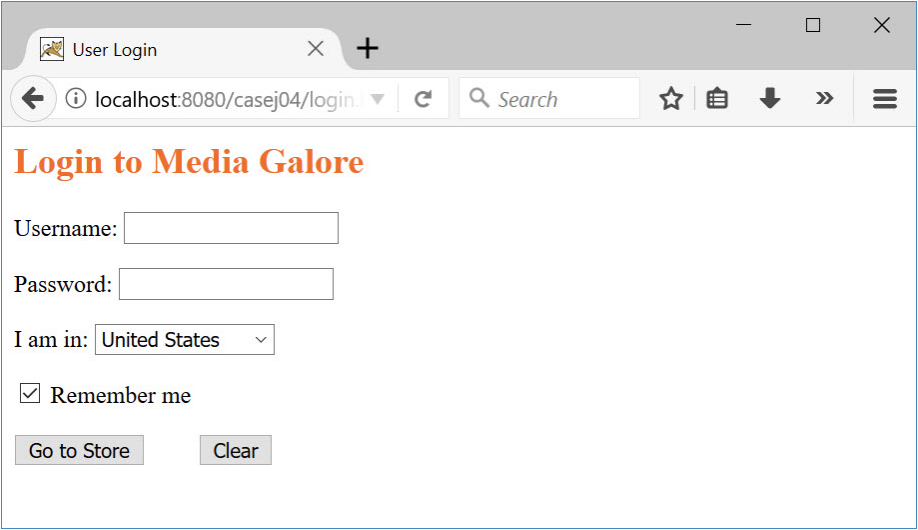
2. Create login.htm so that it has a username, password, dropdown list for locations, checkbox already checked, and go to store and clear submission buttons:
Part 1.2 Apache Tomcat web.xml and index.htm
1. Configure web.xml so that if a visitor of your website omits the filename behind the alias, he/she will see default.htm instead of the 404 error page.
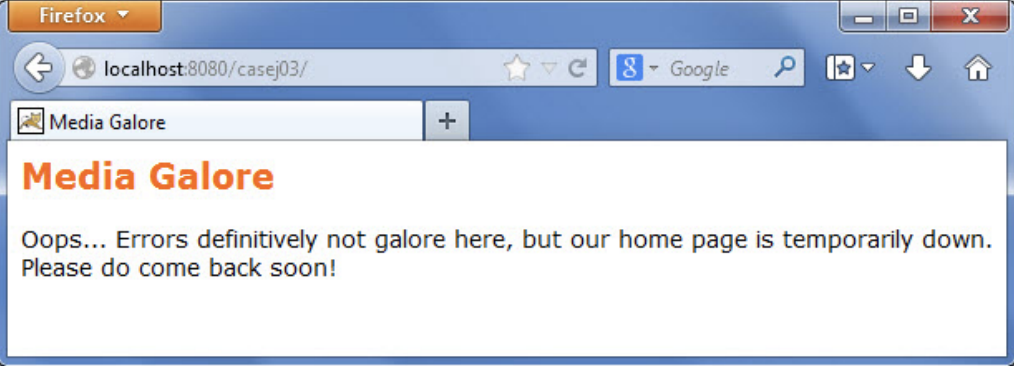
2. Write a backup welcome page index.html. Also configure web.xml so that if default.htm is missing in the deployment folder, the user should see the index.html instead of the 404 error page:
Part 2 JavaScript/JSP Validation - main.jsp
1. When user enters a password on login.htm, it should be masked
2. Write JavaScript so that it (a) requires a username, but (b) does not check the password.
3. Password verification is performed in main.jsp. The password should be set as EOrtega18fa. If the user entered a wrong password in login.htm, main.jsp should not be displayed; instead, the user should see login.htm again. The result is that the login.jsp page appears to be refreshed and the textboxes cleared
You must use JSP code for the redirection. Using JavaScript or any other languages wont earn you credit. Hint: use the sendRedirect() method.
4. If the user entered the correct password, then main.jsp is loaded. If the user selected United States in login.htm, he/she will see his/her login location as shown in the screenshot below:
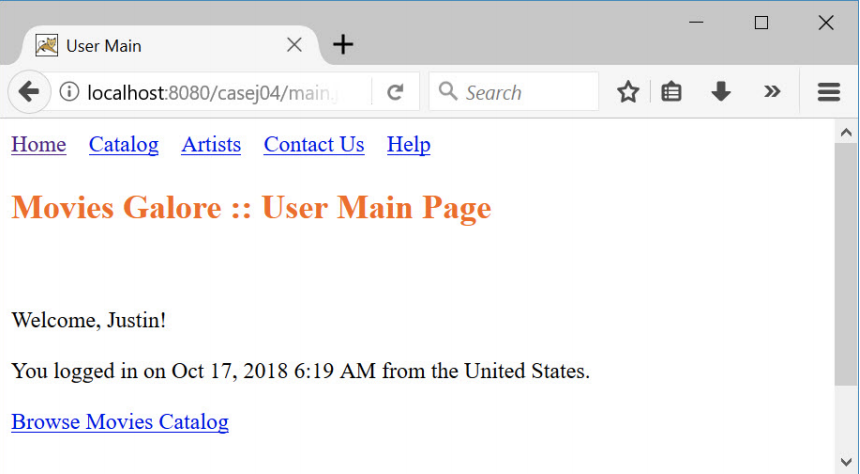
5. . In this assignment, all JSP pages will have a standard header and footer. Create two HTML files: header.htm and footer.htm. You must have these navigation links at the top of each JSP page. Leave the Contact Us, and Help links inactive. If you prefer the underlined, hyperlinked look, you may set their href property to #:

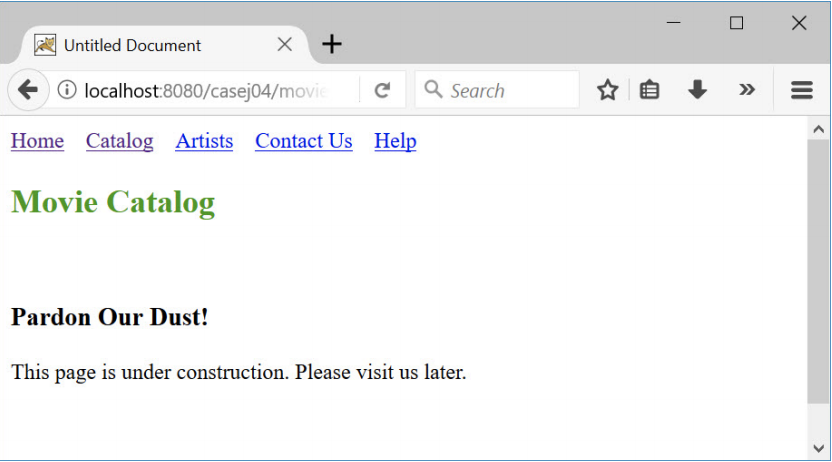
6. Clicking the "browse movies catalog" link in the bottom of main.jsp will take the user to movies catalog page (movies.jsp):
Development Specifications
1. You must have the following pages: default.htm, login.htm, main.jsp, movies.jsp, header.htm, footer.htm, and index.html.
2. In main.jsp, a switch statement must be used to evaluate the selection of country (US, UK, and Japan in the dropdown list in login.htm).
3. Use the java.util.GregorianCalendar class to create an object that holds the date and time when main.jsp is loaded.
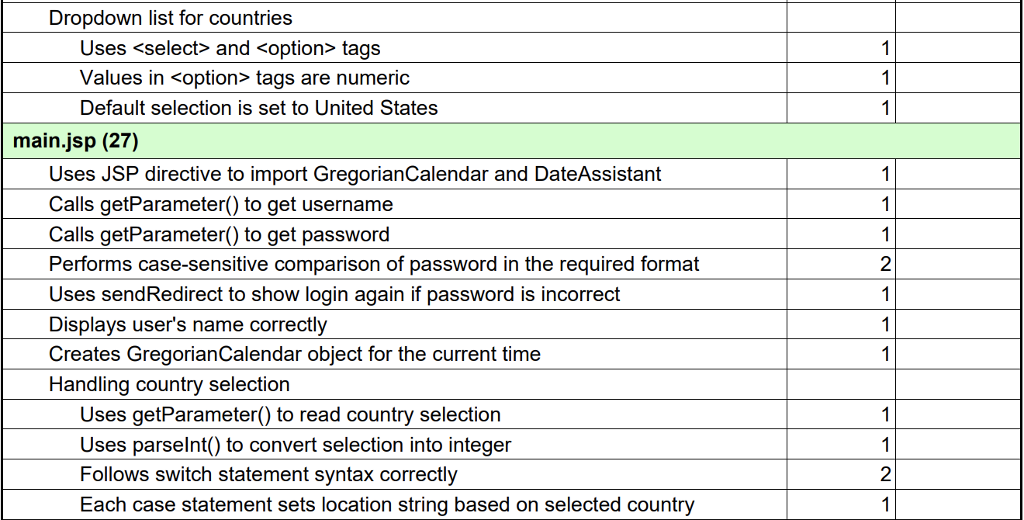
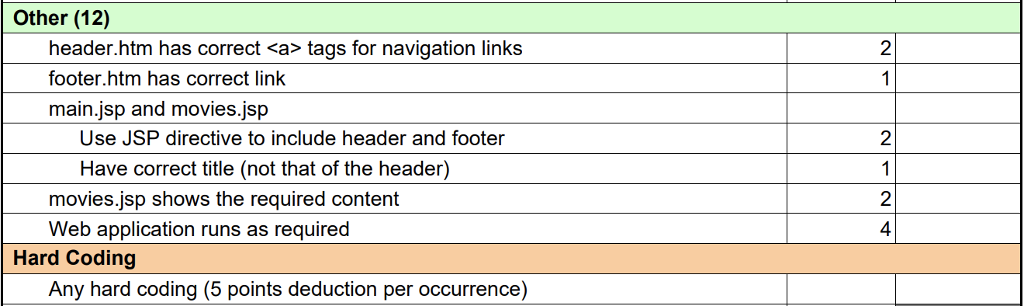
4. Failure to comply with these rubric requirements will cause point deduction:
Firefox ed localhost 8080/case@3/default.htm :-B-Google IR Welcome to Media Galore Welcome to Media Galore Login localhost:8080/casej03/login.htm Firefox ed localhost 8080/case@3/default.htm :-B-Google IR Welcome to Media Galore Welcome to Media Galore Login localhost:8080/casej03/login.htm
Step by Step Solution
There are 3 Steps involved in it

Get step-by-step solutions from verified subject matter experts
 Study Help