







Question: Milestone 6 - Android Interactive Interface In this milestone, you will create the input forms and listview. The data persistence (suve to text file) will
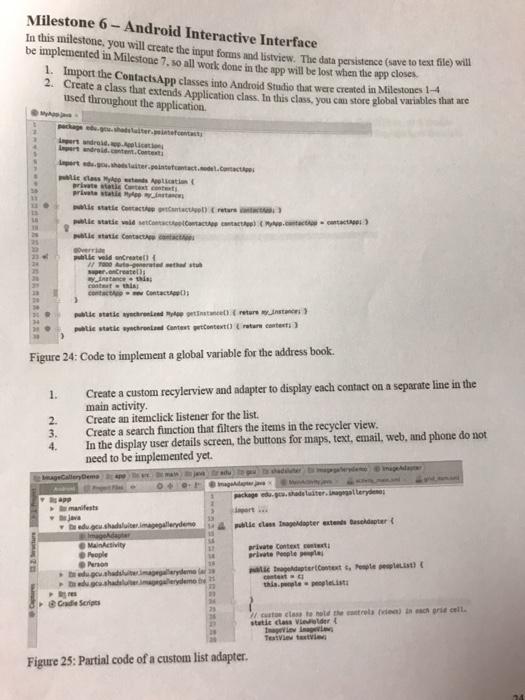
Milestone 6 - Android Interactive Interface In this milestone, you will create the input forms and listview. The data persistence (suve to text file) will be implemented in Milestone 7. so all work done in the app will be lost when the app closes 1. Import the ContactsApp classes into Android Studio that were created in Milestones 1-4 2. Create a class that extends Application class. In this class, you can store global variables that are used throughout the application wdred le class Motto private to at costat wa CC) mille satse vald settacolate to contact wote wa Coc wille void onCreate Water that portelli winance thi con Contact te wete who were we tie atlechen Content content are not Figure 24: Code to implement a global variable for the address book. 1. 2. 3. 4. Create a custom recylerview and adapter to display each contact on a separate line in the main activity Create an itemclick listener for the list. Create a search function that filters the items in the recycler view. In the display user details screen, the buttons for maps, text, email, web, and phone do not need to be implemented yet. Callaneme package dewelter.irger 4 milleclairage dater extend bester Bradu.gu.shadulte.melerden Image MainActivity Prople private context arte ople i deterContexts, wit this listi www.hal shallerden Grade Scripts We close to hold there was in a roll statit class der Tags TextView Figure 25: Partial code of a custom list adapter Milestone 6 - Android Interactive Interface In this milestone, you will create the input forms and listview. The data persistence (suve to text file) will be implemented in Milestone 7. so all work done in the app will be lost when the app closes 1. Import the ContactsApp classes into Android Studio that were created in Milestones 1-4 2. Create a class that extends Application class. In this class, you can store global variables that are used throughout the application wdred le class Motto private to at costat wa CC) mille satse vald settacolate to contact wote wa Coc wille void onCreate Water that portelli winance thi con Contact te wete who were we tie atlechen Content content are not Figure 24: Code to implement a global variable for the address book. 1. 2. 3. 4. Create a custom recylerview and adapter to display each contact on a separate line in the main activity Create an itemclick listener for the list. Create a search function that filters the items in the recycler view. In the display user details screen, the buttons for maps, text, email, web, and phone do not need to be implemented yet. Callaneme package dewelter.irger 4 milleclairage dater extend bester Bradu.gu.shadulte.melerden Image MainActivity Prople private context arte ople i deterContexts, wit this listi www.hal shallerden Grade Scripts We close to hold there was in a roll statit class der Tags TextView Figure 25: Partial code of a custom list adapter
Step by Step Solution
There are 3 Steps involved in it

Get step-by-step solutions from verified subject matter experts
 Study Help