







Question: MIS 2 5 0 - 2 4 1 - What - If Analysis ( Lab 4 ) Input Area Two - Variable Data Table: APR
MIS WhatIf Analysis Lab Input Area
TwoVariable Data Table: APR and Cost of Home
Monthly Payment by CostAPR
TROUBLESHOOTING: If you make any major mistakes in this exercise, you can close the file, open Lab file
again, and then start this exercise over.
Range Names
CREATE A RANGE NAME
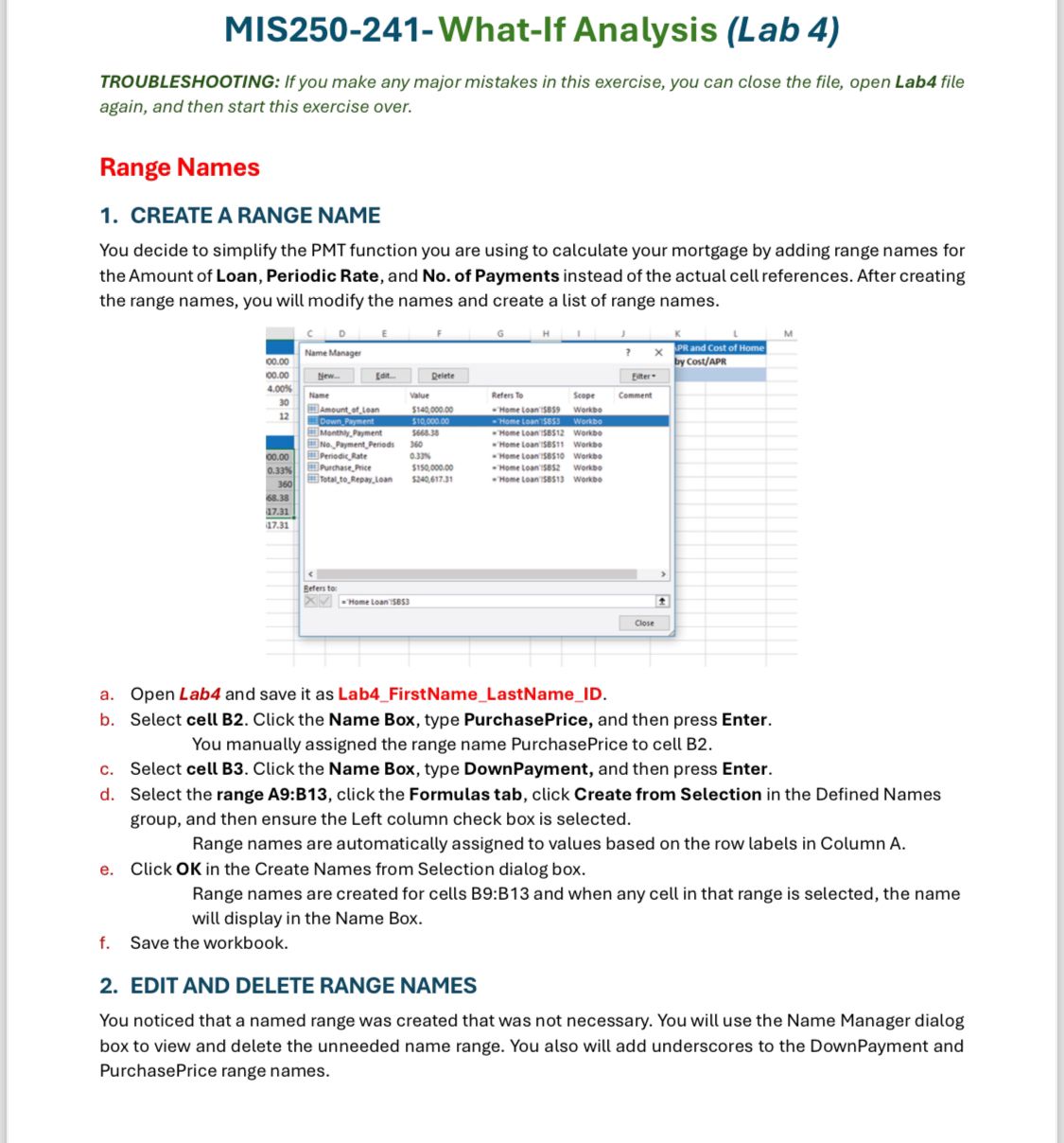
You decide to simplify the PMT function you are using to calculate your mortgage by adding range names for
the Amount of Loan, Periodic Rate, and No of Payments instead of the actual cell references. After creating
the range names, you will modify the names and create a list of range names.
a Open Lab and save it as LabFirstNameLastNameID
b Select cell B Click the Name Box, type PurchasePrice, and then press Enter.
You manually assigned the range name PurchasePrice to cell B
c Select cell B Click the Name Box, type DownPayment, and then press Enter.
d Select the range A:B click the Formulas tab, click Create from Selection in the Defined Names
group, and then ensure the Left column check box is selected.
Range names are automatically assigned to values based on the row labels in Column A
e Click OK in the Create Names from Selection dialog box.
Range names are created for cells B:B and when any cell in that range is selected, the name
will display in the Name Box.
f Save the workbook.
EDIT AND DELETE RANGE NAMES
You noticed that a named range was created that was not necessary. You will use the Name Manager dialog
box to view and delete the unneeded name range. You also will add underscores to the DownPayment and
PurchasePrice range names.
Step by Step Solution
There are 3 Steps involved in it
1 Expert Approved Answer
Step: 1 Unlock

Question Has Been Solved by an Expert!
Get step-by-step solutions from verified subject matter experts
Step: 2 Unlock
Step: 3 Unlock
 Study Help