







Question: Mobile App Development Create two activities. The main page has a button that leads to a second page. The second page has a home icon
Mobile App Development
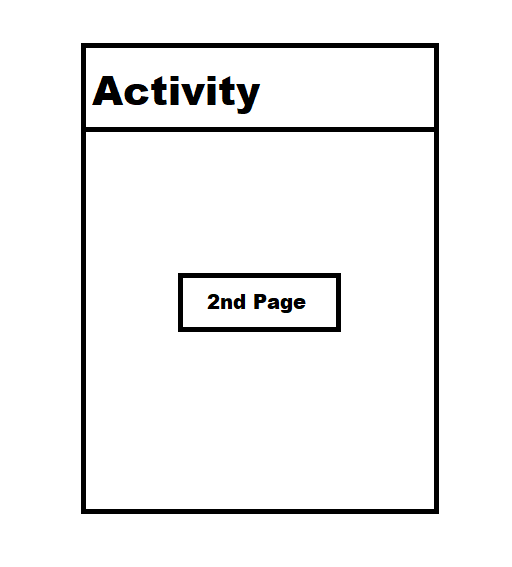
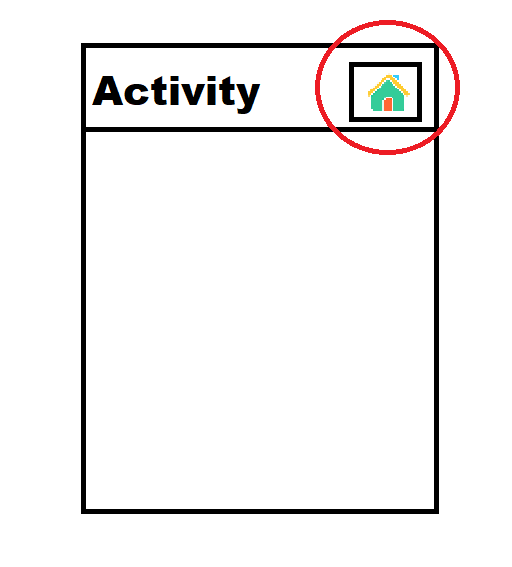
Create two activities. The main page has a button that leads to a second page. The second page has a home icon that is on the top right corner on the header. The home icon can direct the the user from the second page back to main page. For more information, check out these pictures:
Main Page:
Second Page:
Instruction:
1. Make the application according to the requirement. .
2. Do not screenshot, do not write this on paper. Please copy and paste source codes on Chegg.
3. Please post all codes from both XML and Java codes. If there are any changes in Manifest or values codes, post those as well.
4. If there are specific instructions like how to get the home icon, please describe it in the solution.
Activity 2nd Page
Step by Step Solution
There are 3 Steps involved in it

Get step-by-step solutions from verified subject matter experts
 Study Help