







Question: Modify the above program so that the Thread.sleep method is called after each character has been printed causing it to sleep for 500 milliseconds.Describe how
Modify the above program so that the Thread.sleep method is called after each character has been printed causing it to sleep for 500 milliseconds.Describe how that modification has altered the output and explain why the change had the effect that you described.
Modify the above program so that the Thread.sleep method is called after each thread is created in the main method causing it to sleep for 500 milliseconds.
Describe how that modification has altered the output and explain why the change had the effect that you described.
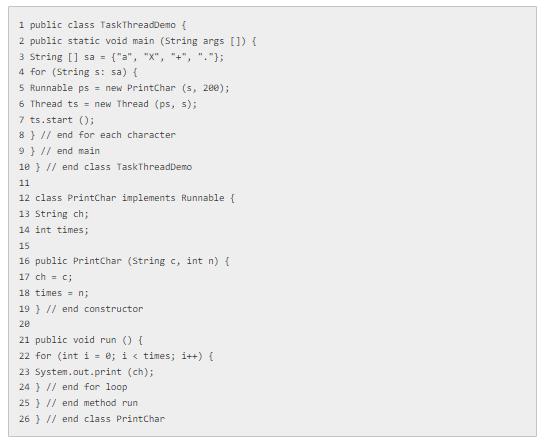
1 public class Task ThreadDemo [ 2 public static void main (String args[]) { 3 String [] sa = {"a", "X", "+", "-"}; 4 for (String s: sa) { 5 Runnable ps = new PrintChar (s, 200); 6 Thread ts new Thread (ps, s); 7 ts.start (); 8} // end for each character 9 } // end main 18 } // end class TaskThreadDemo 11 12 class PrintChar implements Runnable { 13 String ch; 14 int times; 15 16 public PrintChar (String c, int n) { 17 ch = c; 18 times n; 19 } // end constructor 20 21 public void run () { 22 for (int i = 0; i < times; i++) { 23 System.out.print (ch); 24 ) // end for loop 25 // end method run 26 // end class PrintChar
Step by Step Solution
3.56 Rating (163 Votes )
There are 3 Steps involved in it
To modify the program as described lets add Threadsleep500 after each character is printed in the run method and also after each thread is created in ... View full answer

Get step-by-step solutions from verified subject matter experts
 Study Help