







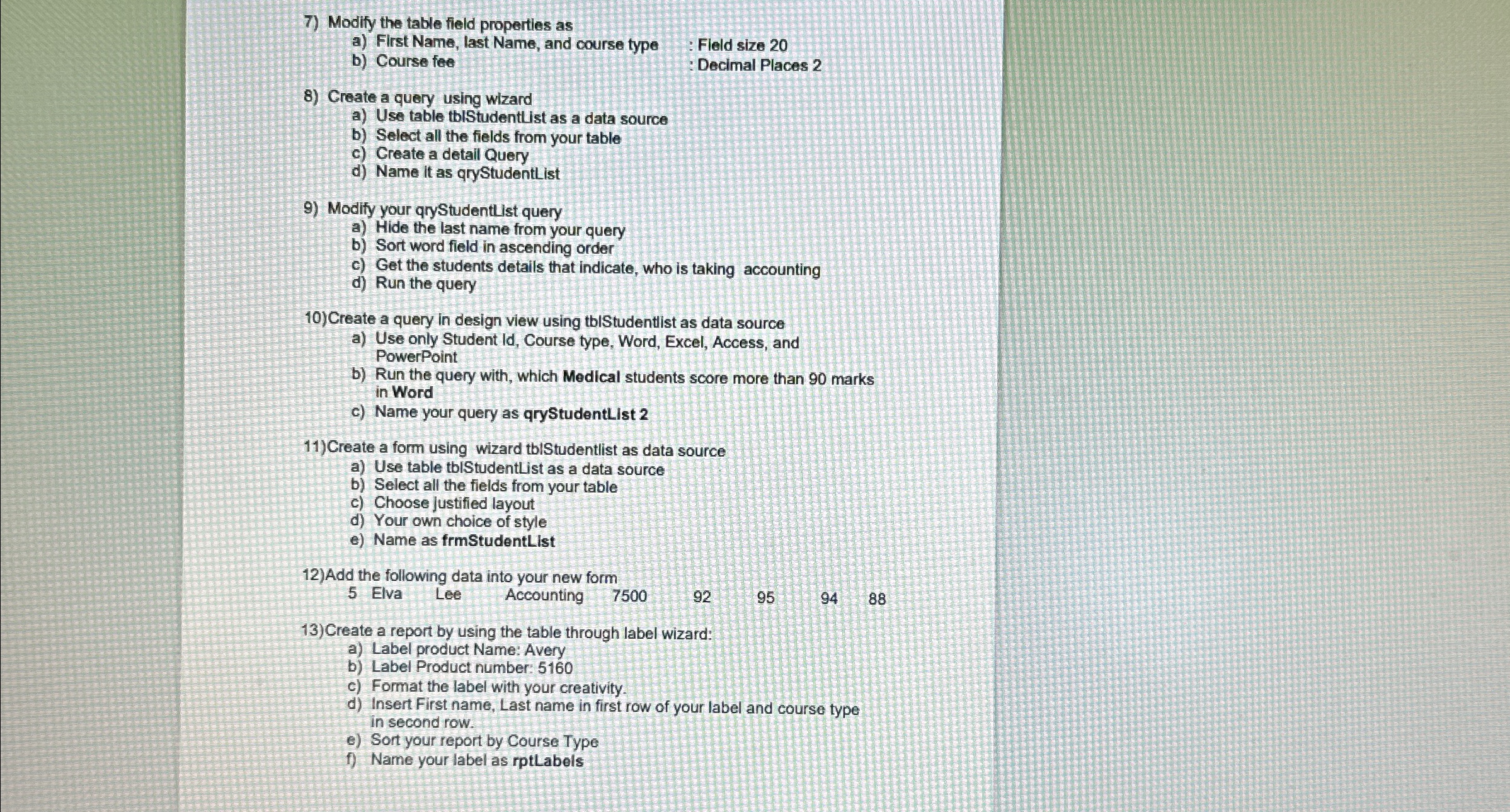
Question: Modify the table field properties as a ) First Name, last Name, and course type b ) Course fee : Fleld size 2 0 :
Modify the table field properties as
a First Name, last Name, and course type
b Course fee
: Fleld size
: Decimal Places
Greate a query using wizard
a Use table thlStudentList as a data source
b Select all the fields from your table
c Greate a detail Query
d Name it as qryStudentList
Modify your qryStudentlist query
a Hide the last name from your query
b Sort word field in ascending order
c Get the students details that indicate, who is taking accounting
d Run the query
Create a query in design view using tblStudentlist as data source
a Use only Student Id Course type, Word, Excel, Access, and PowerPoint
b Run the query with, which Medical students score more than marks in Word
c Name your query as qryStudentList
Create a form using wizard tblStudentlist as data source
a Use table tbiStudentList as a data source
b Select all the fields from your table
c Choose justified layout
d Your own choice of style
e Name as frmStudentList
Add the following data into your new form
Elva Lee Accounting
Create a report by using the table through label wizard:
a Label product Name: Avery
b Label Product number:
c Format the label with your creativity.
d Insert First name, Last name in first row of your label and course type in second row.
e Sort your report by Course Type
f Name your label as rptLabels
Step by Step Solution
There are 3 Steps involved in it
1 Expert Approved Answer
Step: 1 Unlock

Question Has Been Solved by an Expert!
Get step-by-step solutions from verified subject matter experts
Step: 2 Unlock
Step: 3 Unlock
 Study Help