







Question: MouseRace Java game Game should also incude whats below. Code for upper half is done and ill post below. you can use it if you
MouseRace Java game
Game should also incude whats below. Code for upper half is done and ill post below. you can use it if you like.
PICTURE INTO TEXT
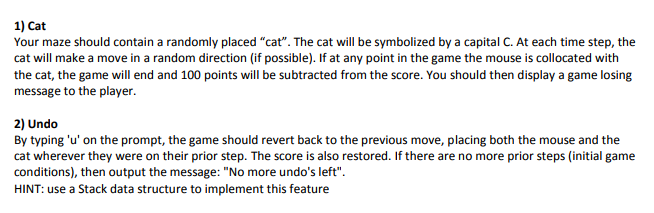
Your maze should contain a randomly placed "cat". The cat will be symbolized by a capital C. At each time step, the cat will make a move in a random direction (if possible). If at any point in the game the mouse is collocated with the cat, the game will end and 100 points will be subtracted from the score. You should then display a game losing message to the player. 2) Undo By typing 'u' on the prompt, the game should revert back to the previous move, placing both the mouse and the cat wherever they were on their prior step. The score is also restored. If there are no more prior steps (initial game conditions), then output the message: "No more undo's left". HINT: use a Stack data structure to implement this feature
High scores
list When loading the game, you should also load a file that contains a list of top 10 scores and initialize an array to contain these values. If the file doesnt exist, initialize the high scores array to -10000 (for all 10 values). After finishing the game, the score should be compared to the high scores list and if it is greater than the lowest score in the list, it should be placed in the list at the appropriate place and then saved in the updated file. Display the updated high scores list when starting the game and after each time the game is finished.
CODE
-------------------------------------------------------------------------------------------------------------------------------------------------------------------------------------------------------------------
package mousegame;
import java.util.*;
public class MOUSERACE {
private int mouseRow, mouseCol;
private int cheeseRow, cheeseCol;
private char [][] maze;
private int score;
public static void main(String [] arg) {
new MOUSERACE();
}
public MOUSERACE() {
System.out.println("C");
System.out.println("NAME: ");
System.out.println(" 5 ");
maze = new char[12][12];
score = 0;
int i,j;
for(i = 1; i
for(j = 1; j
maze[i][j] = ' '; //Initialize to blank
for(i = 0; i
maze[0][i] = maze[11][i] = maze[i][0] = maze[i][11] = '#'; //boundary wall
}
//Create rest of the maze
for(i = 3; i
maze[1][i] = '#';
maze[2][1] = '#';
for(i = 3; i
maze[2][i] = '#';
maze[3][1] = maze[3][7] = maze[3][8] = maze[3][10] ='#';
for(i = 3; i
maze[4][i] = '#';
maze[4][7] = maze[4][10] = '#';
for(i = 2; i
maze[5][i] = '#';
maze[5][7] = maze[5][10] = '#';
maze[6][2] = maze[6][5] = maze[6][7] = maze[6][8] = maze[6][10] = '#';
maze[7][2] = maze[7][3] = maze[7][5] = maze[7][7] = maze[7][8] = maze[7][10] = '#';
maze[8][3] = maze[8][5] = maze[8][7] = maze[8][8] = maze[8][10] = '#';
maze[9][1] = maze[9][3] = maze[9][5] = maze[9][10] = '#';
for(i = 5; i
maze[10][i] = '#';
//Set cheese
maze[10][10] = '$';
cheeseRow = cheeseCol = 10;
//Set mouse
maze[1][1] = '%';
mouseRow = mouseCol = 1;
//Start the game
System.out.println("**************************************");
System.out.println("*** WELCOME TO THE MOUSE RACE GAME ***");
System.out.println("**************************************");
Scanner scan = new Scanner(System.in);
while(! gameWon()) {
printMaze();
System.out.println("Your current score: " + score);
System.out.print("Select a move direction (n/s/w/e): ");
String input = scan.nextLine();
parseCmd(input);
score --;
}
score += 100; // points for winning
printMaze();
System.out.println("GAME OVER! MOUSE GOT THE CHEESE!");
System.out.println("Your score was " + score);
}
boolean gameWon() {
return (mouseRow == cheeseRow && mouseCol == cheeseCol);
}
void printMaze() {
int i,j;
System.out.println("");
for(i = 0; i
for(j = 0; j
System.out.print(maze[i][j]);
System.out.println("");
}
System.out.println("");
}
void makeMove(int row, int col) {
if(maze[row][col] == '#') {
System.out.println("You cannot move there!");
} else {
maze[mouseRow][mouseCol] = ' ';
mouseRow = row;
mouseCol = col;
maze[mouseRow][mouseCol] = '%';
}
}
void parseCmd(String input) {
input = input.trim(); // remove leading, trailing whitespace
if(input.equals("n")) {
makeMove(mouseRow - 1, mouseCol);
} else if(input.equals("s")) {
makeMove(mouseRow + 1, mouseCol);
} else if(input.equals("w")) {
makeMove(mouseRow, mouseCol - 1);
} else if(input.equals("e")) {
makeMove(mouseRow, mouseCol + 1);
}
}
}
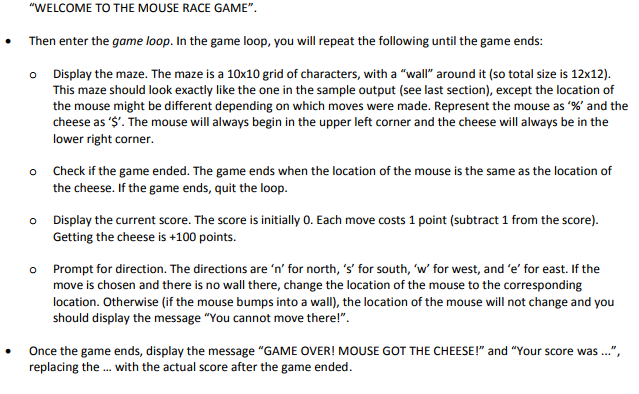
"WELCOME TO THE MOUSE RACE GAME" Then enter the game loop. In the game loop, you will repeat the following until the game ends: o Display the maze. The maze is a 10x10 grid of characters, with a "wall" around it (so total size is 12x12). This maze should look exactly like the one in the sample output (see last section), except the location of the mouse might be different depending on which moves were made. Represent the mouse as %, and the cheese as 'S. The mouse will always begin in the upper left corner and the cheese will always be in the lower right corner. Check if the game ended. The game ends when the location of the mouse is the same as the location of the cheese. If the game ends, quit the loop. o o Display the current score. The score is initially 0. Each move costs 1 point (subtract 1 from the score). Getting the cheese is +100 points. Prompt for direction. The directions are 'n' for north, 's' for south, 'w' for west, and 'e' for east. If the move is chosen and there is no wall there, change the location of the mouse to the corresponding location. Otherwise (if the mouse bumps into a wall), the location of the mouse will not change and you should display the message "You cannot move there!" o . Once the game ends, display the message "GAME OVER! MOUSE GOT THE CHEESE!" and "Your score was ...", replacing the .. with the actual score after the game ended
Step by Step Solution
There are 3 Steps involved in it

Get step-by-step solutions from verified subject matter experts
 Study Help