







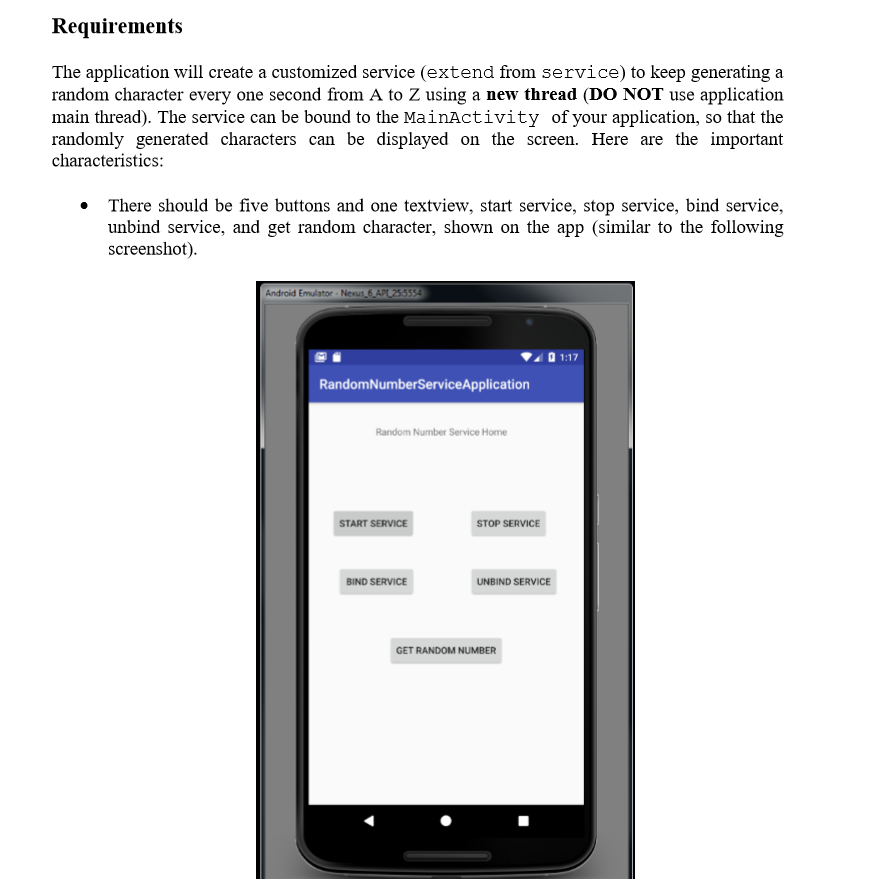
Question: Must complete using Android Studio. The start button will trigger the random character generator service. . The stop button will stop the service . The
 Must complete using Android Studio.
The start button will trigger the random character generator service. . The stop button will stop the service . The bind service button will bind the service with the main activity. . The unbind service button will unbind the service. The get random character button will get the randomly generated character from the service and display it on the textview. Whenever the service status changed, you should display the current service status in the logcat. * When random character generator service is running, the randomly generated characters must be shown in the logcat. The start button will trigger the random character generator service. . The stop button will stop the service . The bind service button will bind the service with the main activity. . The unbind service button will unbind the service. The get random character button will get the randomly generated character from the service and display it on the textview. Whenever the service status changed, you should display the current service status in the logcat. * When random character generator service is running, the randomly generated characters must be shown in the logcat
Step by Step Solution
There are 3 Steps involved in it

Get step-by-step solutions from verified subject matter experts
 Study Help