







Question: MY CODE: public class Fibonacci { public static void main(String[] args) { int n = 10;
MY CODE:
public class Fibonacci { public static void main(String[] args) { int n = 10; int y = fibonacci(n); System.out.println("The " + n + "th term of the Fibonacci sequence is " + y + "."); } public static int fibonacci(int n) { if(n == 0) { return 0; } if(n == 1) { return 1; } return fibonacci(n - 1) + fibonacci(n - 2); } }Adding it into GitHub:
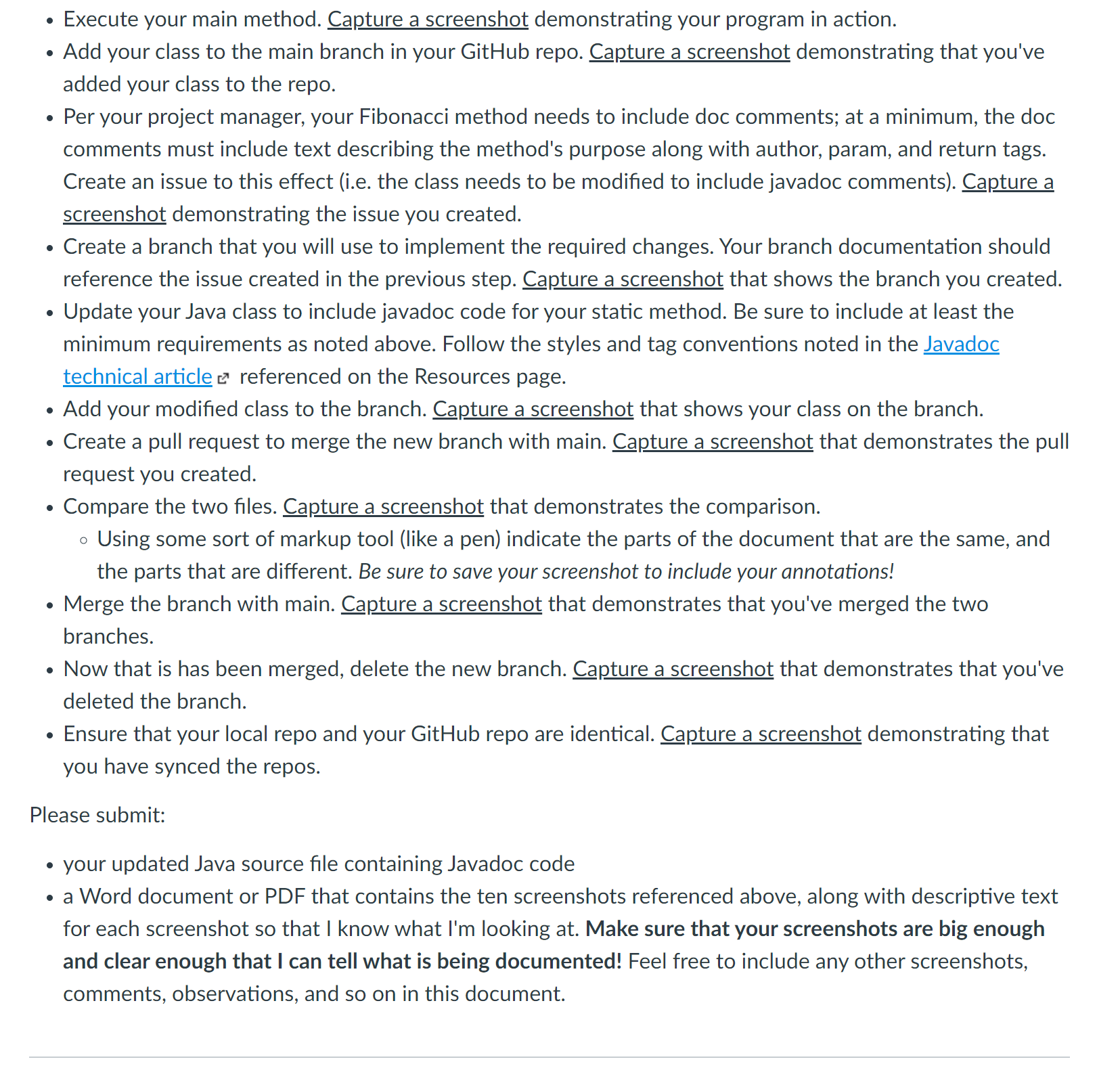
I'm basically so confused on how my professor wants these steps in GitHub with screenshots for each step. I don't know how to do any of these steps. I've tried Youtube tutorials and they were no help.
. . . Execute your main method. Capture a screenshot demonstrating your program in action. Add your class to the main branch in your GitHub repo. Capture a screenshot demonstrating that you've added your class to the repo. Per your project manager, your Fibonacci method needs to include doc comments; at a minimum, the doc comments must include text describing the method's purpose along with author, param, and return tags. Create an issue to this effect (i.e. the class needs to be modified to include javadoc comments). Capture a screenshot demonstrating the issue you created. Create a branch that you will use to implement the required changes. Your branch documentation should reference the issue created in the previous step. Capture a screenshot that shows the branch you created. Update your Java class to include javadoc code for your static method. Be sure to include at least the minimum requirements as noted above. Follow the styles and tag conventions noted in the Javadoc technical article referenced on the Resources page. Add your modified class to the branch. Capture a screenshot that shows your class on the branch. Create a pull request to merge the new branch with main. Capture a screenshot that demonstrates the pull request you created. Compare the two files. Capture a screenshot that demonstrates the comparison. Using some sort of markup tool (like a pen) indicate the parts of the document that are the same, and the parts that are different. Be sure to save your screenshot to include your annotations! Merge the branch with main. Capture a screenshot that demonstrates that you've merged the two branches. Now that is has been merged, delete the new branch. Capture a screenshot that demonstrates that you've deleted the branch. Ensure that your local repo and your GitHub repo are identical. Capture a screenshot demonstrating that you have synced the repos. Please submit: your updated Java source file containing Javadoc code a Word document or PDF that contains the ten screenshots referenced above, along with descriptive text for each screenshot so that I know what I'm looking at. Make sure that your screenshots are big enough and clear enough that I can tell what is being documented! Feel free to include any other screenshots, comments, observations, and so on in this document.
Step by Step Solution
There are 3 Steps involved in it

Get step-by-step solutions from verified subject matter experts
 Study Help