



Question: my student number P012345 2) Preparing a simple TCP/IP message schema In this question, you can use MS Word Shapes where are located on the
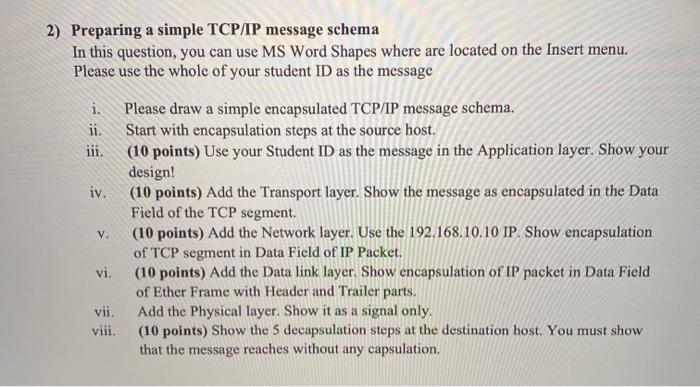
2) Preparing a simple TCP/IP message schema In this question, you can use MS Word Shapes where are located on the Insert menu. Please use the whole of your student ID as the message i. Please draw a simple encapsulated TCP/IP message schema. ii. Start with encapsulation steps at the source host. iii. (10 points) Use your Student ID as the message in the Application layer. Show your design! (10 points) Add the Transport layer. Show the message as encapsulated in the Data Field of the TCP segment. (10 points) Add the Network layer. Use the 192.168.10.10 IP. Show encapsulation of TCP segment in Data Field of IP Packet, vi. (10 points) Add the Data link layer. Show encapsulation of IP packet in Data Field of Ether Frame with Header and Trailer parts. vii. Add the Physical layer. Show it as a signal only. viii. (10 points) Show the 5 decapsulation steps at the destination host. You must show that the message reaches without any capsulation. iv. V. 2) Preparing a simple TCP/IP message schema In this question, you can use MS Word Shapes where are located on the Insert menu. Please use the whole of your student ID as the message i. Please draw a simple encapsulated TCP/IP message schema. ii. Start with encapsulation steps at the source host. iii. (10 points) Use your Student ID as the message in the Application layer. Show your design! (10 points) Add the Transport layer. Show the message as encapsulated in the Data Field of the TCP segment. (10 points) Add the Network layer. Use the 192.168.10.10 IP. Show encapsulation of TCP segment in Data Field of IP Packet, vi. (10 points) Add the Data link layer. Show encapsulation of IP packet in Data Field of Ether Frame with Header and Trailer parts. vii. Add the Physical layer. Show it as a signal only. viii. (10 points) Show the 5 decapsulation steps at the destination host. You must show that the message reaches without any capsulation. iv. V
Step by Step Solution
There are 3 Steps involved in it

Get step-by-step solutions from verified subject matter experts