







Question: Need assistance in building a Work Breakdown Structure for a Wedding in MS Project as I'm working on an assignment in Project Management. Overview The
Need assistance in building a Work Breakdown Structure for a Wedding in MS Project as I'm working on an assignment in Project Management. Overview The purpose of this Individual assignment is to develop a WBS (Work Breakdown Structure). The scope of the WBS is relatively small.
Assignment for the Wedding WBS The scenario is pasted here
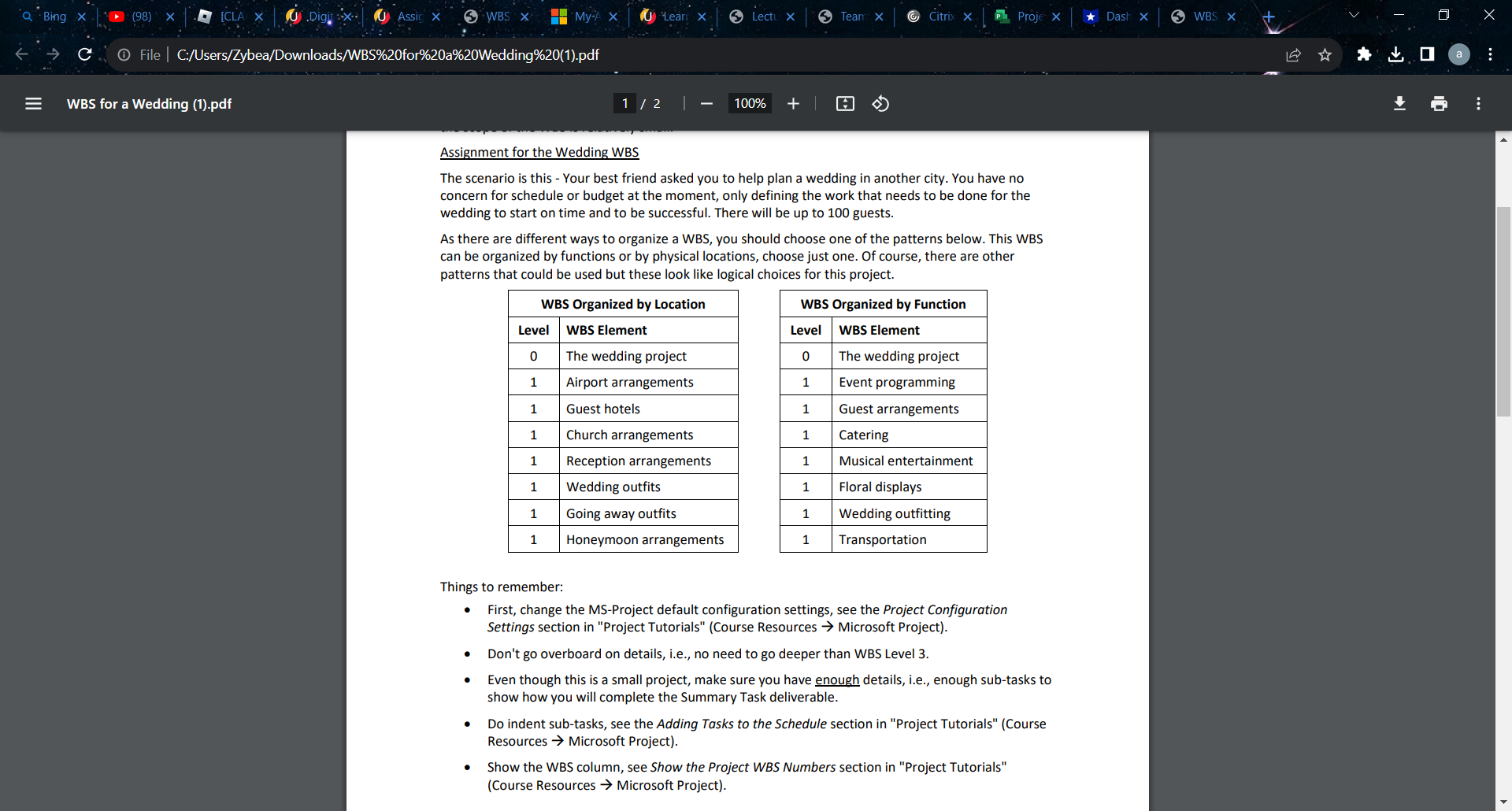
L l L Users/Zybea/Downl0ads/WBSU/c-ZOforWoZOaWoZOWedding%20[1).pdf was for a Wedding (1).de 100% + l] Assignment for the Wedding was The scenario is this . Your best friend asked you to help plan a wedding in another city. You have no concern for schedule or budget at the moment, only defining the work that needs to be done for the wedding to start on time and to be successful. There will be up to 100 guests. As there are different ways to organize 3 W55, you should choose one of the patterns below. This WBS can he organized by functions or by physical locations, choose just one. Of course, there are other patterns that could be used but these look like logical choices forthis project. WES Organixed by Location WES Organized by Function Level WES Element level WBSEIement n The wedding project 0 The wedding project Airport arrangements Event programming Guest hotels Guest arrangements Church arrangements Catering Reception arrangements Musical entertainment Wedding outfits Floral displays Going away outfits Wedding outfitting Honeymoon arrangements Transportation Things to remember: I First, change the MSeProject default configuration settings, see the Project Configuration Settings section in "Project Tutorials" (Course Resources ) Microsoft Project). Don't go overboard on details, i.e., no need to go deeperthan WBS Level 3. Even though this is a small project, make sure you have enough details, i.e., enough sub-tasks to show how you will complete the Summary Task deliverable. Do indent subetasks, see the Adding Tasks to the Schedule section in \"Project Tutorials" (Course Resources -) Microsoft Project). Show the was column, see Show the Project W85 Numbers section in "Project Tutorials\" (Course Resources -) Microsoft Project)
Step by Step Solution
There are 3 Steps involved in it

Get step-by-step solutions from verified subject matter experts
 Study Help