







Question: need c++ format The Random Access File The random access file of this project will be implemented with an object wrapper. We will present a
need c++ format
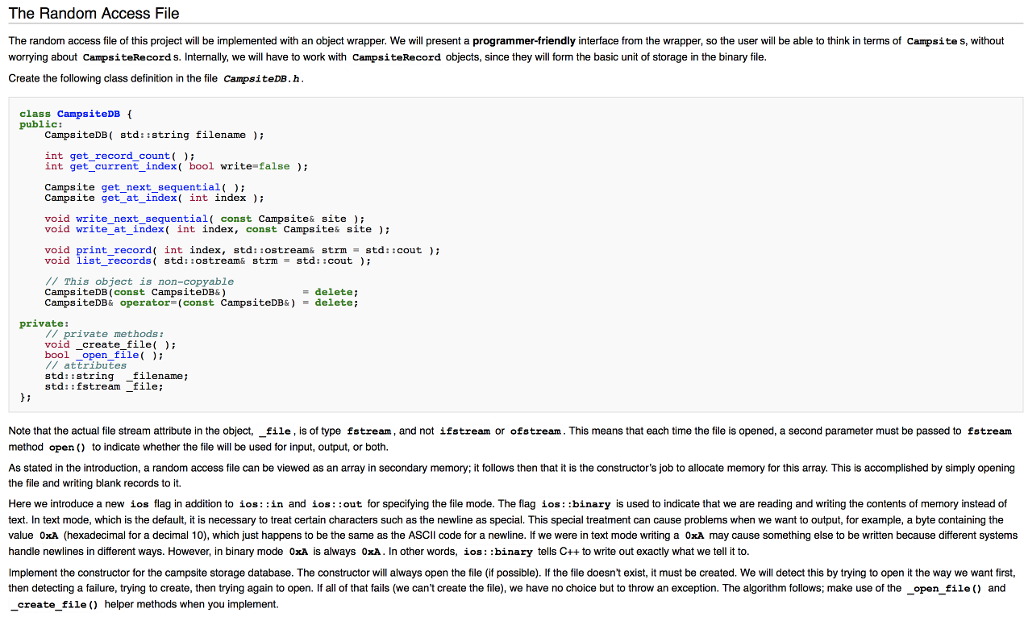
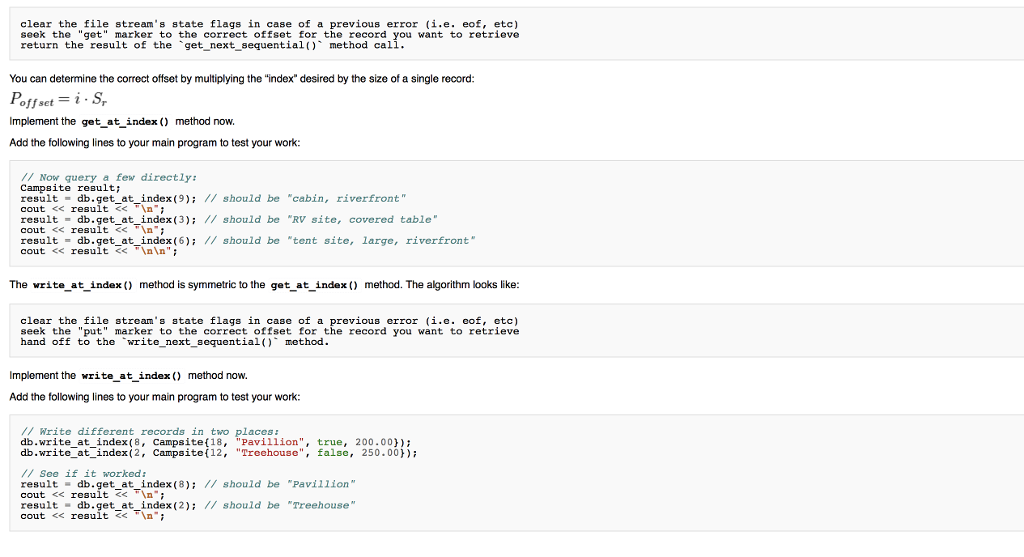
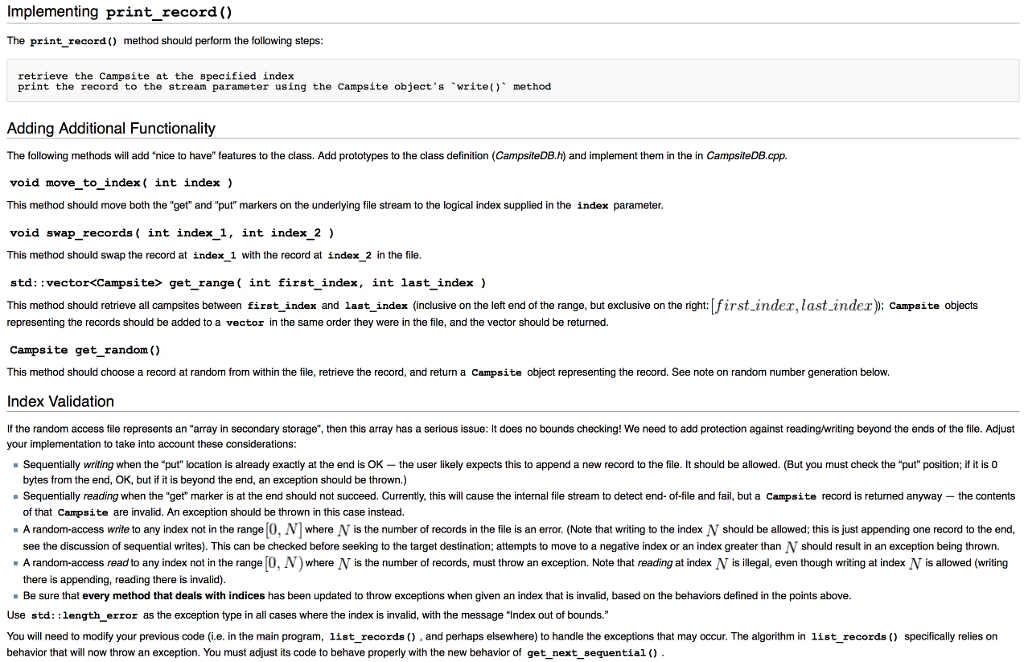
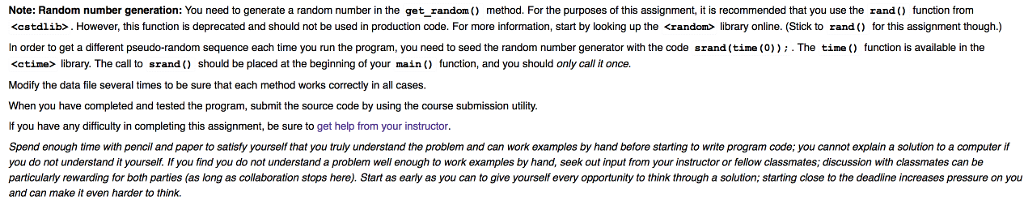
The Random Access File The random access file of this project will be implemented with an object wrapper. We will present a programmer-friendly interface from the wrapper, so the user will be able to think in terms of Campsite s, without worrying about CampsiteRecord s. Internally, we will have to work with CampsiteRecord objects, since they will form the basic unit of storage in the binary file. Create the following class definition in the file CampsiteDB. h class CanpsiteDB public: CampsiteDB( std::string filename) int get record count int getcurrent_index( bool write-false) Campsite get_next_sequentiali Campsite get_at_index( int index void write_next_sequential const Campsite& site void write_at_index( int index, const Campsite& site void print record( int index, std::ostream& strm = td::cout ); void list_records( std:ostream& strm-std::cout); // This object is non-copyable CampsiteDB (const campsiteDB) CampsiteDB& operator (const CampsiteDB6) = delete ; = delete; private: // private methods t void _create file) bool open file( /attributes std::string filename; std::fstream _file; Note that the actual file stream attribute in the object,?file, is of type fstream ' and not ifstream or ofstream . This means that each time the file is opened, a second parameter must be passed 10 fstream method open to indicate whether the file will be used for input, output, or both As stated in the introduction, a random access file can be viewed as an array in secondary memory; it follows then that it is the constructor's job to allocate memory for this array. This is accomplished by simply opening the file and writing blank records to it. Here we introduce a new ios flag in addition to ios: in and ios: :out for specifying the file mode. The flag ios: :binary is used to indicate that we are reading and writing the contents of memory instead of text. In text mode, which is the default, it is necessary to treat certain characters such as the newline as special. This special treatment can cause problems when we want to output, for example, a byte containing the value 0xA (hexadecimal for a decimal 10), which just happens to be the same as the ASCII code for a newline lf we were in text mode writing a 0xA may cause something else to be written because different systems handle newlines in different ways. However, in binary mode OxA is always 0xA. In other words, ios: :binary tells C++ to write out exactly what we tell it to. Implement the constructor for the campsite storage database. The constructor will always open the file (if possible). If the file doesn't exist, it must be created. We will detect this by trying to open it the way we want first, then detecting a failure, trying to create, then trying again to open. If all of that fails (we can't create the file), we have no choice but to throw an exception. The algorithm follows; make use of the_open file and create file) helper methods when you implement The Random Access File The random access file of this project will be implemented with an object wrapper. We will present a programmer-friendly interface from the wrapper, so the user will be able to think in terms of Campsite s, without worrying about CampsiteRecord s. Internally, we will have to work with CampsiteRecord objects, since they will form the basic unit of storage in the binary file. Create the following class definition in the file CampsiteDB. h class CanpsiteDB public: CampsiteDB( std::string filename) int get record count int getcurrent_index( bool write-false) Campsite get_next_sequentiali Campsite get_at_index( int index void write_next_sequential const Campsite& site void write_at_index( int index, const Campsite& site void print record( int index, std::ostream& strm = td::cout ); void list_records( std:ostream& strm-std::cout); // This object is non-copyable CampsiteDB (const campsiteDB) CampsiteDB& operator (const CampsiteDB6) = delete ; = delete; private: // private methods t void _create file) bool open file( /attributes std::string filename; std::fstream _file; Note that the actual file stream attribute in the object,?file, is of type fstream ' and not ifstream or ofstream . This means that each time the file is opened, a second parameter must be passed 10 fstream method open to indicate whether the file will be used for input, output, or both As stated in the introduction, a random access file can be viewed as an array in secondary memory; it follows then that it is the constructor's job to allocate memory for this array. This is accomplished by simply opening the file and writing blank records to it. Here we introduce a new ios flag in addition to ios: in and ios: :out for specifying the file mode. The flag ios: :binary is used to indicate that we are reading and writing the contents of memory instead of text. In text mode, which is the default, it is necessary to treat certain characters such as the newline as special. This special treatment can cause problems when we want to output, for example, a byte containing the value 0xA (hexadecimal for a decimal 10), which just happens to be the same as the ASCII code for a newline lf we were in text mode writing a 0xA may cause something else to be written because different systems handle newlines in different ways. However, in binary mode OxA is always 0xA. In other words, ios: :binary tells C++ to write out exactly what we tell it to. Implement the constructor for the campsite storage database. The constructor will always open the file (if possible). If the file doesn't exist, it must be created. We will detect this by trying to open it the way we want first, then detecting a failure, trying to create, then trying again to open. If all of that fails (we can't create the file), we have no choice but to throw an exception. The algorithm follows; make use of the_open file and create file) helper methods when you implement
Step by Step Solution
There are 3 Steps involved in it

Get step-by-step solutions from verified subject matter experts
 Study Help