







Question: Need help improving my Code. I ' m suppose to improve the image using filtering and remove as much of the pattern without degrading the
Need help improving my Code.
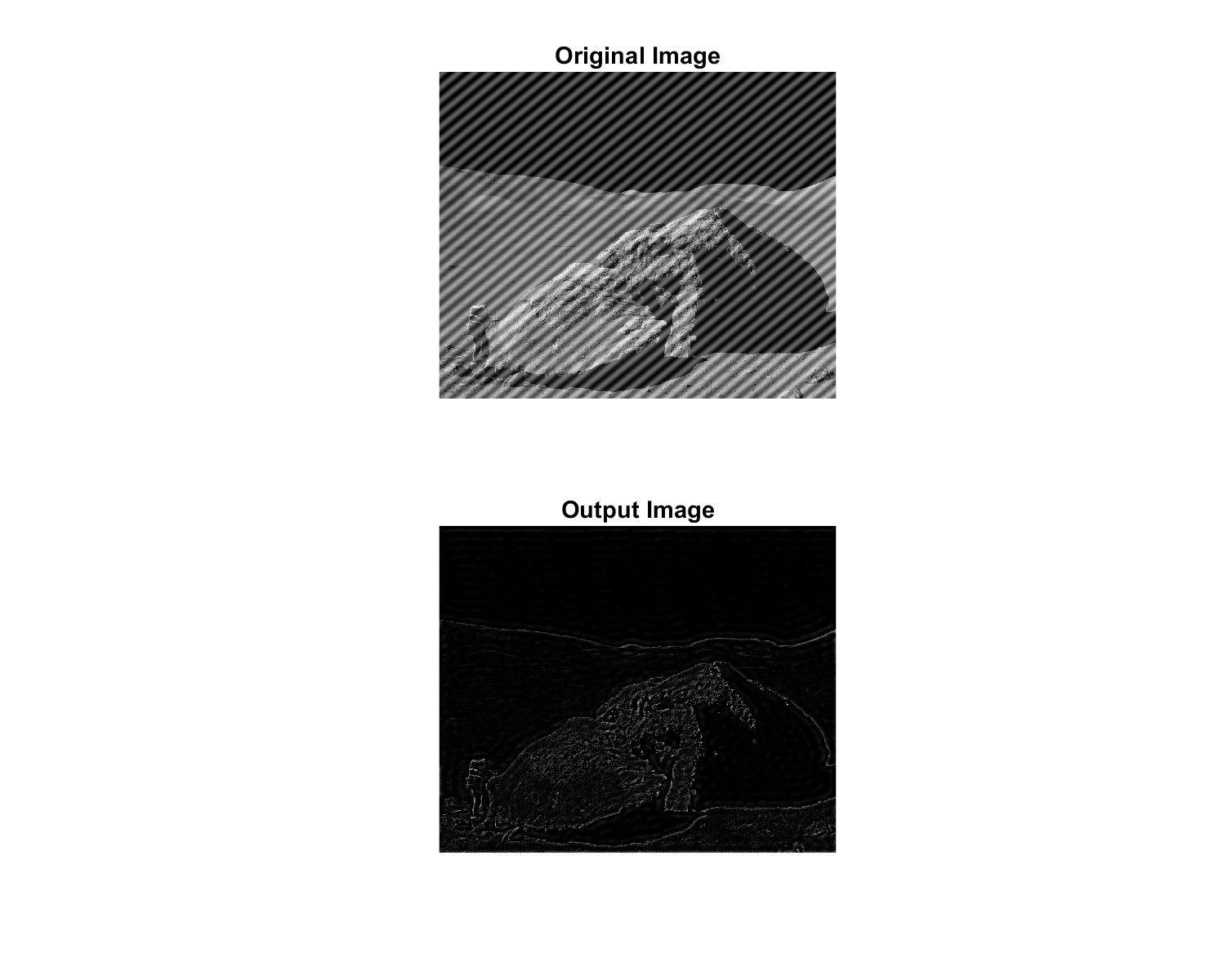
Im suppose to improve the image using filtering and remove as much of the pattern without degrading the image as possible.
I remove the pattern but the image is coming out dark
Here's my function code:
function g ImageFiteringf
Convert image to double precision for processing
f imdoublef;
Compute Fourier transform of the image
F fftf;
Shift the zero frequency component to the center
Fshifted fftshiftF;
Define a mask to filter out highfrequency components where pattern is present
rows cols sizeF;
mask onesrows cols;
radius ; Adjust this value based on the size of the pattern in frequency domain
center rows cols;
X Y meshgrid:cols, :rows;
distance sqrtX centerY center;
maskdistance radius; Lowpass filter to retain lowfrequency components
Apply the mask to the shifted Fourier transform
Ffiltered Fshifted mask;
Shift the zero frequency component back to the corner
Funshifted ifftshiftFfiltered;
Compute the inverse Fourier transform to get the filtered image
g realifftFunshifted;
Clip values to ensure they are in the range
g minmaxg;
Perform automatic scaling to adjust brightness
g g ming:maxg: ming:;
end
Step by Step Solution
There are 3 Steps involved in it
1 Expert Approved Answer
Step: 1 Unlock

Question Has Been Solved by an Expert!
Get step-by-step solutions from verified subject matter experts
Step: 2 Unlock
Step: 3 Unlock
 Study Help