







Question: Need help on these. Task 2,3,4 Task #2 The if-else-if Statement 1. Write an if-else-if statement that lets the computer choose which statements to execute
Need help on these. Task 2,3,4
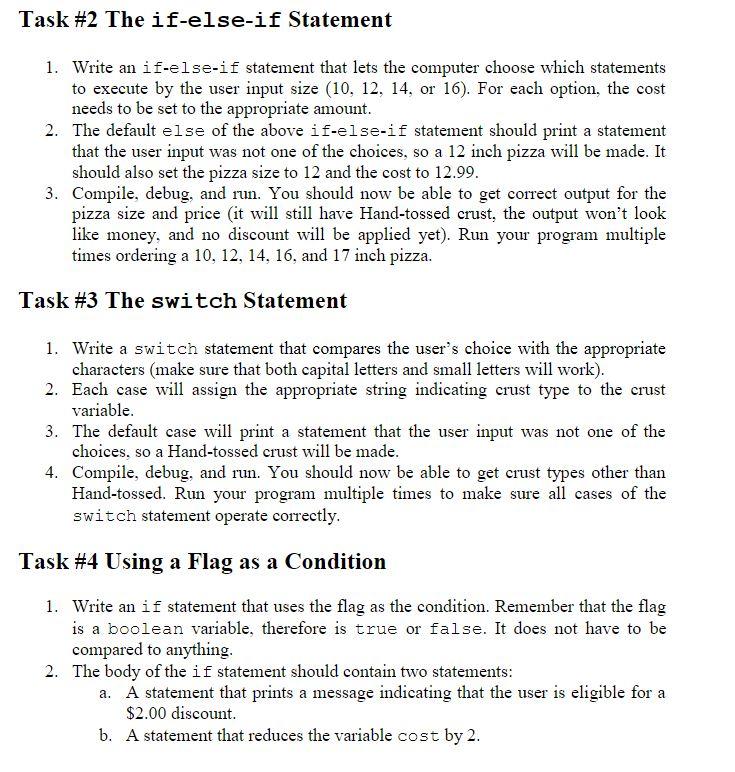
Task \#2 The if-else-if Statement 1. Write an if-else-if statement that lets the computer choose which statements to execute by the user input size (10,12,14, or 16). For each option, the cost needs to be set to the appropriate amount. 2. The default else of the above if-else-if statement should print a statement that the user input was not one of the choices, so a 12 inch pizza will be made. It should also set the pizza size to 12 and the cost to 12.99. 3. Compile, debug, and run. You should now be able to get correct output for the pizza size and price (it will still have Hand-tossed crust, the output won't look like money, and no discount will be applied yet). Run your program multiple times ordering a 10,12,14,16, and 17 inch pizza. Task \#3 The swi tch Statement 1. Write a switch statement that compares the user's choice with the appropriate characters (make sure that both capital letters and small letters will work). 2. Each case will assign the appropriate string indicating crust type to the crust variable. 3. The default case will print a statement that the user input was not one of the choices, so a Hand-tossed crust will be made. 4. Compile, debug, and run. You should now be able to get crust types other than Hand-tossed. Run your program multiple times to make sure all cases of the switch statement operate correctly. Task \#4 Using a Flag as a Condition 1. Write an if statement that uses the flag as the condition. Remember that the flag is a boolean variable, therefore is true or false. It does not have to be compared to anything. 2. The body of the if statement should contain two statements: a. A statement that prints a message indicating that the user is eligible for a $2.00 discount. b. A statement that reduces the variable cost by 2 . Task \#2 The if-else-if Statement 1. Write an if-else-if statement that lets the computer choose which statements to execute by the user input size (10,12,14, or 16). For each option, the cost needs to be set to the appropriate amount. 2. The default else of the above if-else-if statement should print a statement that the user input was not one of the choices, so a 12 inch pizza will be made. It should also set the pizza size to 12 and the cost to 12.99. 3. Compile, debug, and run. You should now be able to get correct output for the pizza size and price (it will still have Hand-tossed crust, the output won't look like money, and no discount will be applied yet). Run your program multiple times ordering a 10,12,14,16, and 17 inch pizza. Task \#3 The swi tch Statement 1. Write a switch statement that compares the user's choice with the appropriate characters (make sure that both capital letters and small letters will work). 2. Each case will assign the appropriate string indicating crust type to the crust variable. 3. The default case will print a statement that the user input was not one of the choices, so a Hand-tossed crust will be made. 4. Compile, debug, and run. You should now be able to get crust types other than Hand-tossed. Run your program multiple times to make sure all cases of the switch statement operate correctly. Task \#4 Using a Flag as a Condition 1. Write an if statement that uses the flag as the condition. Remember that the flag is a boolean variable, therefore is true or false. It does not have to be compared to anything. 2. The body of the if statement should contain two statements: a. A statement that prints a message indicating that the user is eligible for a $2.00 discount. b. A statement that reduces the variable cost by 2
Step by Step Solution
There are 3 Steps involved in it

Get step-by-step solutions from verified subject matter experts
 Study Help